7 Halcyon Gold User Manual
User Interface
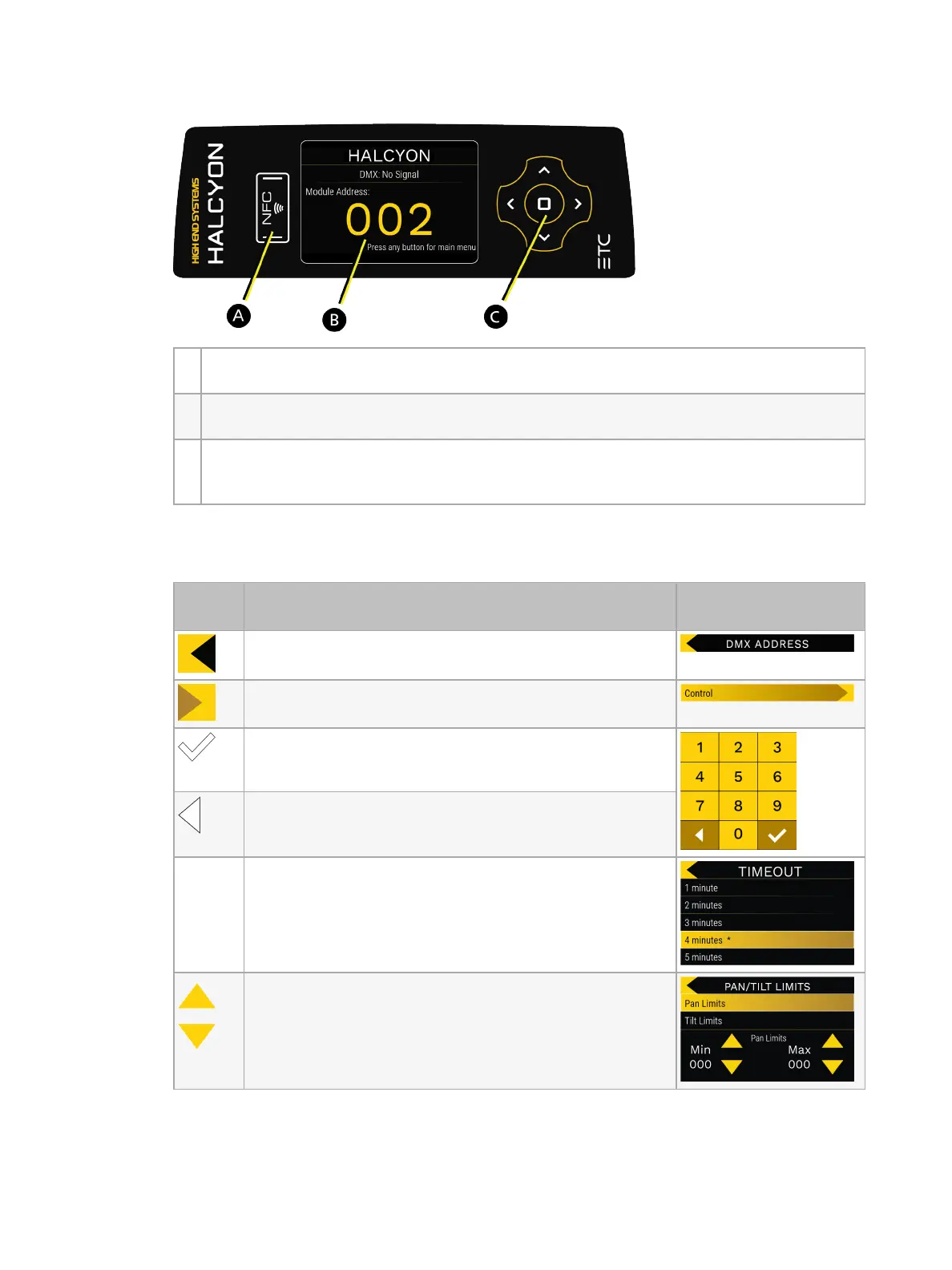
A NFC Tag: Use the ETC Set Light app to wirelessly configure the fixture, with or without
power applied to the fixture. See
Configure the Fixture Wirelessly on page 25
.
B Touchscreen display: Displays the fixture configuration options in menu format. Tap the
display to access the Main Menu. See
Touchscreen Display below
for details.
C Navigation controls: Provides an alternative to the touchscreen display for configuring
the fixture. Use the up, down, left, right, and Enter buttons to navigate the Main Menu.
See
Navigation Controls on page 8
for details.
Touchscreen Display
Tap an item on the touchscreen display to select the item.
UI
Element
Description Example
Move back to the previous menu.
Indicates that the menu item has a submenu.
Shown in number pads. Tap to save changes.
Shown in number pads. Tap to select the number to the
left of the currently highlighted number on the
touchscreen display.
*
Indicates the active option.
Increase or decrease values.











 To Next Page