15 Halcyon Gold User Manual
Ethernet Control
The Halcyon Gold fixture includes two Ethernet ports that allow sending and receiving of
control signals using the Art-Net protocol or sACN.
Use a Cat5e (or better) cable and terminate to RJ45 connectors following the TIA/EIA 568B
wiring standard.
Connect EthernetCables to a Fixture
The following instructions are guidelines for connecting Ethernet to your fixture. Your
installation may vary.
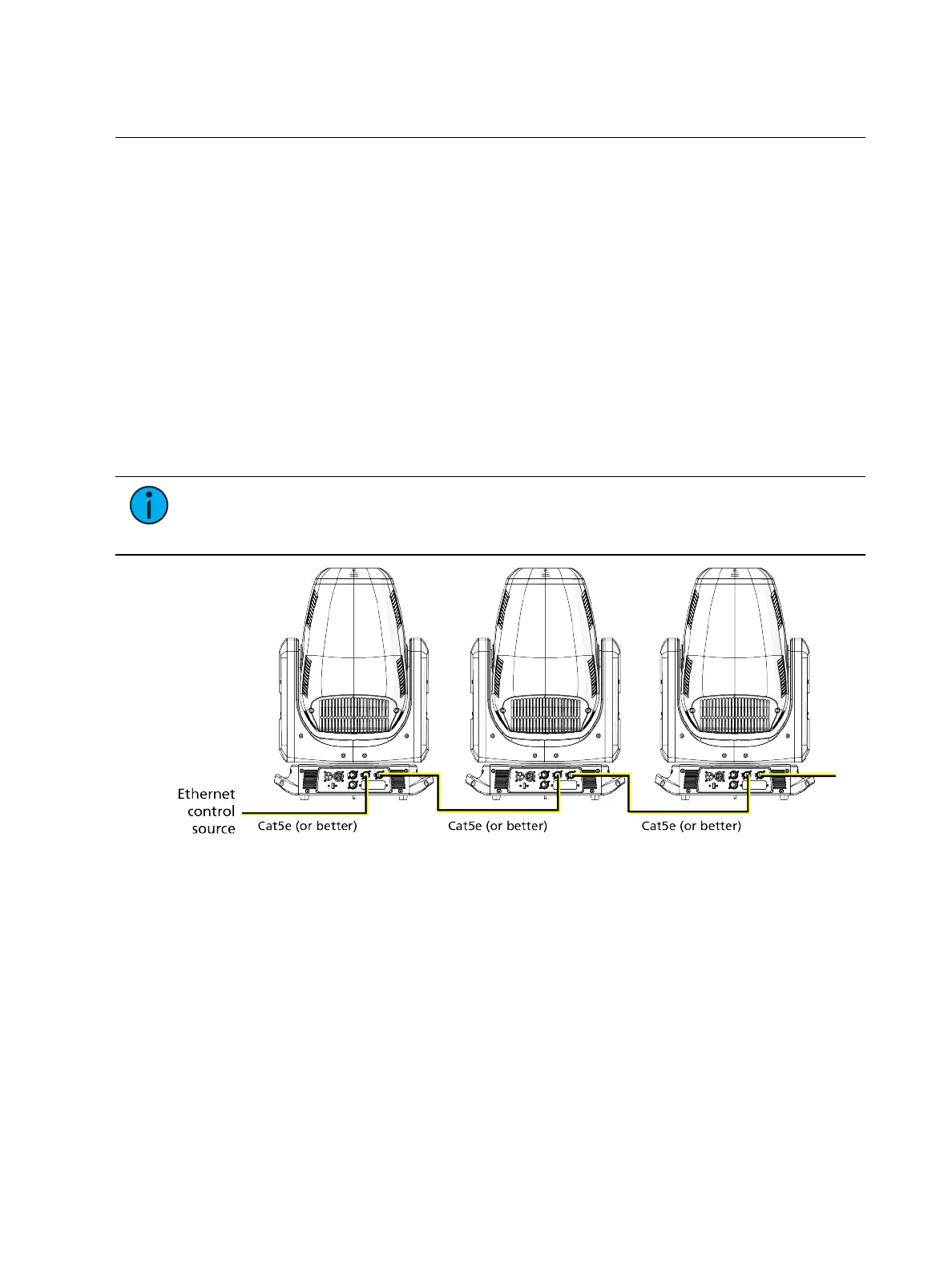
1. Connect a cable from the Ethernet control source to one of the Ethernet ports on the
first fixture in the Ethernet control run.
2. Connect the first fixture to a second fixture by connecting a cable from the second
Ethernet port on the first fixture to one of the Ethernet ports on the second fixture.
3. Continue linking the remaining fixtures by connecting a cable from Ethernet port to
Ethernet port on the fixtures on the control run.
Note:
The Cat5e cable distance should not exceed 100 m (328 ft), and you should
not connect more than 20 fixtures in one Ethernet control run when the fixtures are
linked together.











 To Next Page