Set Up and Focus the Fixture 7
Set Up and Focus the Fixture
WARNING: Note the following safety warnings before use:
Only use mounting hardware that is rated for the total weight of the
fixture and accessories.
In addition to primary suspension, attach a safety cable (or other
approved safety device) to the fixture. Safety cables must be rated to
support ten times the fixture weight. Consult local standards to ensure
that safety cables meet all requirements.
Check that the accessory holder is locked and that any accessory safety
cables are connected before mounting the fixture.
AVERTISSEMENT : Prendre connaissance des avertissements de sécurité
suivants avant toute utilisation :
N’utilisez que de la quincaillerie de montage adaptée au poids total
des projecteurs et des accessoires.
En plus de la suspension principale, fixez une chaîne de sécurité (ou
tout autre dispositif de sécurité homologué) au projecteur. Les chaînes
de sécurité doivent être en mesure de supporter dix fois le poids du
projecteur. Consultez les normes locales pour vous assurer que les
câbles de sécurité respectent toutes les exigences.
Vérifiez que le porte-accessoires est verrouillé et que les élingues de
tous les accessoires sont bien attachées avant de monter le projecteur.
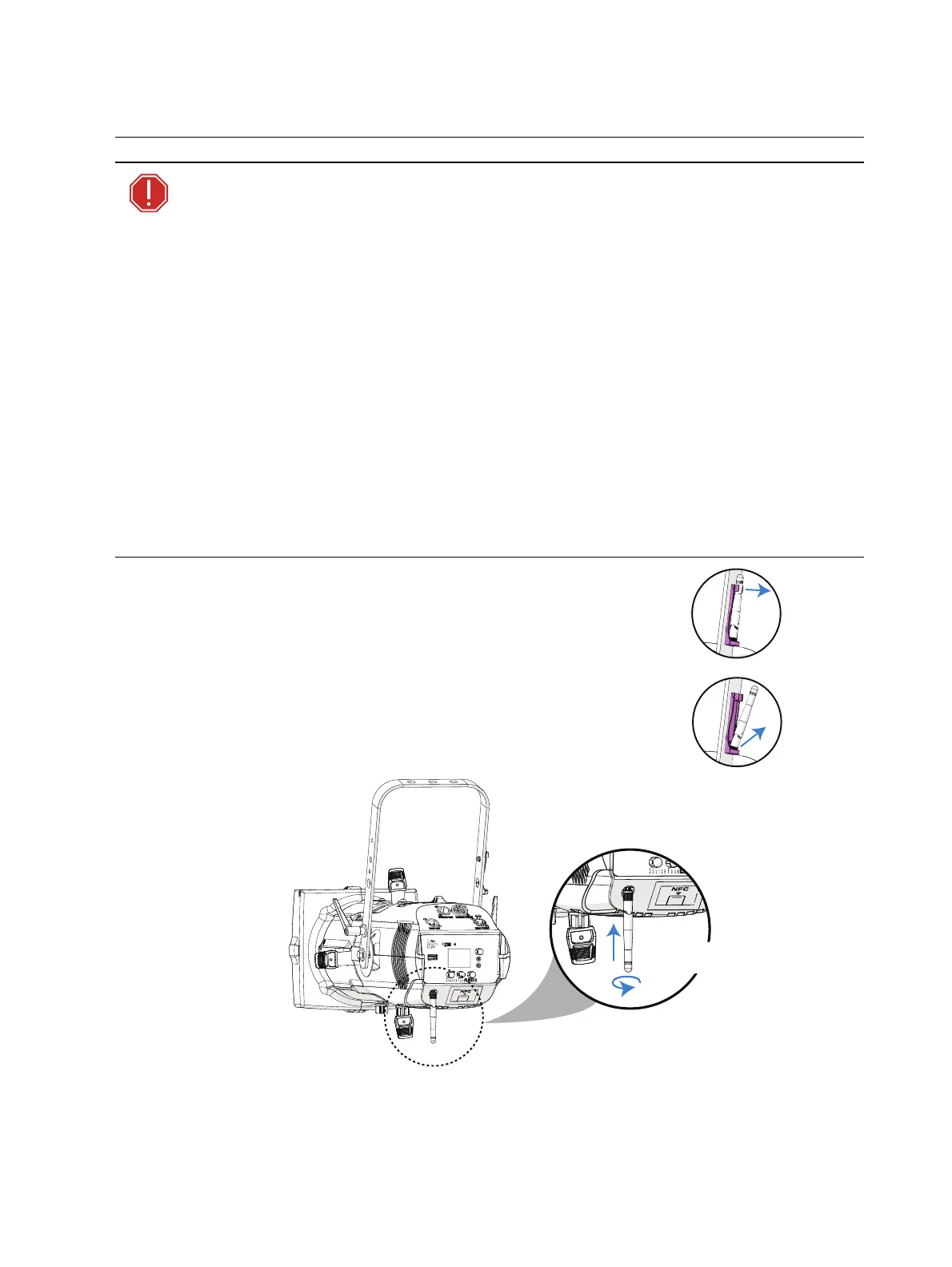
Unsnap top,
then remove
antenna
Install the Antenna
The fixture ships with the antenna stored in the antenna storage
accessory. If you will use wireless control, install the antenna before
using the fixture.
1. Grasp the antenna at the top and pull outward to unsnap it
from the antenna storage accessory.
2. Locate the antenna base next to the NFC tag on the back of
the fixture. Insert and twist the antenna to screw it into the
base.














 To Next Page