8 Source Four LED Series 3 User Manual
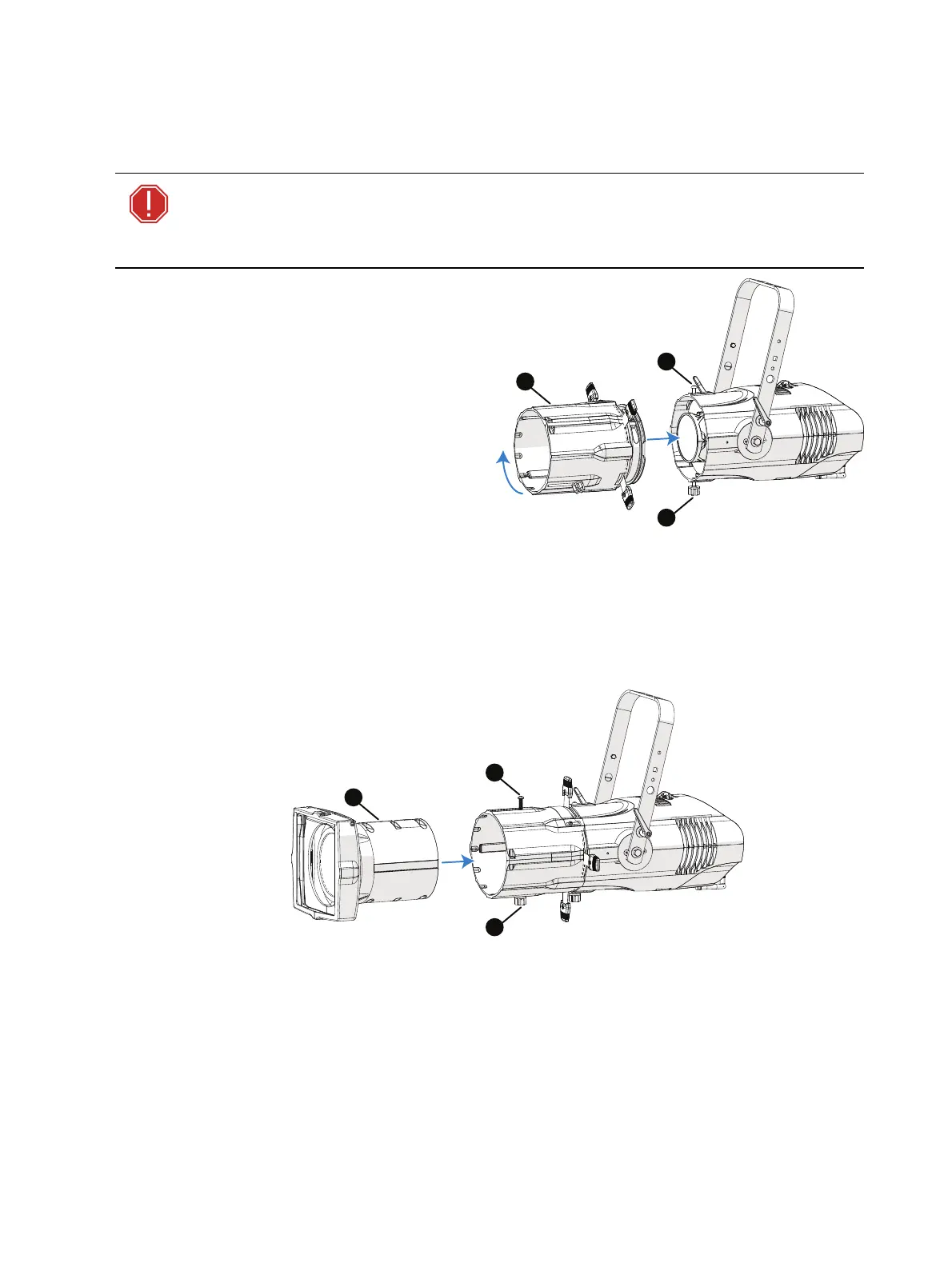
Install a Shutter Barrel
You can use either an XDLT shutter barrel or a legacy Source Four shutter barrel. (For legacy
Source Four shutter barrels, you must use the legacy Source Four lens tubes, too.)
WARNING: XDLT lens tubes and the XDLT shutter barrel are not
compatible with Source Four incandescent fixtures. Use with incandescent
fixtures will result in damage to the shutter barrel and will void the ETC
warranty.
Insert the shutter barrel (A) into the light
engine, and rotate clockwise 45 degrees.
Secure with the provided screw (B) and
barrel rotation knob (C).
Install a Lens Tube
You can use either XDLT lens tubes or legacy Source Four lens tubes. (For legacy Source Four
lens tubes, you must use the legacy Source Four shutter barrel, too.)For guidance on selecting
lens tubes for maximum output and highest quality imaging, see the Source Four LED Series 3
datasheet at etcconnect.com.
Slide the lens tube (A) into the shutter barrel, and secure with the provided screw (B) and beam
focus knob (C).














 To Next Page