18 Source Four LED Series 3 User Manual
Color Mode
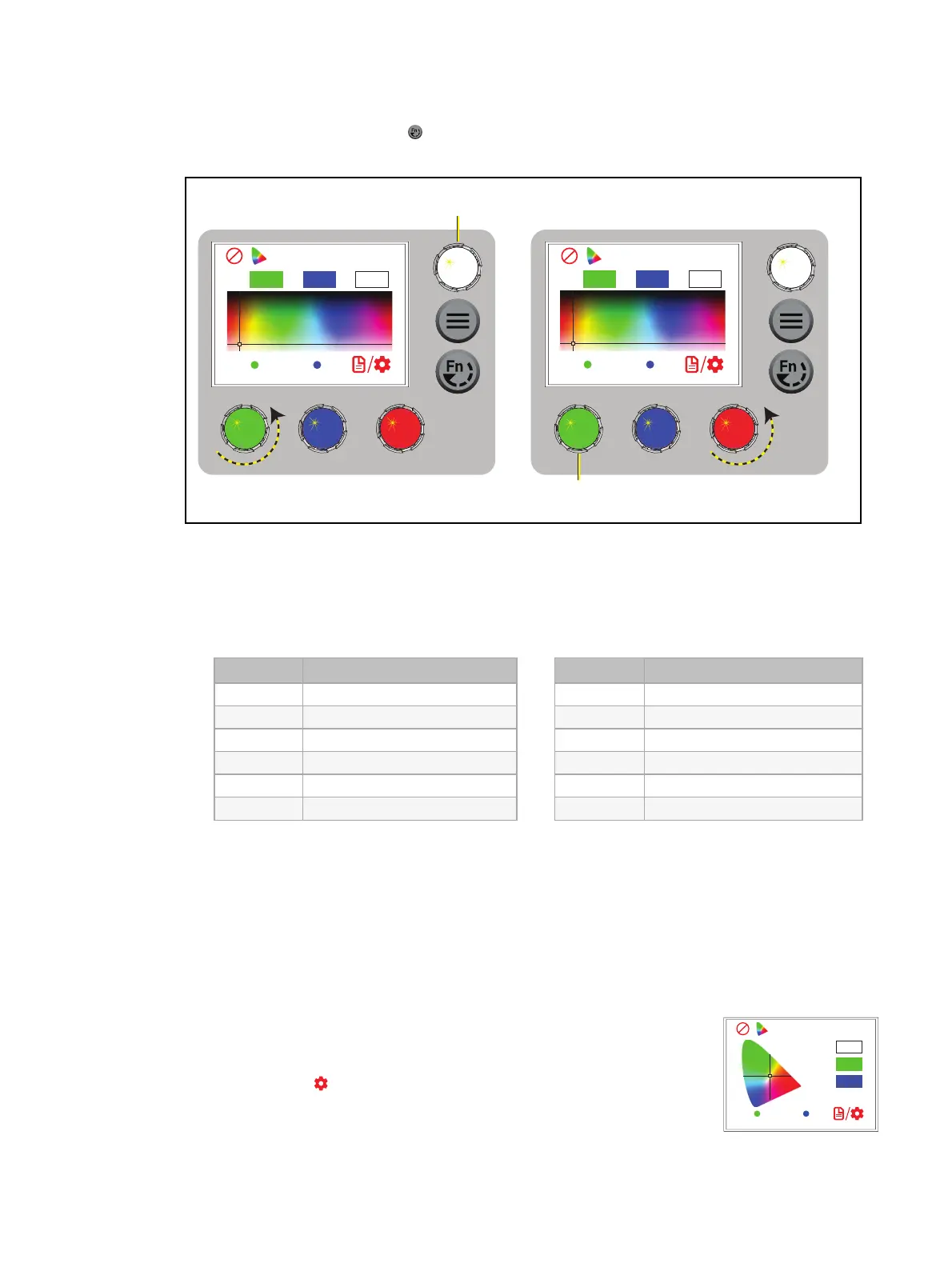
1. Press the Function button ( ), use the Intensity encoder to navigate to Color Mode, and
then press the Intensity encoder to select it.
Color
P1 P2
20
29
H: S: I: 97%
Color
P3 P4
20
29
H: S: I: 97%
Press and hold an encoder to
record the color to that preset.
Turn the green or blue encoder to
modify the value in the matching field.
Turn the red encoder to move
to another page of presets.
Turn to adjust intensity, or press to
toggle between current intensity and 0.
2. Turn the encoders to change the corresponding values. For example, turn the Intensity
encoder to change the intensity value, or turn the green encoder to change the hue value.
The crosshairs on the display indicate the approximate color.
You can use a preset as a starting point for a color by pressing the color encoder that
matches the preset. Turn the red encoder to move to another page of presets.
Number Preset
1 3200K
2 4500K
3 5600K
4 Yellow
5 Dark Straw
6 Red
Number Preset
7 Medium Pink
8 Magenta
9 Medium Blue
10 Primary Blue
11 Blue Green
12 Green
More Options
Turn off the color: Press the Intensity encoder to toggle the intensity value from the
current value to 0. Press the Intensity encoder again to toggle back to the previous
intensity value.
Revert to the original color of a preset: Press the encoder that corresponds to the preset
again to restore the original values.
Color
P1 P2
0.39
0.42
Int: 97%
Save the color to a preset:Press and hold the encoder that
corresponds to the preset that you want to re-record. The display
shows a three-second countdown before re-recording the preset.
Changes that you make to presets in the Color screen also affect
presets in the Effects screen and the Preset screen.
Change the color selection mode:Press the red encoder (for the
Settings icon ) to change between Hue/Saturation (default color
selection mode) and x,y. In x,y mode, you set the x and y coordinates
within the CIE 1931 chromaticity diagram. (See image at right.)














 To Next Page