Use Fixture in Stand-aloneMode 19
Effects Mode
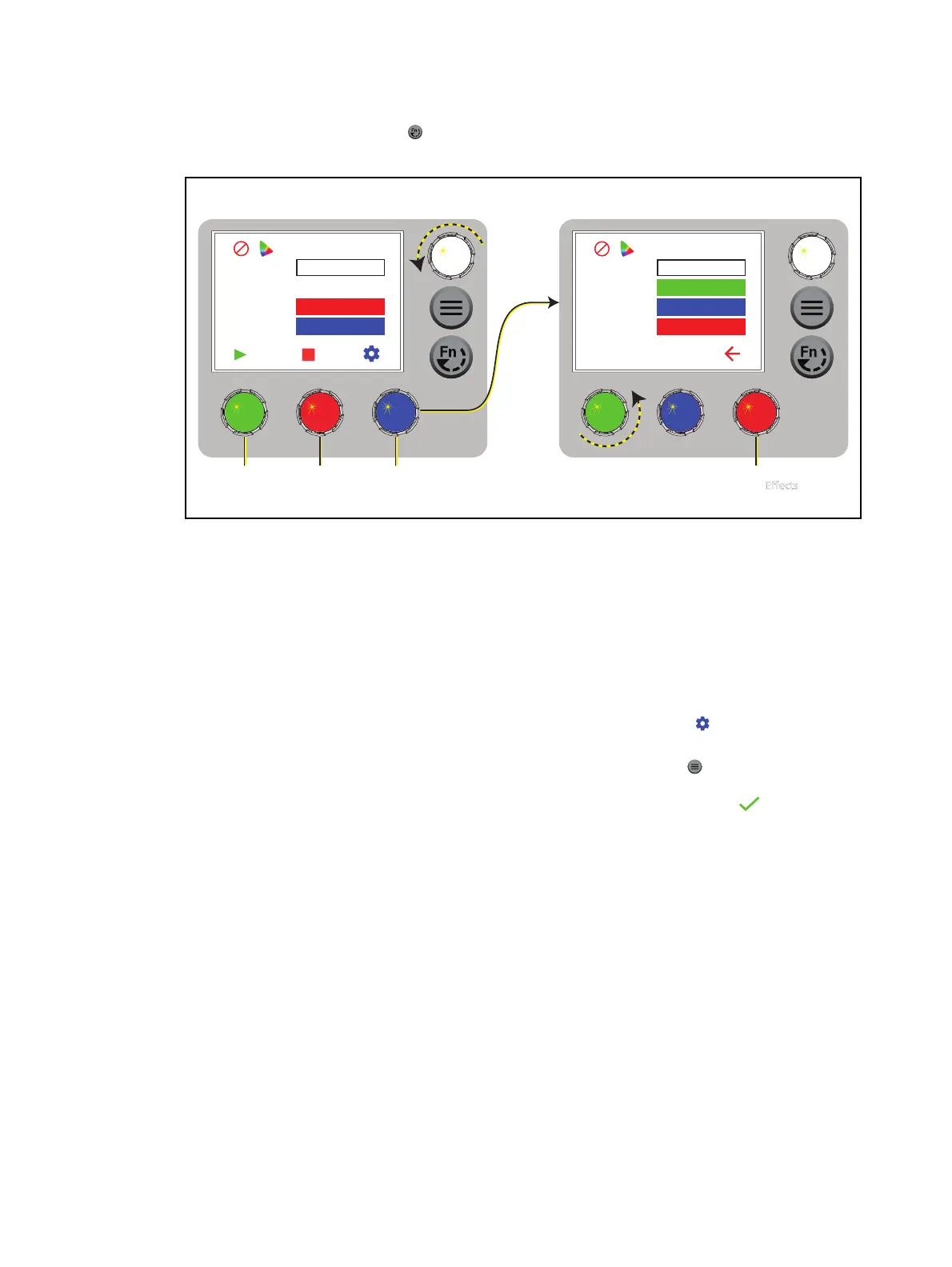
1. Press the Function button ( ), use the Intensity encoder to navigate to Effects Mode, and
then press the Intensity encoder to select it.
Effects
Effect Sequence
Rate 100
Action Forward
Max Int 100%
Settings
Fade 3s
Dwell 5s
Preset 1
Step 1
Press to play/pause
the sequence.
Turn to modify
the value in the
matching field.
Press to
stop the
sequence.
Press to
modify the
sequence.
Press to return
to the Effects
screen.
Turn an encoder to modify the
value in the matching field.
2. Press the green encoder to play the sequence.
More Options
Pause the sequence: Press the green encoder again. The green encoder toggles between
play and pause. When you press the green encoder to play the effect again, the fixture
resumes the effect from where you paused it.
Stop the sequence:Press the red encoder. When you press the green encoder to play the
effect again, the fixture plays the effect from the beginning.
Modify the sequence:Turn the encoders to change the corresponding values. To modify
the sequence further, press the blue encoder (for the Settings icon ) to modify the
settings for the sequence.
Push the sequence to connected fixtures:Press the Menu button ( ), and then use the
Intensity encoder to navigate through the menu: Local Settings>Push Effects. When the
screen prompts you to confirm, press the green encoder (for the OK icon ) to continue.














 To Next Page