12 Source Four LED Series 3 User Manual
Use Fixture in DMX Mode
After you connect power and data to the fixture and provide DMX, press the Function button ( ),
use the Intensity encoder to navigate to DMX Mode, and then press the Intensity encoder to
select it. In the DMX screen, you can set the DMX address, DMXmode, and DMXloss behavior.
Note:
You can also set these values using RDM, or by pressing the Menu button ( ),
turning the Intensity encoder to navigate to DMX Settings, and then pressing the
Intensity encoder to select it. Use the Menu button to change DMX settings when using
the fixture in stand-alone mode.
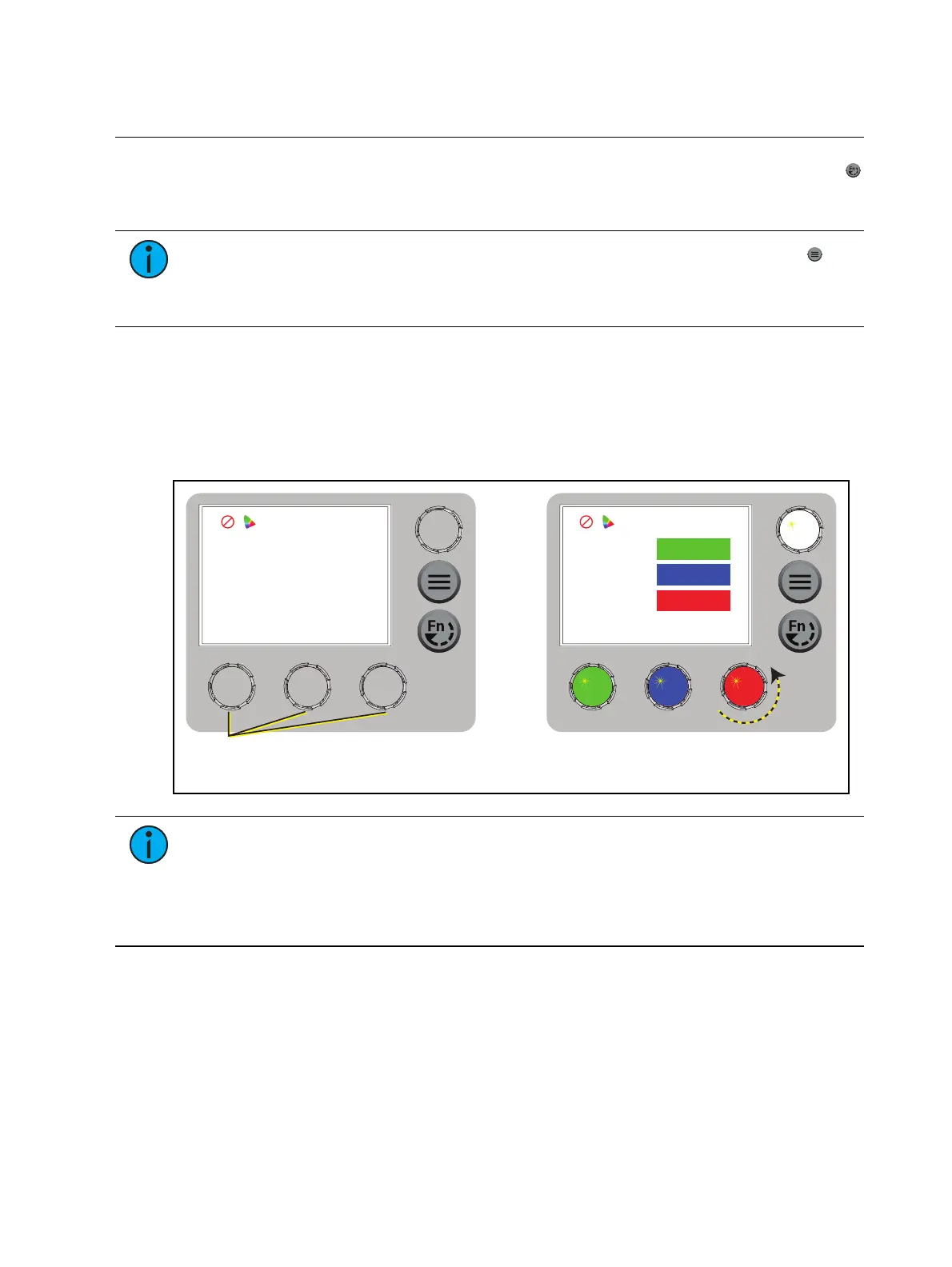
The DMX screen displays the current DMX values. Press any of the encoders to "wake" the
display, and then press any of the encoders to edit the values. The colors of the encoders
correspond to options on the display. Turn an encoder to modify the corresponding value, and
then press the encoder to save all values on the screen.
After you wake the display, you can press the Intensity encoder to enter Focus mode. See
Focus
the Fixture on page10
.
DMX
Address
Mode
DMX Loss
1/3 Red
DMX
Address
Mode
DMX Loss
1/3 Red
001
3 Ch RGB
HLL
001
3 Ch RGB
HLL 2 Min
Press any encoder to wake the display... ...and then turn an encoder to modify the value in
the matching field. Press an encoder again to save
the value and return to the view-only screen.
Note:
If the colors on the display or on the encoders are difficult to discern, you can
navigate based on position rather than color:
Top value = Left encoder
Middle value = Center encoder
Bottom value = Right encoder














 To Next Page