Chapter 8 Installing Optional Products
> 8.1 Disk Installation
ETERNUS DX60/DX80/DX90 Disk storage system User Guide
190
Copyright 2010 FUJITSU LIMITED
P3AM-3042-07ENZ0
■ For 2.5" disks
Procedure
1 Refer to "ETERNUS DX60/DX80/DX90 Disk storage system Package Contents"
and check that no items are missing.
2 Check that all components of the ETERNUS DX60/DX80/DX90 are in normal
status, using the Storage System Status screen of GUI.
3 Wear a wrist strap.
For how to wear a wrist strap, refer to "3.6 Wearing the Wrist Strap" (page 81).
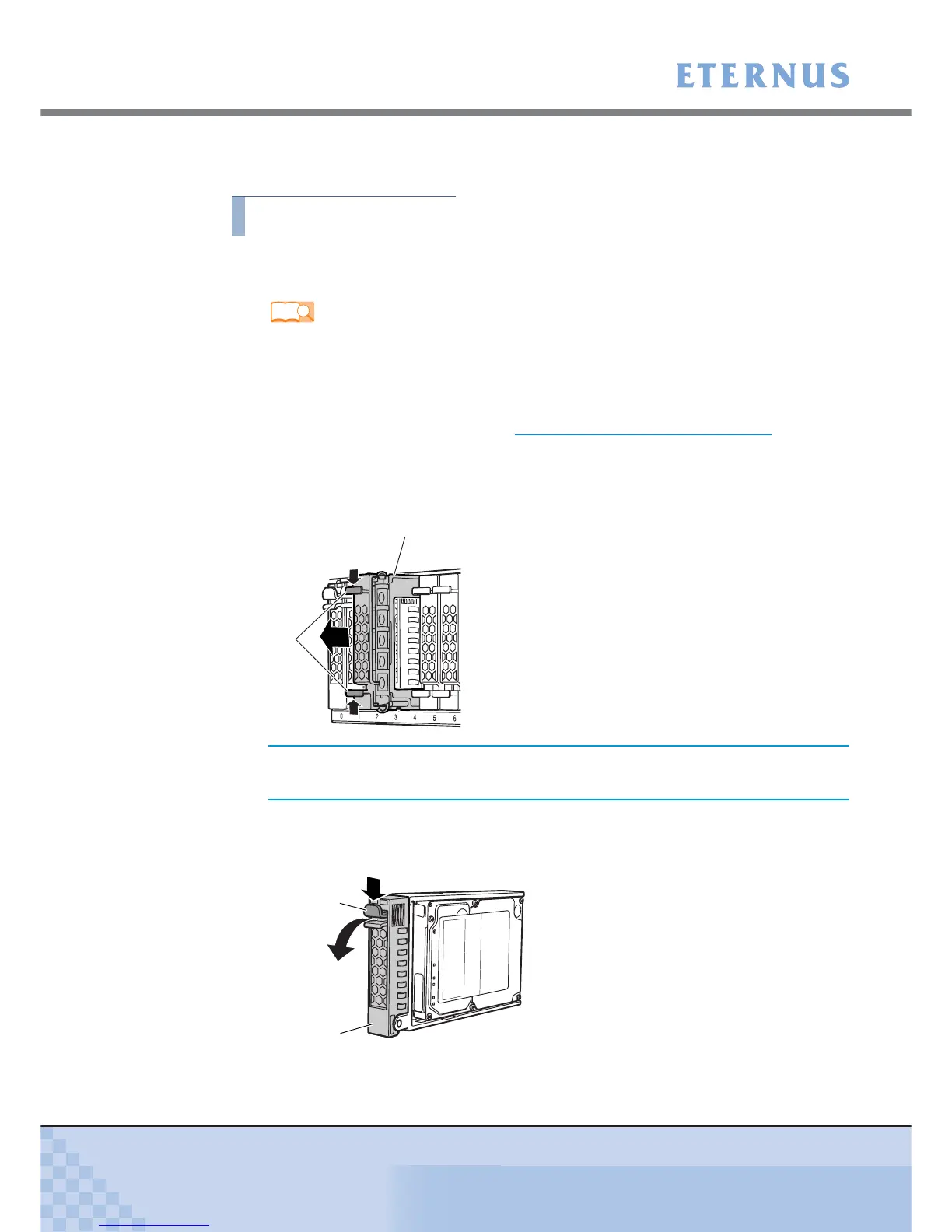
4 Remove the dummy disk unit from the slot in which the disk is to be installed.
Simultaneously push into the tabs in the upper and lower parts of the dummy disk unit, and
pull it straight out of the disk slot.
5 Install the new disk.
5-1 Press the catch on the disk lock lever to unlock it.
Refer
"ETERNUS DX60/DX80/DX90 Disk storage system Package Contents"



 To Next Page