Chapter 8 Installing Optional Products
> 8.2 Drive Enclosure Installation
ETERNUS DX60/DX80/DX90 Disk storage system User Guide
198
Copyright 2010 FUJITSU LIMITED
P3AM-3042-07ENZ0
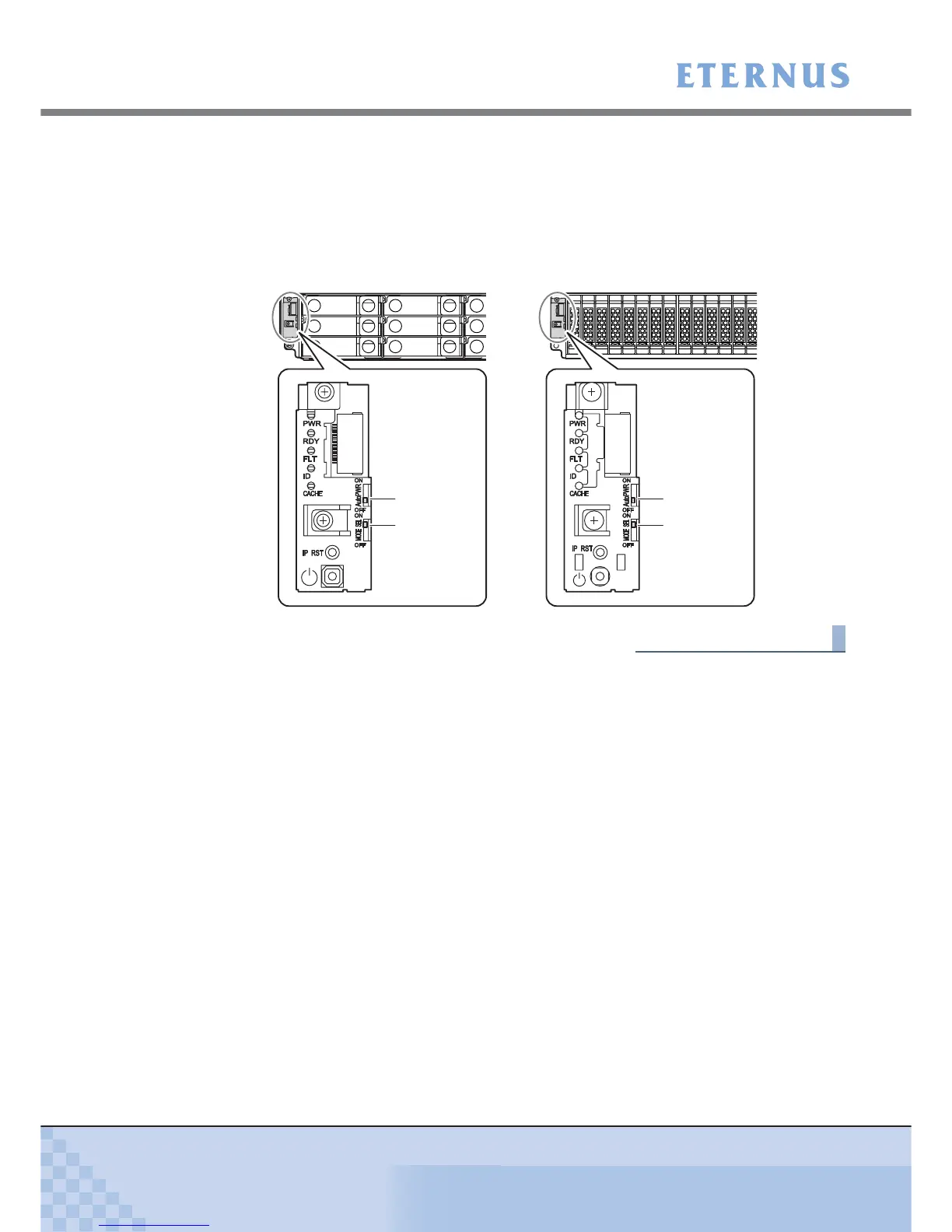
9 Check the settings of the AUTO POWER switch and the MODE SELECT switch.
• AUTO POWER switch
Check that the AUTO POWER switch is set to the OFF position. Do not change to ON.
• MODE SELECT switch
Check that the MODE SELECT switch is set to the ON position. Do not change to OFF.
End of procedure
3.5’’ type drive enclosure 2.5’’ type drive enclosure
AUTO POWER
switch
MODE SELECT
switch
AUTO POWER
switch
MODE SELECT
switch



 To Next Page