Chapter 8 Installing Optional Products
> 8.2 Drive Enclosure Installation
ETERNUS DX60/DX80/DX90 Disk storage system User Guide
197
Copyright 2010 FUJITSU LIMITED
P3AM-3042-07ENZ0
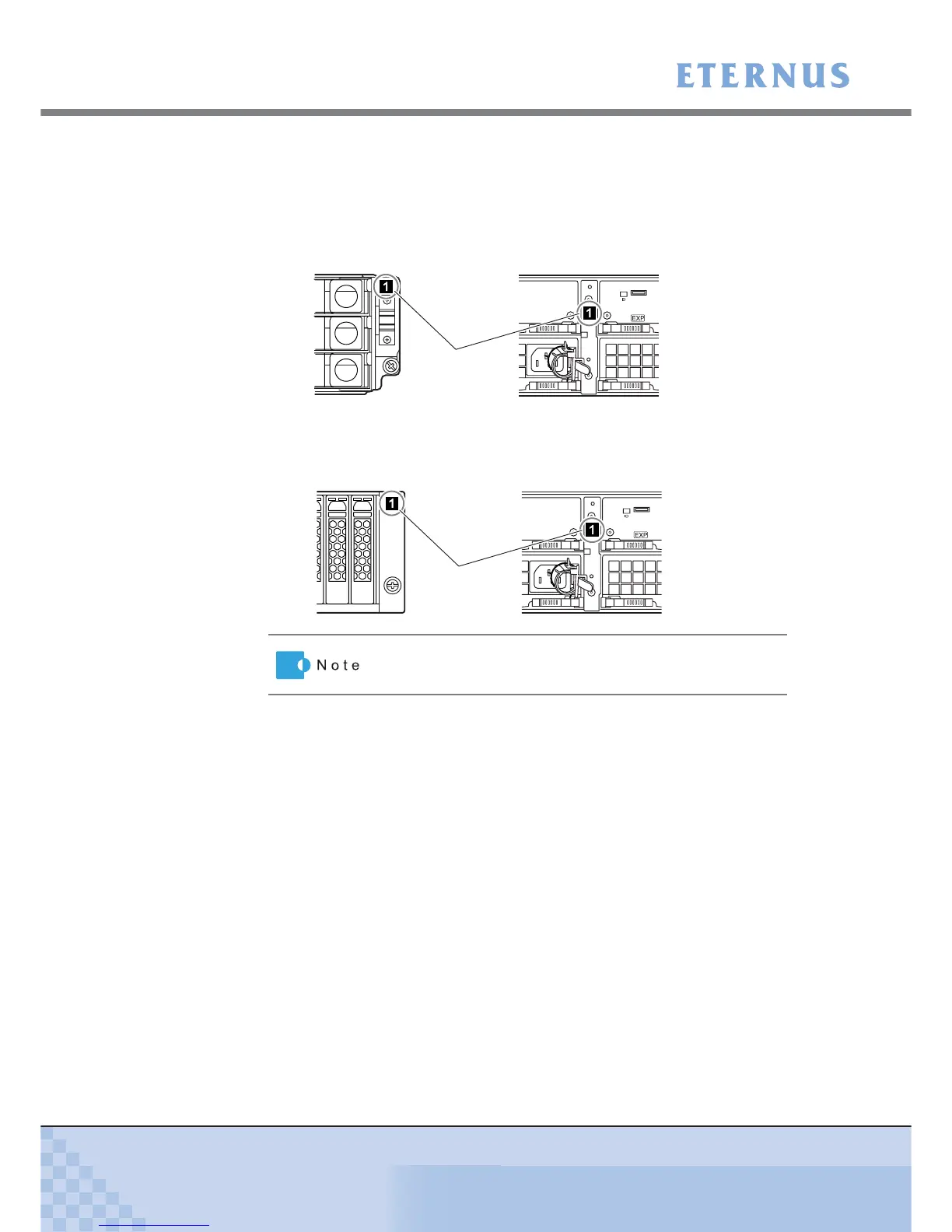
8 Attach the "DE_No." label to the following positions.
Attach the label starting at the top (miniSAS cable (for drive enclosures) connection order)
on the controller enclosure.
• 3.5" type drive enclosure
• 2.5" type drive enclosure
DE_No. label is attached to the base device.
At the right side of the
front of the drive enclosure
Between the EXP#0 and EXP#1 expanders
at the rear of the drive enclosure
DE_No. label
At the right side of the
front of the drive enclosure
Between the EXP#0 and EXP#1 expanders
at the rear of the drive enclosure
DE_No. label



 To Next Page