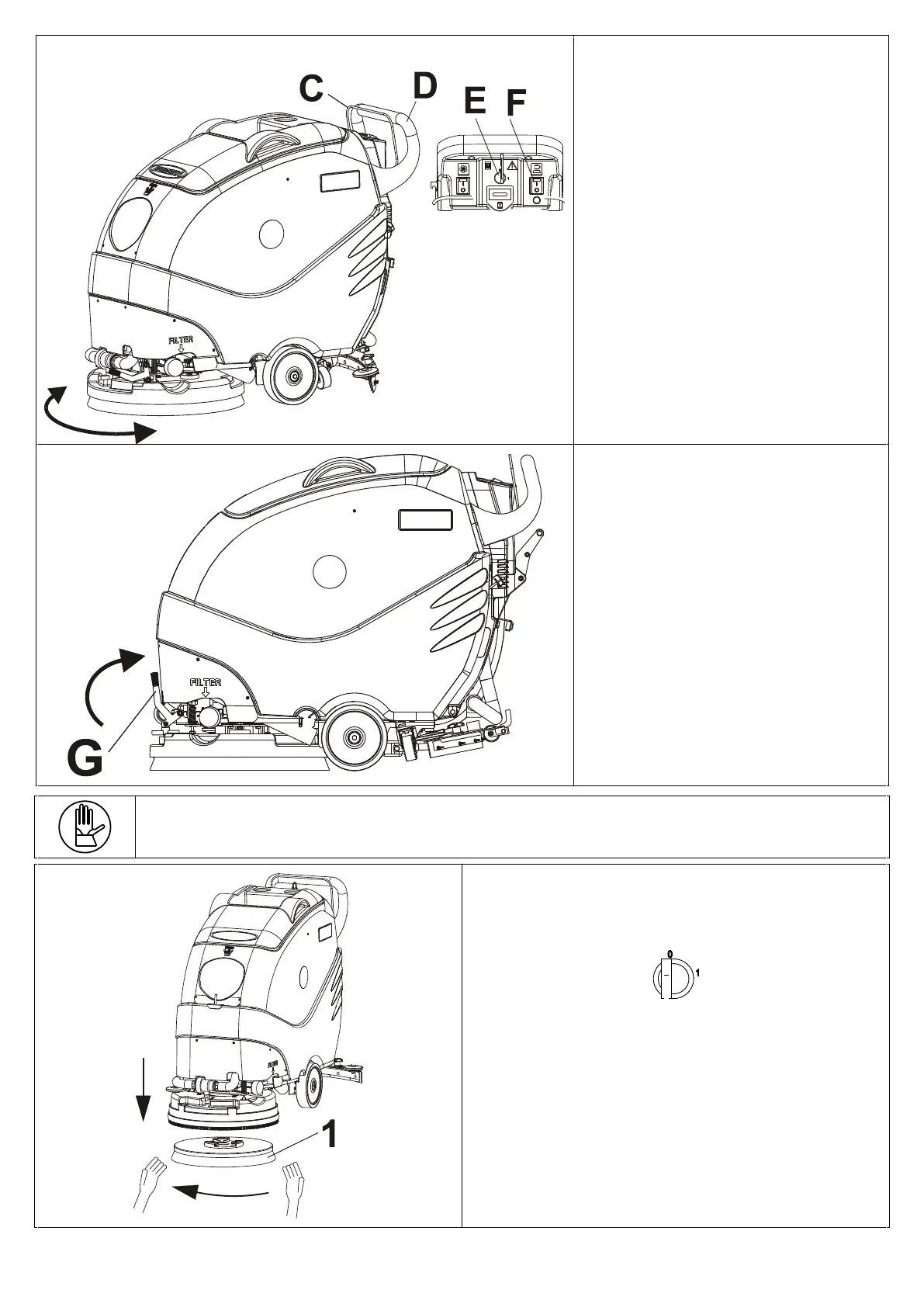
From the drive position (pos. D) lower
the brush desk, move it from right to
links in order to make easy the correct
mounting of the hub on the brush.
Bring the key (pos. E) in pos. 1,
pressing the button (pos. F) towards
position 1. Then activate the drive bar
(pos. C) to engage it
ATTENTION!!!
Put the lever (pos. G) in vertical
position.
The machine is ready to be used.
REMOVING THE BRUSH OR ABRASIVE DISC
To remove the brush or abrasive disc pad holder,
proceed as follows:
Turn the machine off by putting the key in pos 0 and
remove it
Place the machine in raised-brush position;
Move to the front of the machine;
Turn the brush or disc pad (pos. 1) holder with your
hands in the direction indicated by the arrow.


 To Next Page