TOWER VERSION UPS INSTALLATION
To install the UPS as a free-standing unit (tower) follow these steps:
1. Switch off the UPS and disconnect the power cord from the mains socket.
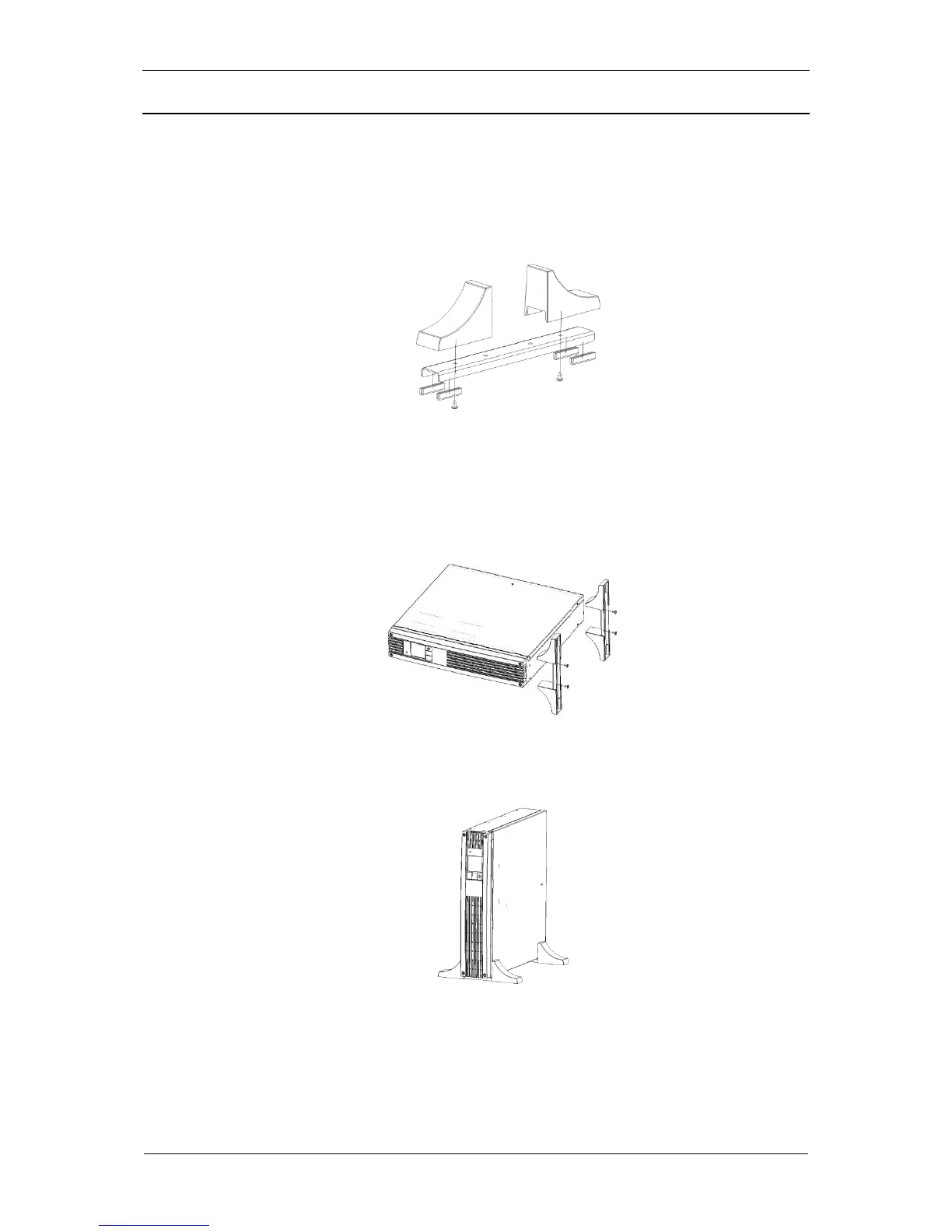
2. Assemble the feet kit supplied with the UPS (Fig. 13).
Fig. 13: Assembling the feet kit
3. Place the UPS on a stable surface so that its bottom edge reaches out the
surface edge by approximately 6 cm.
4. Use the supplied set of bolts to fix the assembled feet kit to the UPS (Fig. 14).
Fig. 14: Attaching the feet kit to the UPS
5. Place the assembled UPS, with the feet attached, in vertical position (Fig. 15).
Fig. 15: Tower version



 To Next Page