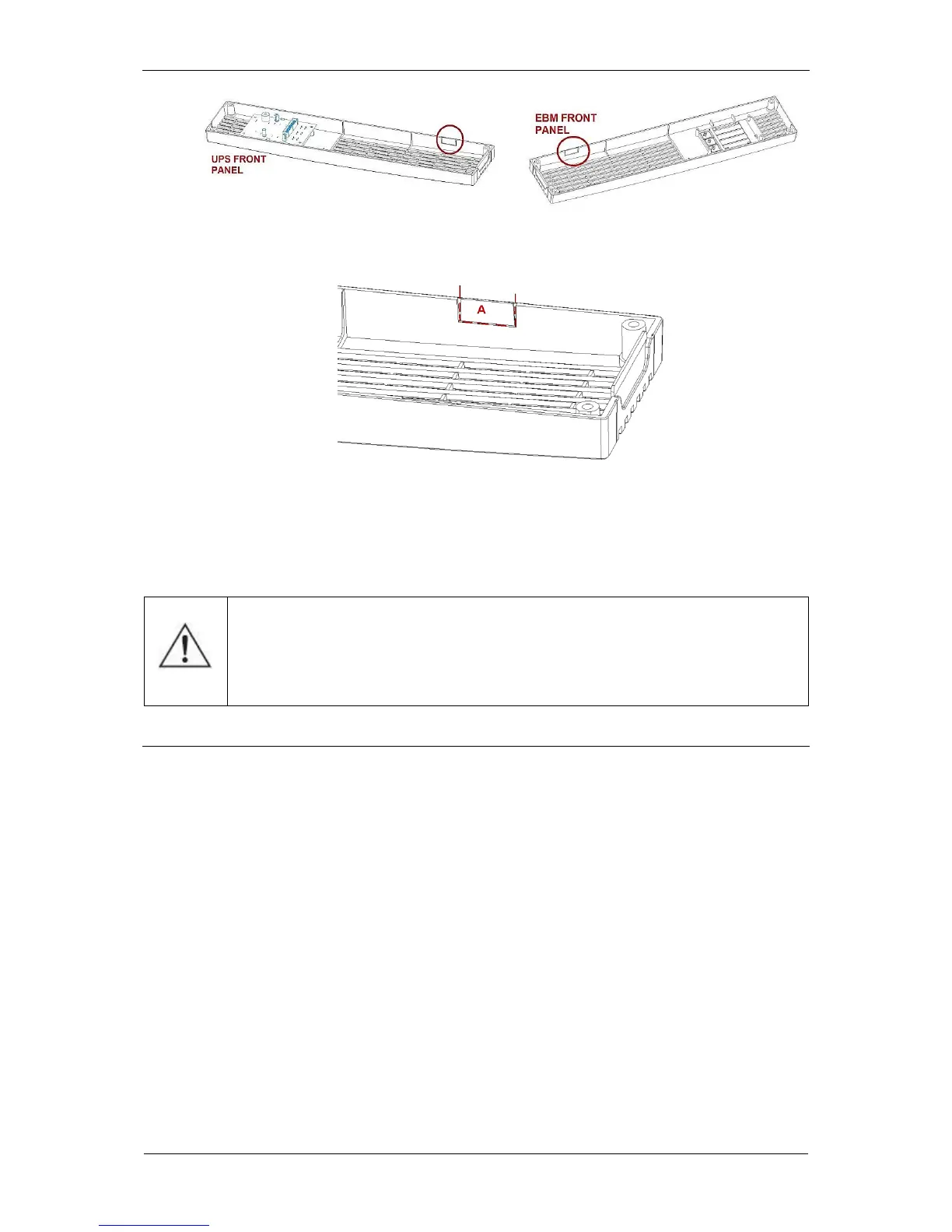
Fig. 38: Cutting out the caps
10. Connect the conductors to the UPS unit's front panel.
11. Place the battery module's connecting conductors and the earthing conductor
in the gap between the front panels. Attach the front panels afterwards.
CAUTION! After switching the UPS on, use the menu to configure the
number of battery modules to 1 (MENU; CONFIGURATION; UPS;
Number of EBMs.)
DISCONNECTING THE BATTERY MODULE (applies to SINLINE RT XL)
To disconnect the battery module from the UPS follow these steps:
1. Switch off the UPS and disconnect the power cord from the mains socket.
2. Remove the front panels from the UPS and the module (Fig. 20).
3. Disconnect the conductors from the front panel (Fig. 21).
4. Disconnect the battery module's terminal from the UPS battery terminal.
5. Disconnect the earthing conductor from the battery module.
6. Connect the conductors to the UPS unit's front panel.
7. Attach the front panels to the UPS and the battery module.
8. Disassemble metal brackets and the feet kit from the tower version of the UPS
and the battery module. If only the UPS is used, install the feet kit supplied
with the UPS.



 To Next Page