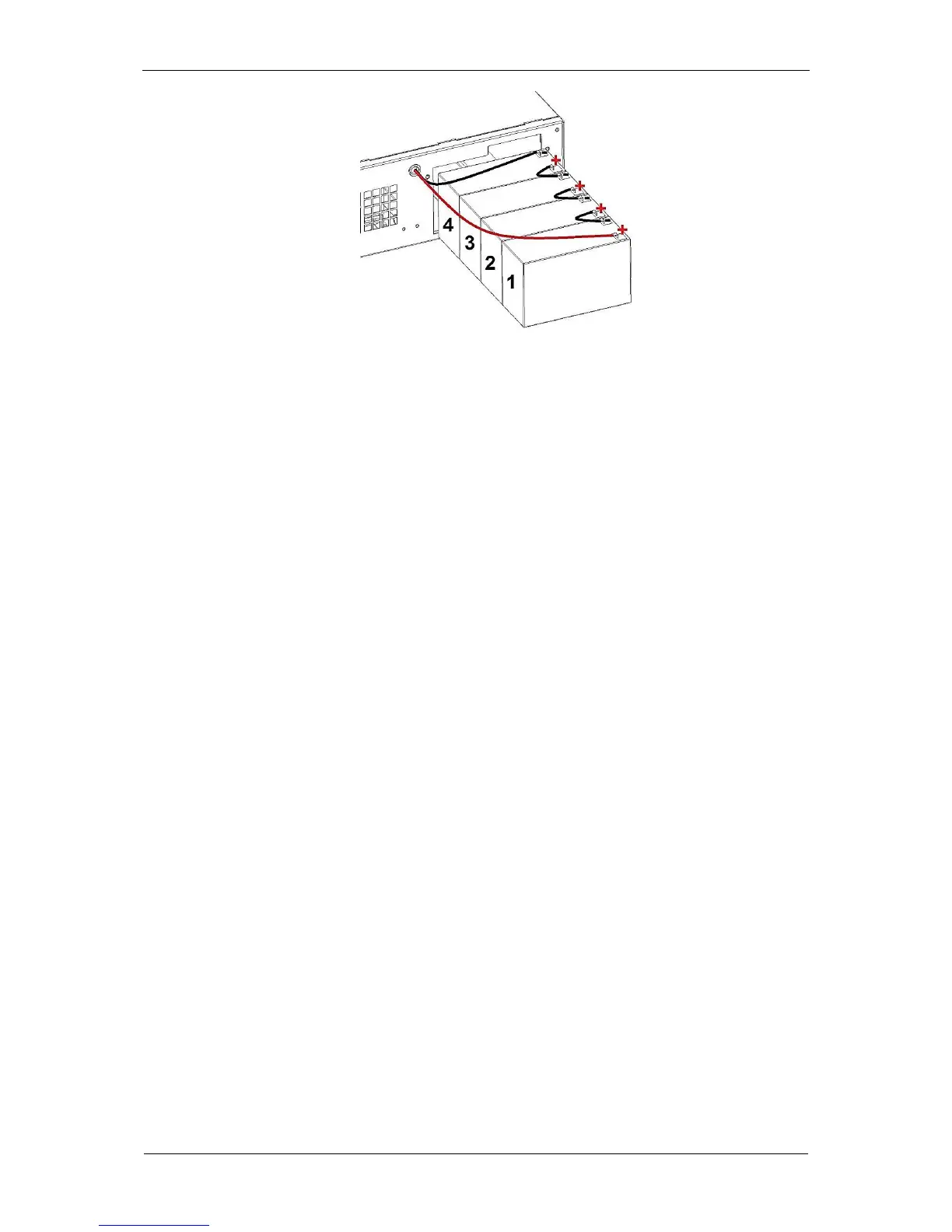
Fig. 42: Layout and connection of the batteries
7. While sliding out the batteries one by one, disconnect the conductors
connecting the batteries 1 - 4 in series, namely connections from the negative
(-) terminal of battery no. 1 and the positive (+) terminal of the next battery, up
to the positive (+) terminal of battery no. 4 (Fig. 42).
8. Disconnect the black conductor from the negative (-) terminal of battery no. 4
(Fig. 42).
9. Make sure the dimensions and type of replacement batteries satisfy the
technical parameters (are identical as the parameters of the old batteries).
10. Install the new battery in reverse order to the steps for uninstalling the battery.
11. Install the battery compartment cover.
12. Connect the conductors to the UPS unit's front panel.
13. Install the UPS unit's front panel.



 To Next Page