67
Electrical System
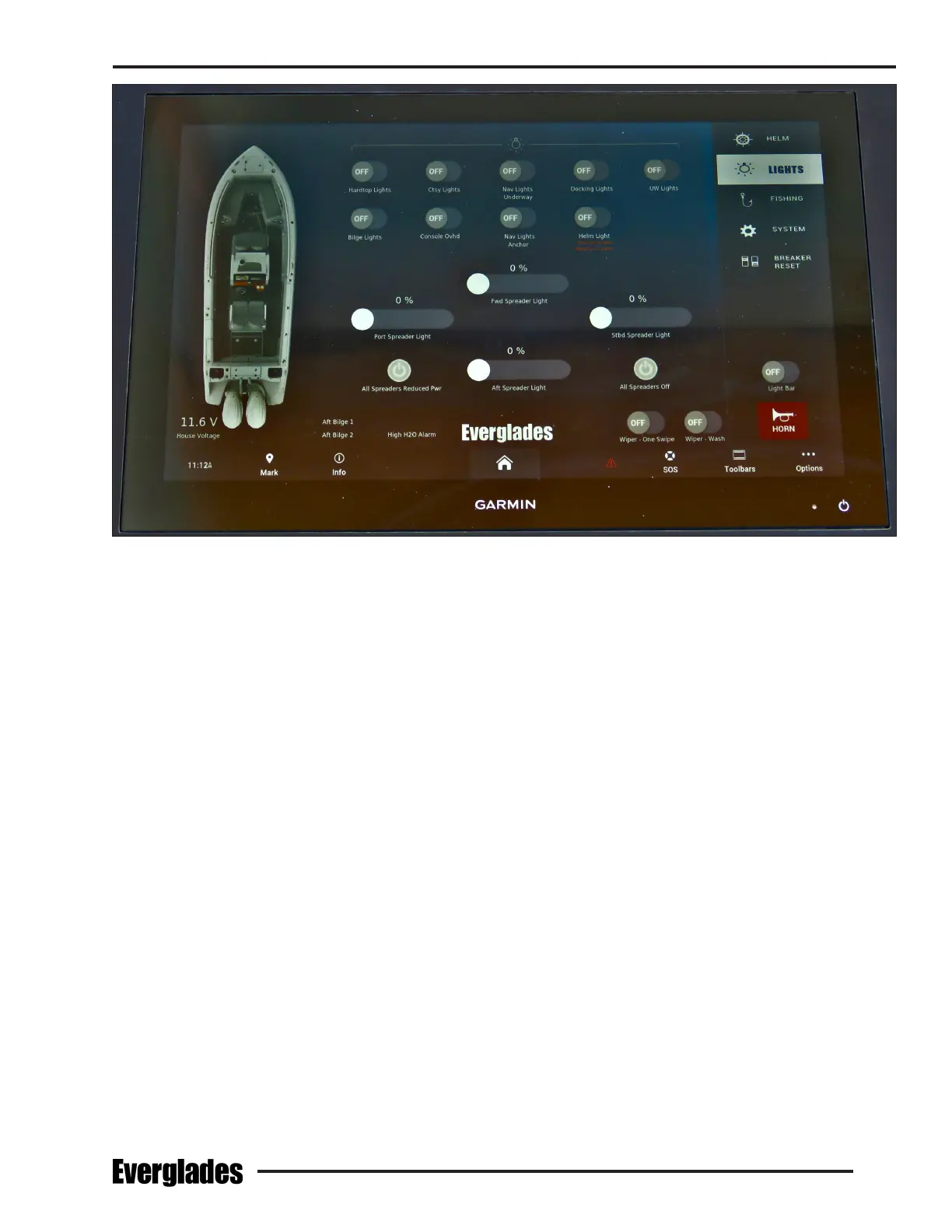
Typical Helm Electronics Display Panel
Switches
Accessory switches are integrated into the elec-
tronic display panels at the helm. Switches are
organized in categories that are displayed on the
menu on the starboard side of the screen.
The switches are typically activated by touching
one side of the switch icon to activate the acces-
sory and pressing the other side of the switch to
turn it o. LED lights in each switch icon illuminate
to indicate the circuit is activated.
Notice:
Some switches in the helm switch panels may
be duplicated in the electronics display panel
for convenience. Switches displayed may
vary depending on options selected and fac-
tory programing. Your boat may be equipped
with additional switches not mentioned.
The following is a description of accessory switches
typically controlled by touch screen switches in
the electronics display panel:
Docking Lights
Activates the lights in the hull on each side of the
bow that illuminate the area in front of the boat
for better visibility when docking at night.
Helm Light
Activates the red overhead map lights above the
helm.
Nav Lights Underway
Activates the navigation lights.
Nav Lights Anchor
Activates the anchor light.
UW Lights
Activates the LED underwater lights in the stern
below the waterline.
Fresh H2O Pump
Activates the pump that supplies water pressure
for the fresh water system. The pump is the pres-
sure demand type. A pressure switch automati-
cally controls the water pump when the system is
activated and properly primed.
Notice:
The fresh water pump will not function if the
low water level warning is on.
Typical Switches in Helm Touch Screen Display


 To Next Page