72
Electrical System
6.7 Digital Touch Control System
The digital touch switching system provides re-
duced complexity and increased switching options
at the helm. The system consists of the touch con-
trol screens in the Garmin displays, digital switch
panels and DC digital control output modules.
The electrical systems and accessories are moni-
tored by various screens in the Garmin touch
screen displays.
Display & Control Features
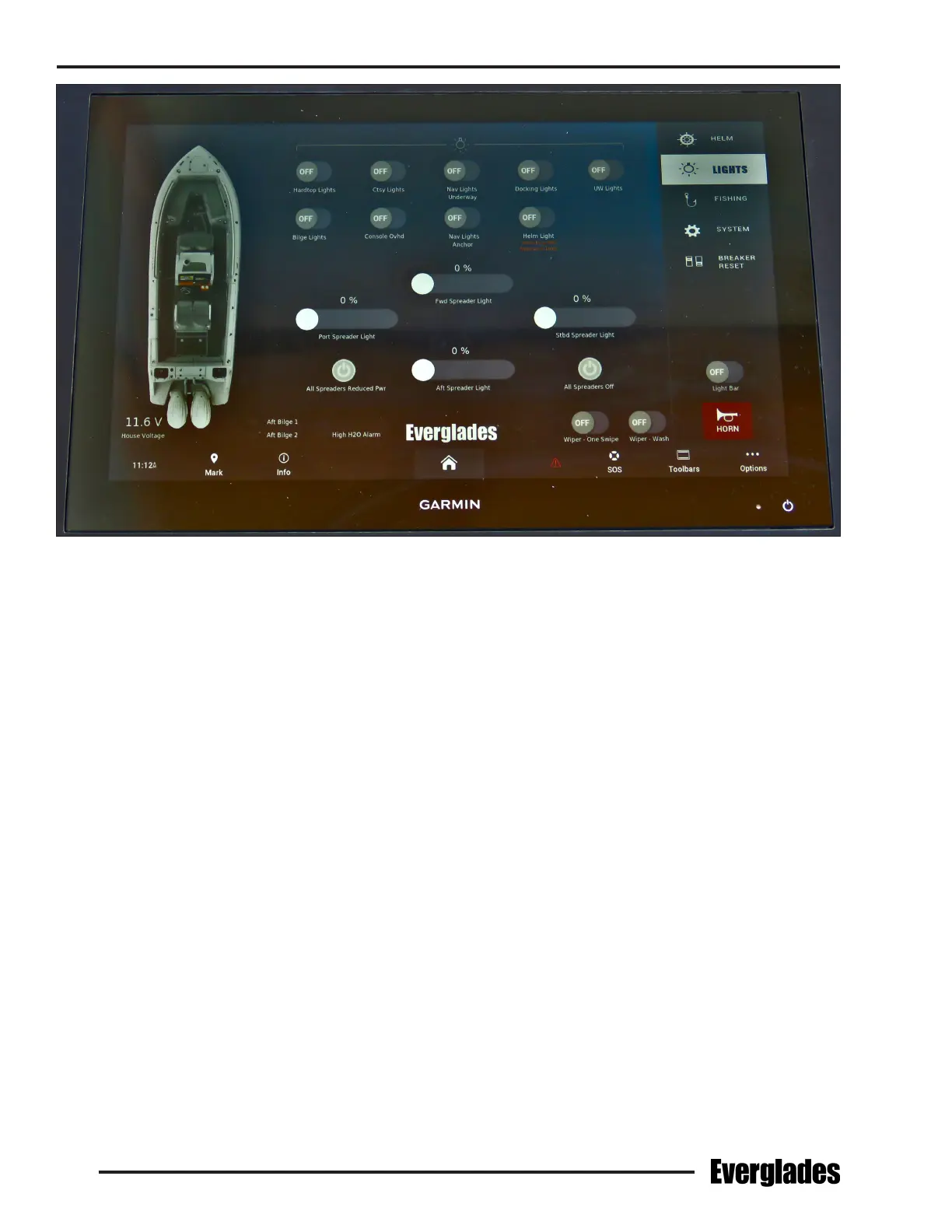
The display/control screens are the primary inter-
face between the digital switch network and the
user. They provide full control of circuits controlled
by the digital switch panels as well as the ability to
view selected onboard system information, such
as tank levels and power levels for DC supplies.
Circuit breakers in the control output modules
protect the DC circuits activated by the module.
Heavy duty main breakers protect the primary
power circuit for each module.
Typical Digital Switch Control Screen
Audio and visual alarms with systems diagnos-
tics are also provided. The display screens are
designed with a menu structure that is easy to
follow. The “modes of operation” feature allows
the control of multiple circuits with a single push
of a button.
The following are some features that can be,
monitored or controlled with the digital control
features on the Garmin display panels.
Modes of Operation
• Allows user to assign control of multiple DC
circuits to a single switch.
• Allows user to dim or brighten selected light
circuits.


 To Next Page