Description 2
5700109748 | V01-09/2021 21/ 132
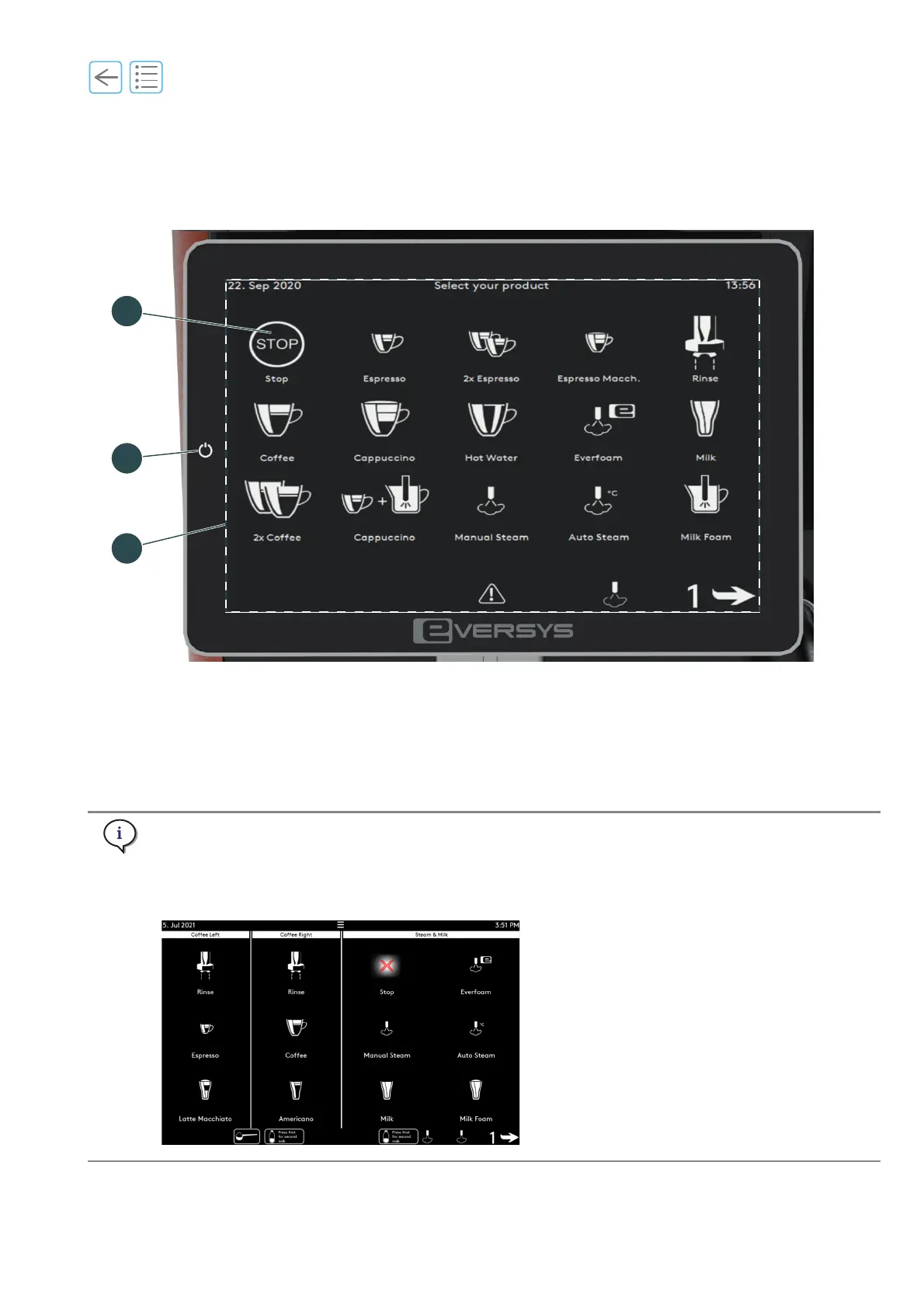
2.2.3 Touch screen
The touch screen and the graphical user interface are touch-sensitive.
Fig. 2-3
(1) Stop touch button
(
See “5.7” on page 61)
(2) Standby button (
See “5.2.1” on page 54)
(3) Graphical user interface (products may vary
according to settings and Enigma model)
(
See “3” on page 45)
Display of the stop and standby buttons also depend on the settings.
See chapter “11.3 User rights” on page 124.
For Shotmaster s/Classic and m/Classic and s-pro/ST m-pro/ST, the display of the menu changes
according to the outlets installed.



 To Next Page