3 Software
46/ 132 Enigma User Manual | © Eversys S.A.
3.2 Main screen
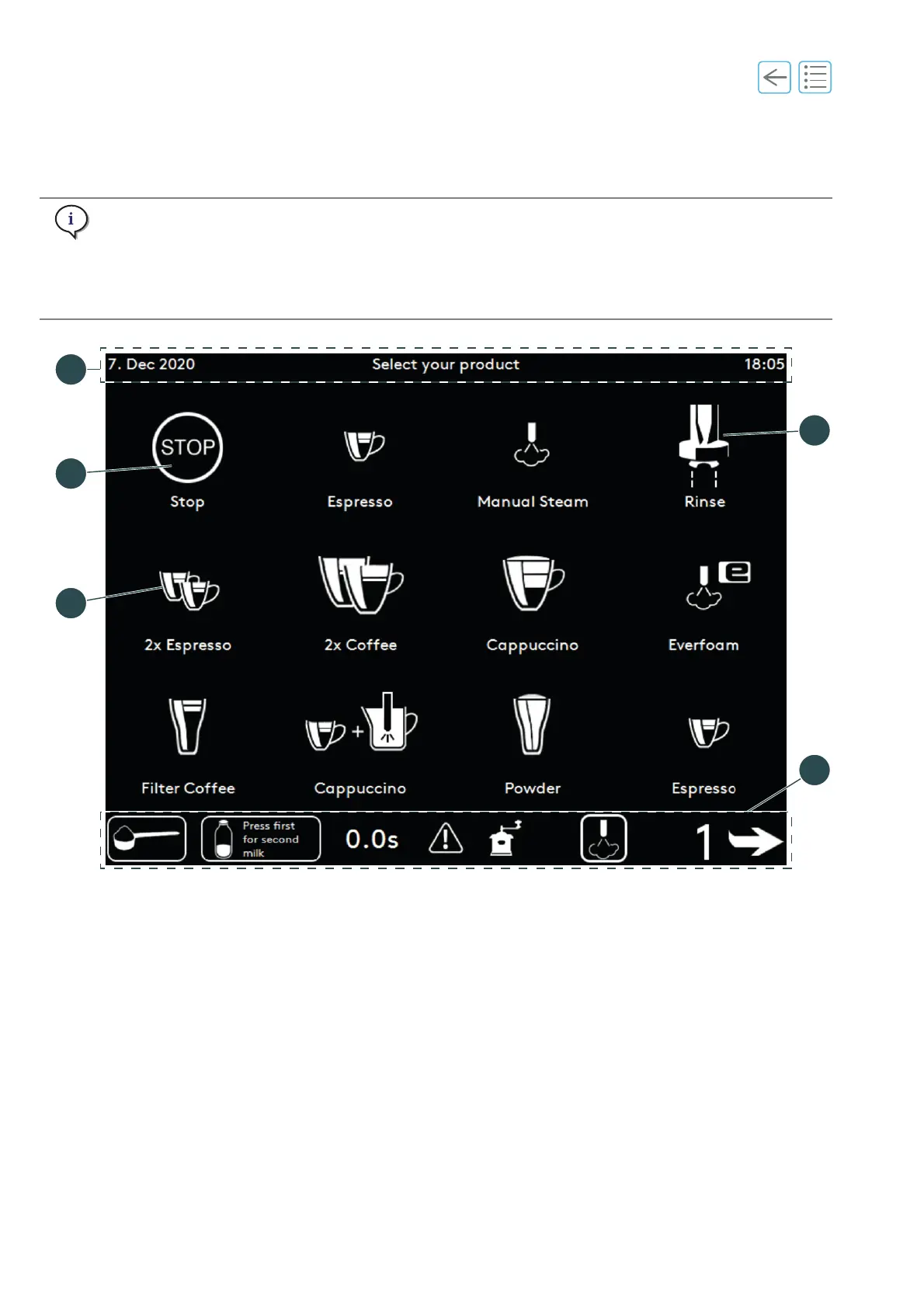
The main screen offers access to most of the software functions and coffee products.
The display of products and buttons depends on the settings.
A blinking button indicates that the user needs to perform an action.
The main screen may also display 15 buttons.
Fig. 3-1
(1) Product buttons (See “3.3” on page 48)
(2) Product stop button (
See “5.7” on page 61)
(3) Header strip or top layer (
See page 47)
(4) Rinse button (
See “5.3” on page 55)
(5) Footer strip (
See page 47)



 To Next Page