Care 7
5700109748 | V01-09/2021 87/ 132
7.3.4 Housing
A. Switch off the machine at the main switch (see “5.9 Switch off” on page 63).
B. Clean the housing with a damp cloth.
7.3.5 Display (touch screen) cleaning
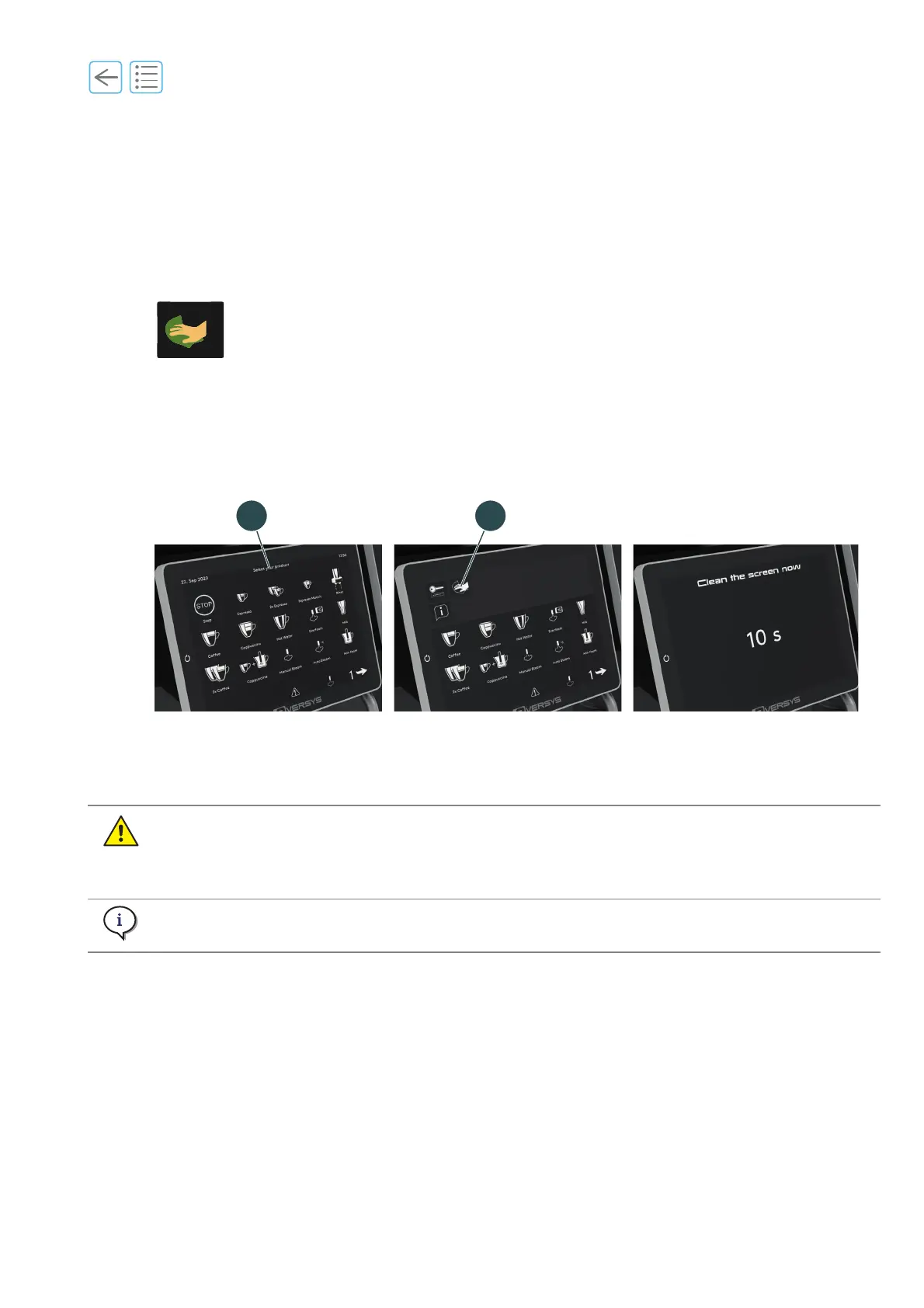
A. Press on the top middle of the touch screen (1).
B. Press on the Clean the screen button (2).
The screen displays a countdown timer.
C. Durining the countdown, disinfect the screen according to the following recommendation (watch
video:https://wi.st/3iMX0Ve).
Fig. 7-17
Only use commercial disinfectants for hands. Do not use any sanitary disinfectants!
Spray disinfectant on a soft cloth and carefully wipe the display with the cloth.
Important! Never spray any liquid directly onto the touch screen.
The countdown allows to clean the screen without the risk of starting a product.



 To Next Page