Settings Menu 6
5700109748 | V01-09/2021 69/ 132
6.4 Products & Keys (Manager login)
With manager access it is possible to modify the following settings.
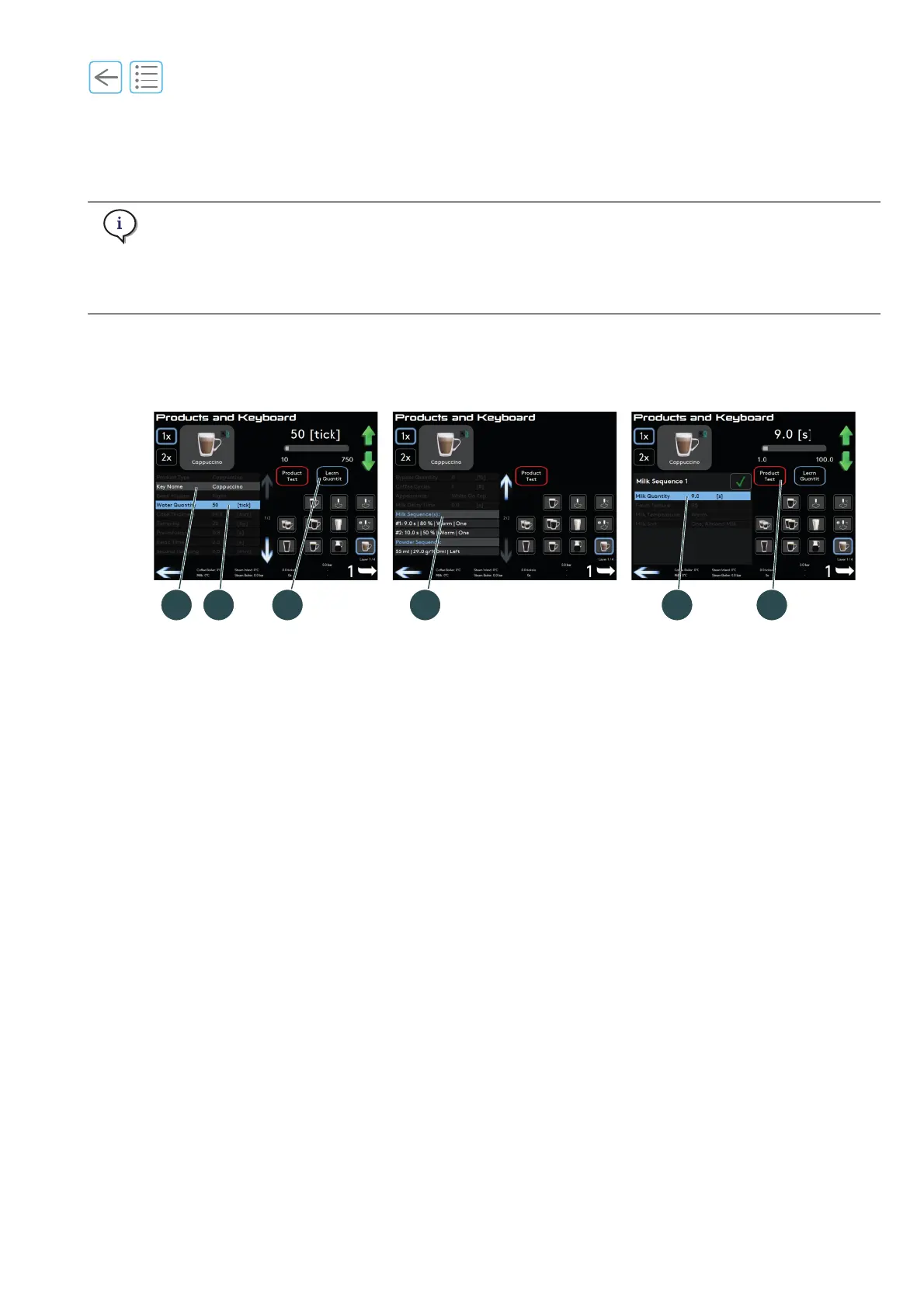
(1) Key Name, press to type in a new name (maximum 13 characters).
(2) Water Quantity, press to modify the number of ticks or seconds (adjust with the slider or up/down
keys).
(3) Learn Quantity
A. Press Learn Quantity to dispense a coffee.
B. When the desired level is in the cup, press the same button to stop the drink.
This memorises the number of ticks (or seconds).
(4) Press Milk sequence or Powder sequence (only if you have the E’choco unit) to open available settings.
(5) Milk Quantity (only for milk products), press to modify the numbers of seconds or Learn Quantity.
(6) Product test
Ensure that at least 6 beverages are run using Product Test to achieve the desired coffee and extraction
time and that the grinder is delivering the correct amount of coffee for the set cake thickness.
To adjust see
“6.6 Beans & Grinder” on page 72.
Everfoam and auto foam products
With these steam products it is possible to control the Stop Temperature and Foam Texture.
Hot water products
With hot water products it is possible to control the Water Temperature.
The hot water quantity is set in seconds when dispensed from the steam boiler and in ticks (controlled
by the flowmeter) when it is dispensed from the coffee boiler.
Adjustment range is 0 to 1000 ticks. Ticks are approximately equal to ml.
The milk quantity is set in seconds. Adjustment range is 0 to 100 seconds.
Fig. 6-7



 To Next Page