DreamCatcher Replay SystemDream Catcher
Revision 1.13 Page 7
If DreamCatcher and it‟s Controller need to interact with other infrastructure equipment (i.e. routers,
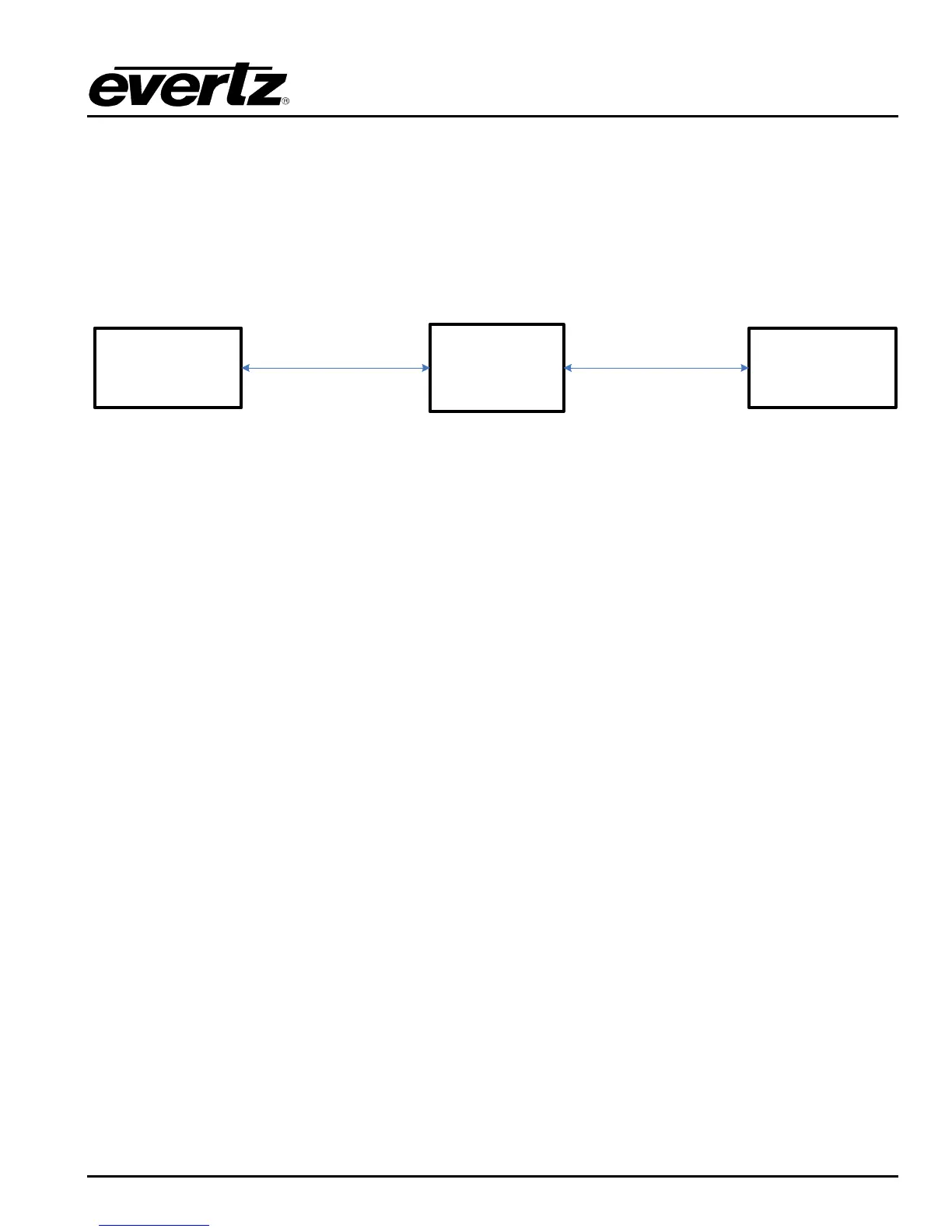
production switchers and engineering PCs) add a second 1G Ethernet switch. This infrastructure
network is generally used to communicate with Routers, Production Switches and Engineering PCs.
Connect Ethernet 1 on DreamCatcher to the 1G Infrastructure switch.
Connect Ethernet B/1 on the Controller to the 1G Infrastructure switch.
DreamCatcher
Server 1
DreamCatcher
Controller 1
1G Infrastructure
Network Switch
ETH 1
ETH 1/B
Figure 2-4: Infrastructure Control Network
2.5.2. Distributed Systems
Required equipment:
2 or more DreamCatcher Servers
2 or more DreamCatcher Controllers
1G Network Switch (Control Network)
10G Network Switch
Optional 1G Network Switch (Infrastructure Network)
Procedure:
Use Figure 2-1, Figure 2-2 and Figure 2-5 as reference.
Connect Ethernet 0 on all DreamCatcher servers to the 1G DreamCatcher Control Switch.
Connect Ethernet A/0 on all DreamCatcher controllers to the 1G DreamCatcher Control Switch.
Connect Ethernet 2 on all DreamCatcher Servers to the IPX 10G switch.
If you are distributing only 2 DreamCatcher Servers it is possible to connect the servers directly over
the Ethernet 2 10G port.


 To Next Page