DreamCatcher Replay SystemDream Catcher
Revision 1.13 Page 21
Referring back to the Displays section in 2.6, connect your monitors to DreamCatcher now.
Once all DVI, Display Port and USB connections are connected power your DreamCatcher server
back on.
3.1.2. DreamCatcher Controller Network Configuration
Connect your keyboard, mouse and touch to the back of the Controller.
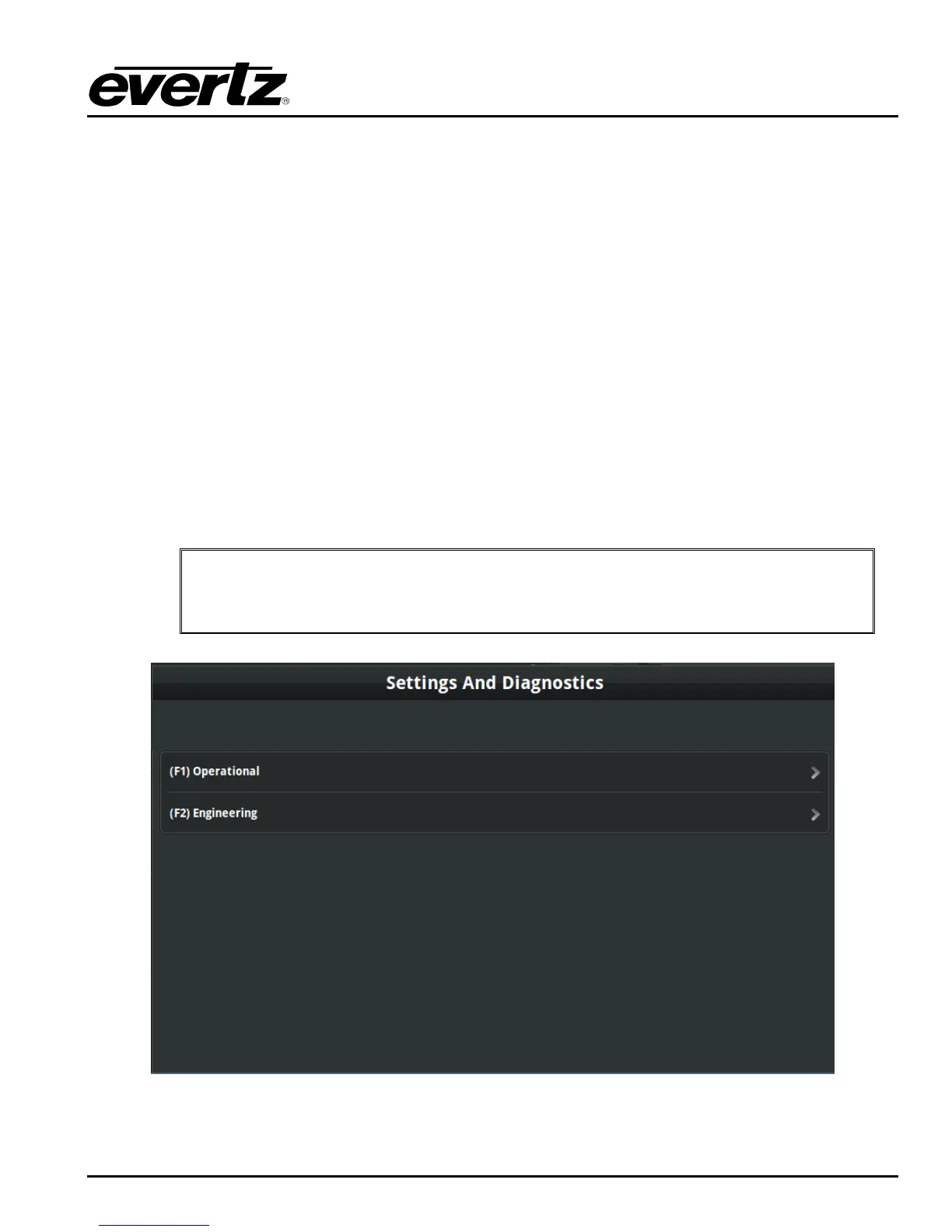
Initial start up the Controller will show the following Settings and Diagnostic Menu in Figure 3-6.
You can use either the Controller‟s F keys or the touch screen to navigate through menus.
To back out of a menu you can either use the Controller “Menu” button or the touch screen.
To confirm selections you can either use the Controller “Enter” button or the touch screen.
IMPORTANT: If at any point during this process you accidentally exit the Settings
and Diagnostic Menu, press and hold the “Menu” button on the Controller to re-
enter the menu.
Figure 3-5: Controller Settings and Diagnostic Menu


 To Next Page