DreamCatcher Replay SystemDream Catcher
Revision 1.13 Page 19
Scroll down to the Network configuration menu using the ARROW KEYS then press ENTER
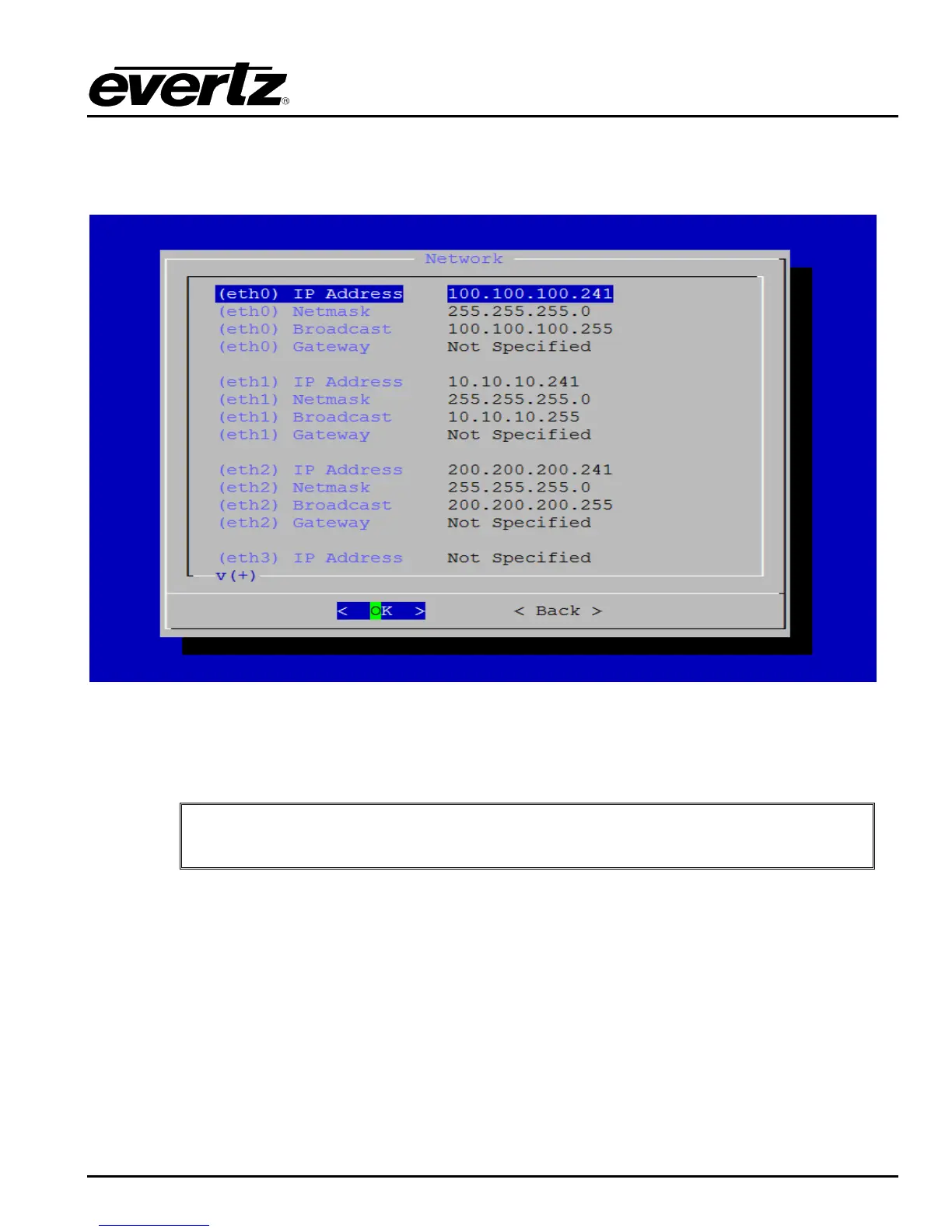
You should now see the Network Configuration Menu as shown in Figure 3-3
Figure 3-3: Network Configuration Menu
Ethernet 0 is reserved for the primary 1G DreamCatcher communication network used by
DreamCatcher Servers and DreamCatcher Controllers.
IMPORTANT: Ensure Ethernet 0 is always initialized and ONLY DreamCatcher
Servers, DreamCatcher Controllers and DC-LOGGERs are connected to this
network.
Once Ethernet 0 has been initialized, ensure the Multicast Interface menu item is set to Ethernet 0 as
shown in Figure 3-4


 To Next Page