EMC-DCP
EMC DESKTOP CONTROL PANEL
Page 20 Revision 1.1
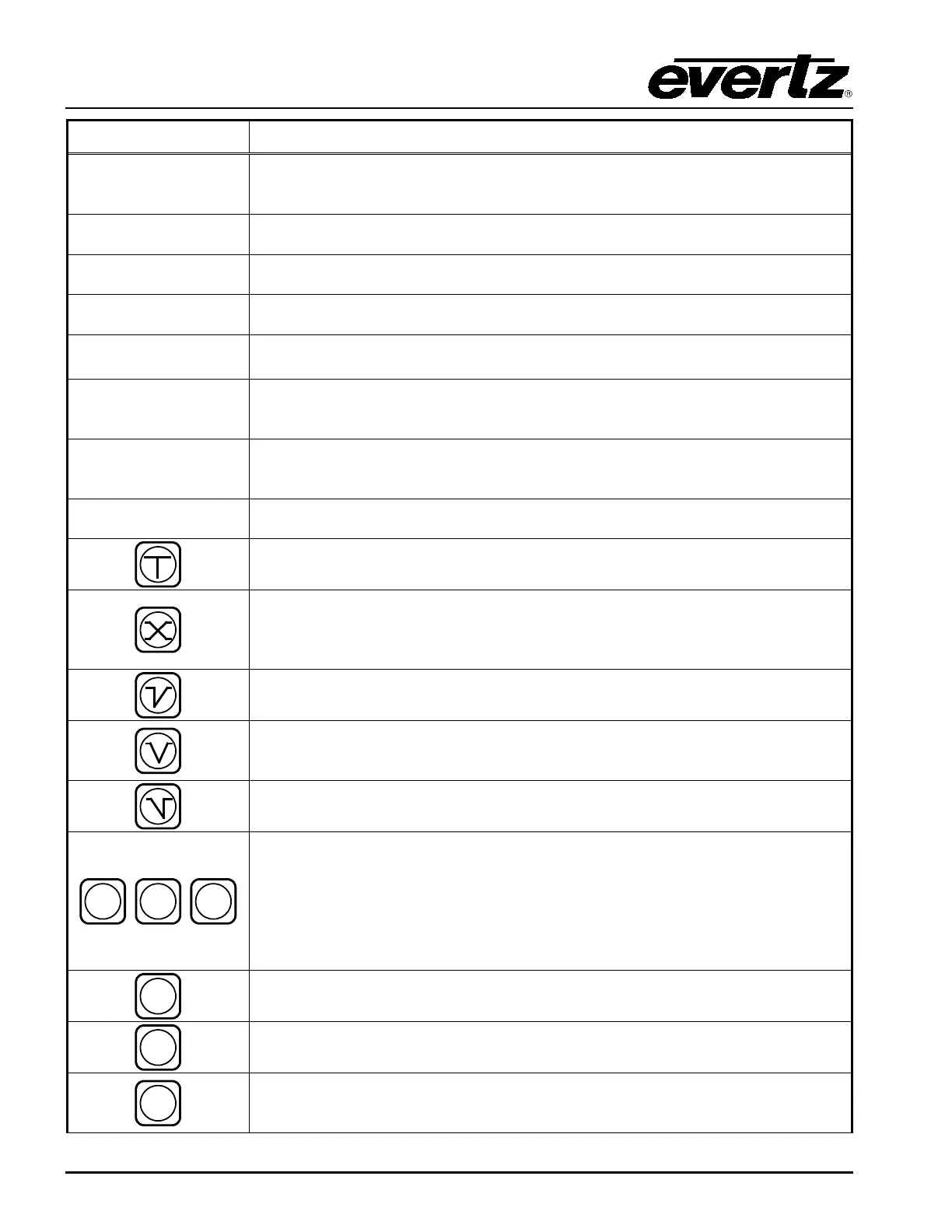
Button Description
KEY
This button selects the source (from the 12 sources on LCD row below
button) for the KEY
Input of the PKG9625SW or PKGHD9625SW. It
determines what portion of the variable to use, and from what source.
FILL
This button selects the source (from the 12 sources on LCD row below
button) for the FILL Input of the PKG9625SW or PKGHD9625SW.
SRC 1 to 12
This group of buttons selects one of the 12 inputs into the PKG9625SW or
PKGHD9625SW for the Program or Preset bus.
BLACK
This button selects the internal Black Generator as a source for the
PKG9625SW or PKGHD9625SW for the Program or Preset bus.
DSK
This button selects the DSK Layer of the PKG9625SW or PKGHD9625SW
for the Program or Preset bus. DSK disables or enables the keyer layer.
LOGO
This button selects the Internal Logo Layer of the PKG9625SW or
PKGHD9625SW for the Program or Preset bus. LOGO disables or enables
media files (video and audio clips).
AUDIO
CLIP
This button selects the audio clip in the keyer.
AUDIO CLIP
is a source .wav file
stored internally in the keyer, mixed with background audio, and sent to
Output.
This button selects the audio mix control.
AUDIO MIX
controls the audio layer
when mixed with the background audio and sent to Output.
This button selects a CUT transition type. The Cut transition is a hard switch
that brings in the effect with a graduated change.
This button selects a MIX or FADE transition type. This transition mixes the
current effect with the next effect. The current effect lessens, while the next
increases. The process is linear, so that the fade/increase occurs at the
same rate.
This button selects the CUT-to-FADE tran
sition type. The current input
switches within one (1) frame while the new source is faded in gradually.
This button selects the FADE-to-FADE transition type. The current input
fades out gradually, while the new source is faded in gradually. At any instant
the value is the sum of both PROGRAM and PREVIEW inputs.
This button selects the FADE-to-CUT transition type. The current input fades
out gradually, while the new source is added within one (1) frame.
This group of buttons selects the speed of the transition type (excluding the
CUT transition type). Listed below are the transition speeds:
SLOW performs the transition in 1 second, or 30 frames, or 60 fills.
MED
performs the transition in approximately two thirds of a second, or 20
frames, or 40 fills.
FAST performs the transition in 0.5 seconds, or 15 frames, or 30 fills.
This button selects a VIDEO ONLY transition.
This button selects an AUDIO ONLY transition.
This button prompts a BACKGROUND to be included in the transition. BGKD
changes the background portion of the video signal.
In a transition, audio
always follows video if BGKD LED is on.



 To Next Page