EMC-DCP
EMC DESKTOP CONTROL PANEL
Revision 1.1 Page 33
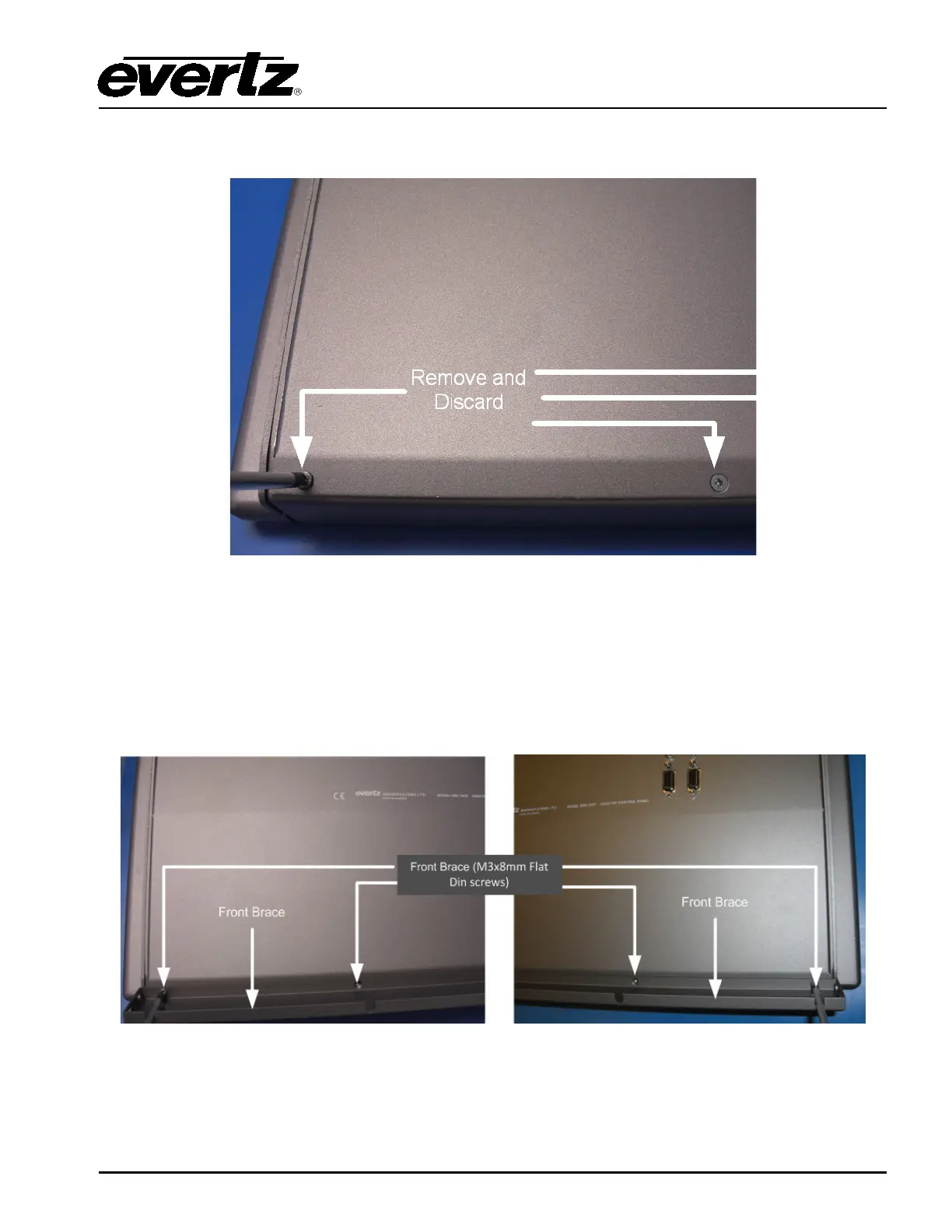
Figure 5-4 shows the bottom screws at the back of the panel that need to be removed. (A total of 4
screws).
Figure 5-4: Bottom Screws at the Back of the Panel
5.1. DESKTOP MOUNT ASSEMBLY
Once all ten screws are removed, you can start assembling the new parts.
First, install the Front Brace (Part #7) and use 4 X M3x8mm Flat Din screws (Part#3) shown in Figure
5-5.
Figure 5-5: Front Brace



 To Next Page