Mechanical Installation
46
NOTE!
Electric drill dust collector is recommended.
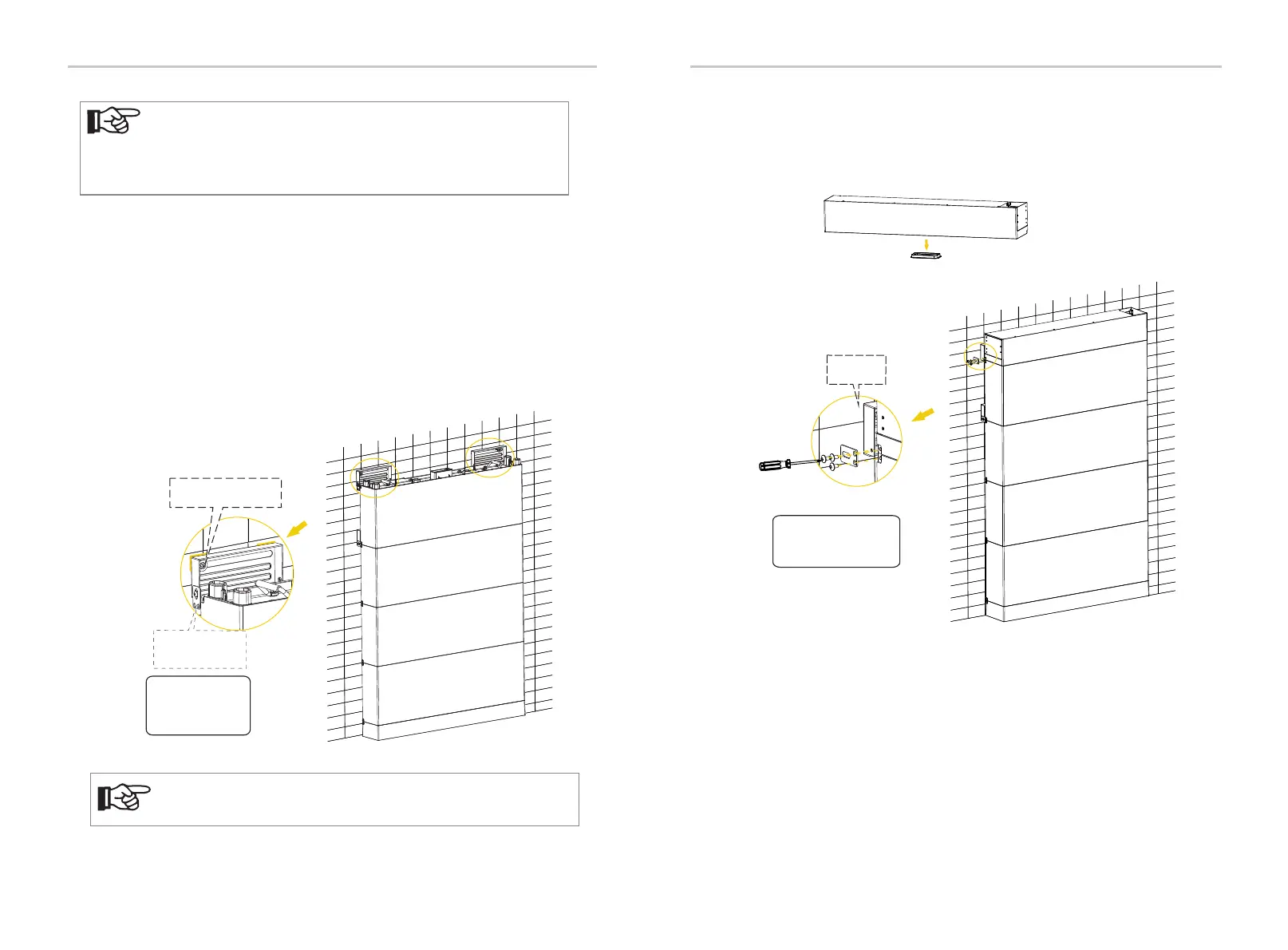
m) Remove the bottom dust cover of BMS and place the BMS on the top.
Fix the fixing plate (3 holes) on both sides of battery module using M5 * 10 cross
screw, and then tighten M5*10 screws.
Mechanical Installation
47
Step I
Platen (3 holes) × 2
M5*10 Screw × 6
2.2-2.5 N·m
l) Mount the wall bracket for the four battery module and BMS.
(1) Attach M5 * 10 screw to Wall Bracket but be sure not to tighten;
(2) Place such Wall Bracket to the wall, align its holes to the holes on the Battery
Module, and use a spirit level to measure the Wall Bracket to ensure it's even;
(3) Accurately mark the location of the Wall Bracket on both sides with a pen;
(4) Draw circles according to the actual stud spacing;
(5) Remove the Wall Bracket, and then drill the two holes (at least 3.54 in./90 mm)
by a Drill (Ø 0.39 in./10 mm);
(6) Place Expansion Bolts;
(7) Secure Wall Brackets using M6 Tapping Screws and Washers (Torque: 5 N·m).
Refer to the Steps e, f, g and h.
Mark
Let the Platen
down
Step e, f, g and h
Tapping Screw × 2
Washer × 2
Wall Bracket × 2
5 N·m
NOTE!
• In the case of the concrete wall, please perform the following steps
•
In the case of the solid wood wall, please go directly to step l-(7),
and the Expansion Blot is not required to be installed.
strictly.


 To Next Page