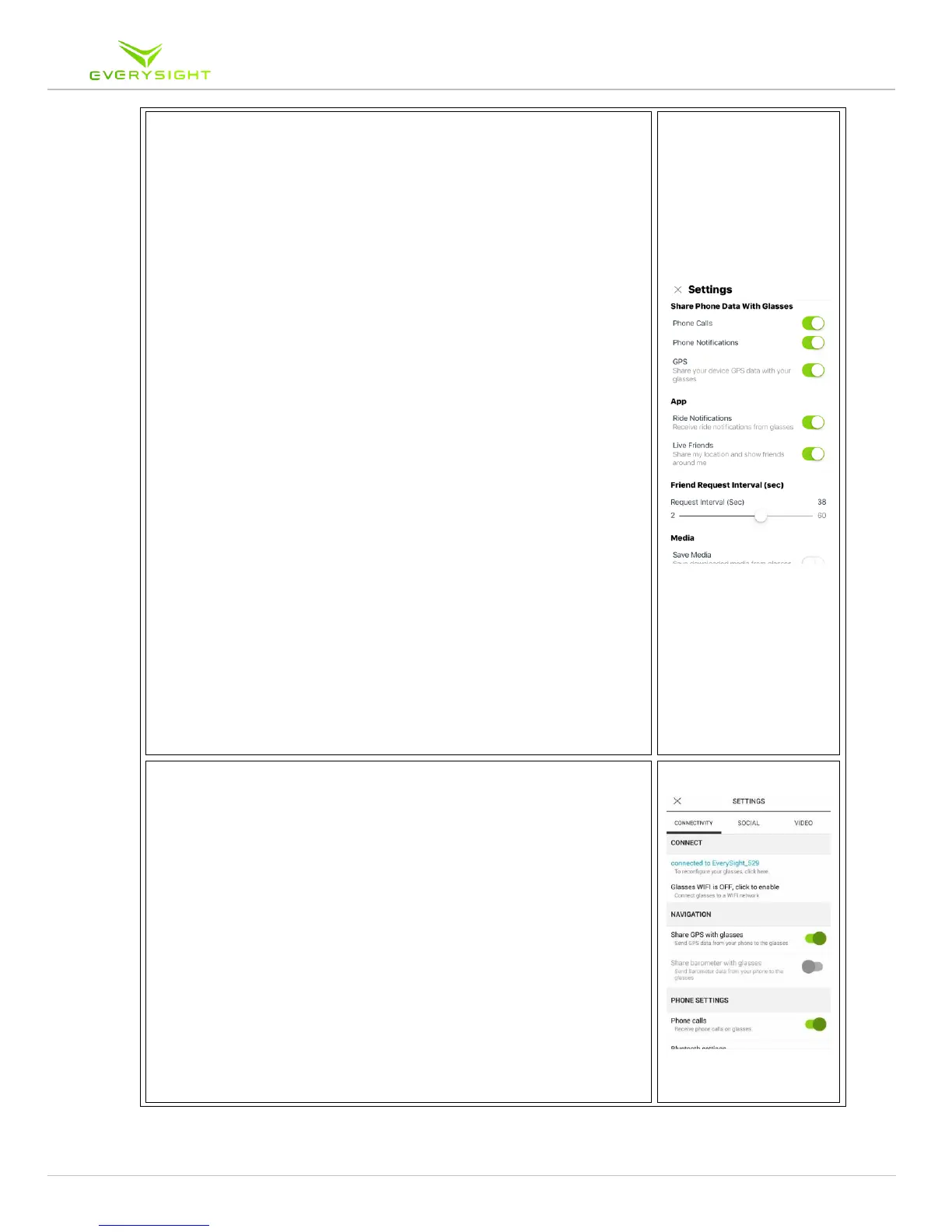
2. For iPhone users:
a. Phone Calls being sent to the glasses can be turned
on or off with the toggle
b. The Phone Notifications toggle can also be turned
on or off for notifications such as text messages
i. If you didn’t pair your phone during the
‘stay connected’ portion of your setup to
your glasses, scroll down to ‘Start HFP
Setup’ at the bottom of the settings page
c. You can turn the GPS data pairing with you phone
off.
i. Turning off this feature means you won’t
be able to track your physical route,
distance travelled or use the navigation
feature
d. The Ride Notifications toggle is for your phone to
send you a notification once your ride has been
ended and this can be turned on or off
e. You can show your location and see friends around
you by toggling on or off the ‘Live Friends’ feature
i. The ‘Friend Request Interval’ slider
indicates how often (in seconds) your app
searches for other people using this app
ii. The phone can search as frequently as
every 2 seconds, or as infrequently as
every 60 seconds
f. The ‘Save Media’ toggle when turned on will save
photos that were downloaded from the glasses
into the phone’s photo gallery.
i. If this feature is turned off, pictures and
videos will only be saved in the App under
media
3. For Android Users under the Connectivity Tab:
a. See the device you are connected to or Reconfigure
with a new device
b. You can also click to enable WiFi to connect the
glasses to a WiFi network to complete an Over the
Air (OTA) Update
c. You can turn the GPS data pairing with you phone
off.
i. Turning off this feature means you won’t
be able to track your physical route,
distance travelled or use the navigation
feature
d. If your Android phone has a built in barometer,
you can use the information provided by the
barometer to capture the relevant information
e. Phone Calls being sent to the glasses can be turned
on or off with the toggle



 To Next Page