98
ENGINE MANAGEMENT MODULE (EMM)
DIAGNOSTIC SOFTWARE FUNCTIONS
Oil Control Settings
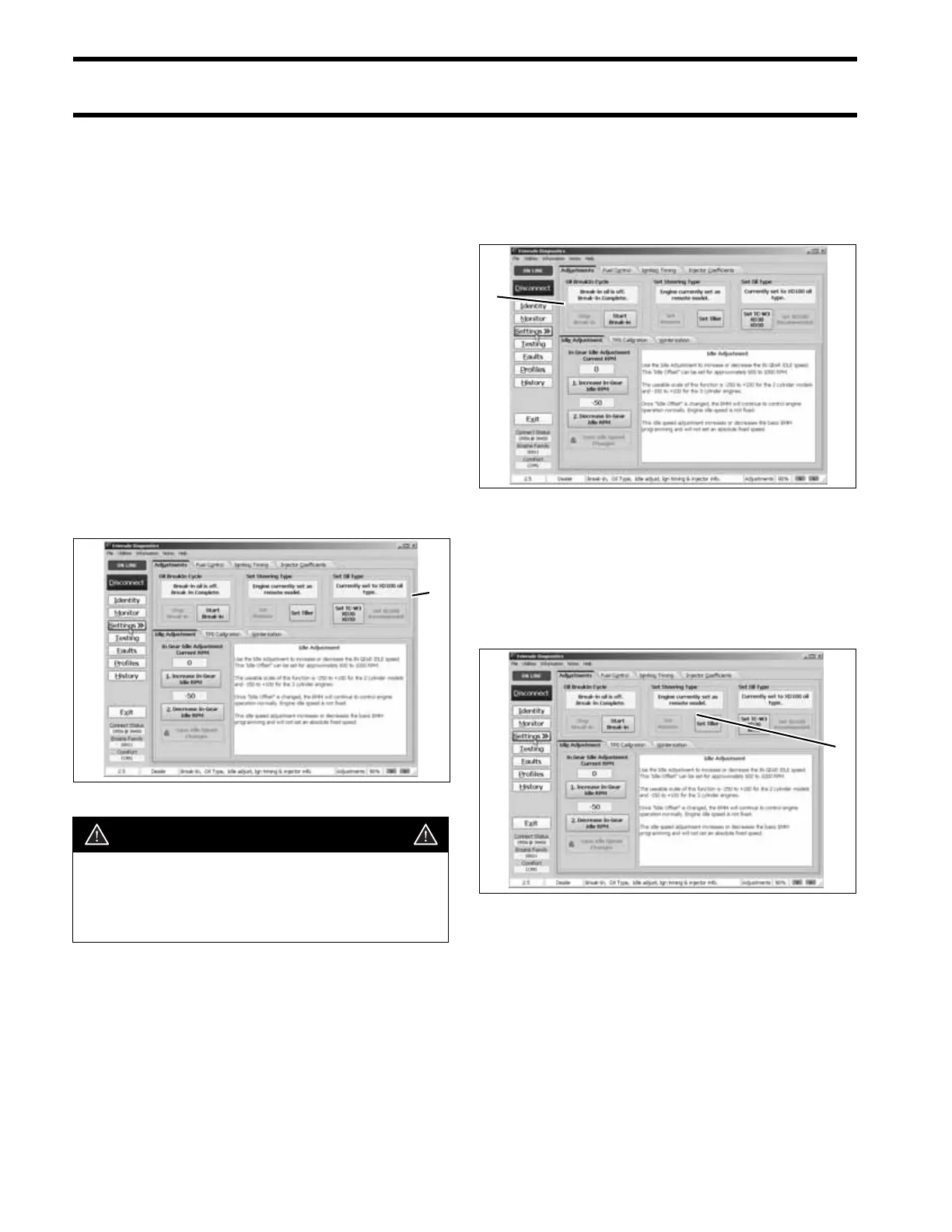
Set Oil Type
The TC-W3 oil type setting is the standard setting
for all outboards. Set TC-W3 for:
• Operation with all TC-W3 outboard oils includ-
ing XD30, XD50, or XD100.
• Applications requiring maximum lubrication.
• Extreme applications (racing or harsh condi-
tions)
The XD100 setting provides an option to run the
outboard at a reduced oil injection rate. This set-
ting REQUIRES the use of Evinrude XD100 out-
board lubricant and is not recommended for all
applications.
Use the XD100 setting for:
• Conventional use (runabouts, cruisers)
• Moderate applications
Powerhead Break-In
Use the diagnostics software to start break-in oil-
ing after a powerhead rebuild. The break-in oiling
program runs for two hours of outboard operation,
above 2000 RPM.
Tiller/Remote Programming
This feature controls the start in gear protection
function of the neutral switch. Tiller operated mod-
els, including remote models with an installed tiller
conversion kit, MUST be set to TILLER.
1. Oil control setting 006540
CAUTION
Running an Evinrude E-TEC outboard on
other grades of oil while set to the XD100
oil ratio will result in increased engine
wear and shortened outboard life.
1
1. Break-in oil setting 006540
1. Starter mode setting 006540
1
1





 To Next Page