65
INTERKOM
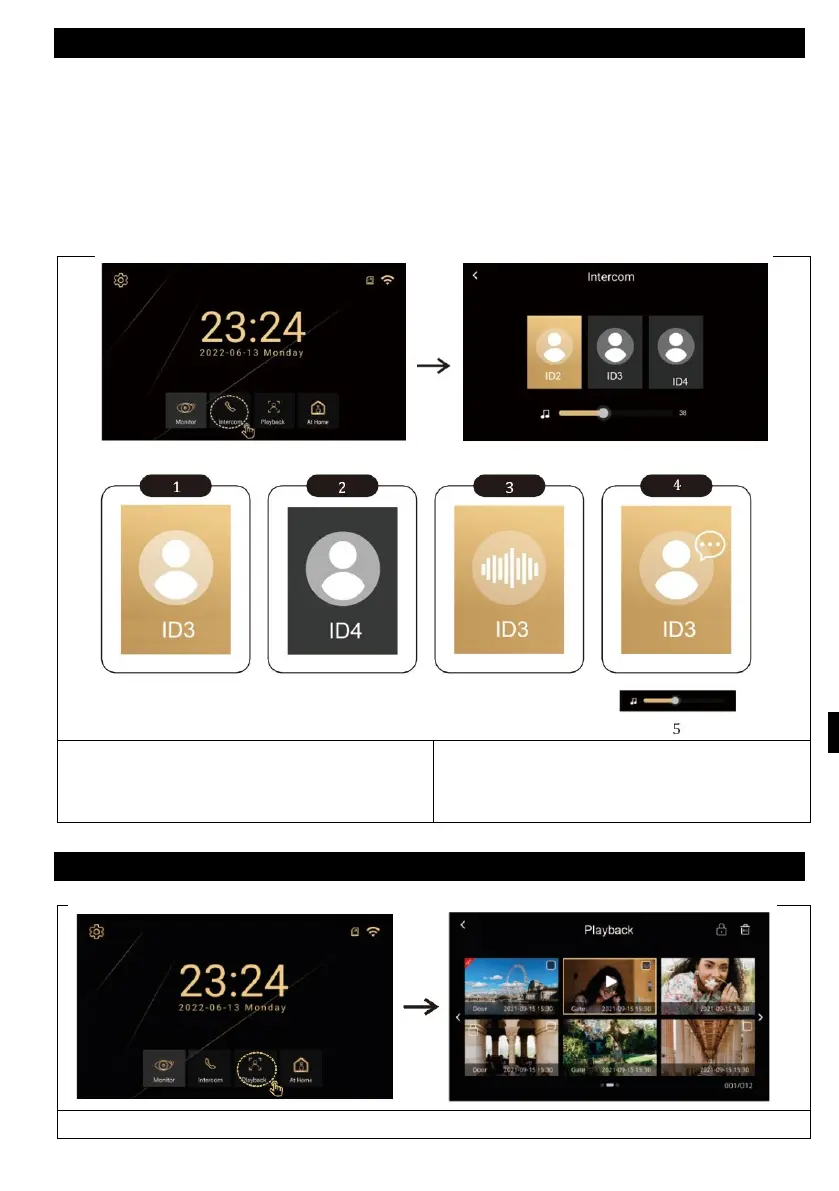
When you have multiple internal monitors, you can use the intecom mode to call
between them. Just press the intercom button and select the selected unit. The
following describes the different states in which the intercom can be. For the
intercom function, the same room ID must be set on all monitors you want to
communicate with.
2) Offline
5) Volume settings
PLAYING
Image and video can be enlarged



 To Next Page