67
SETTINGS
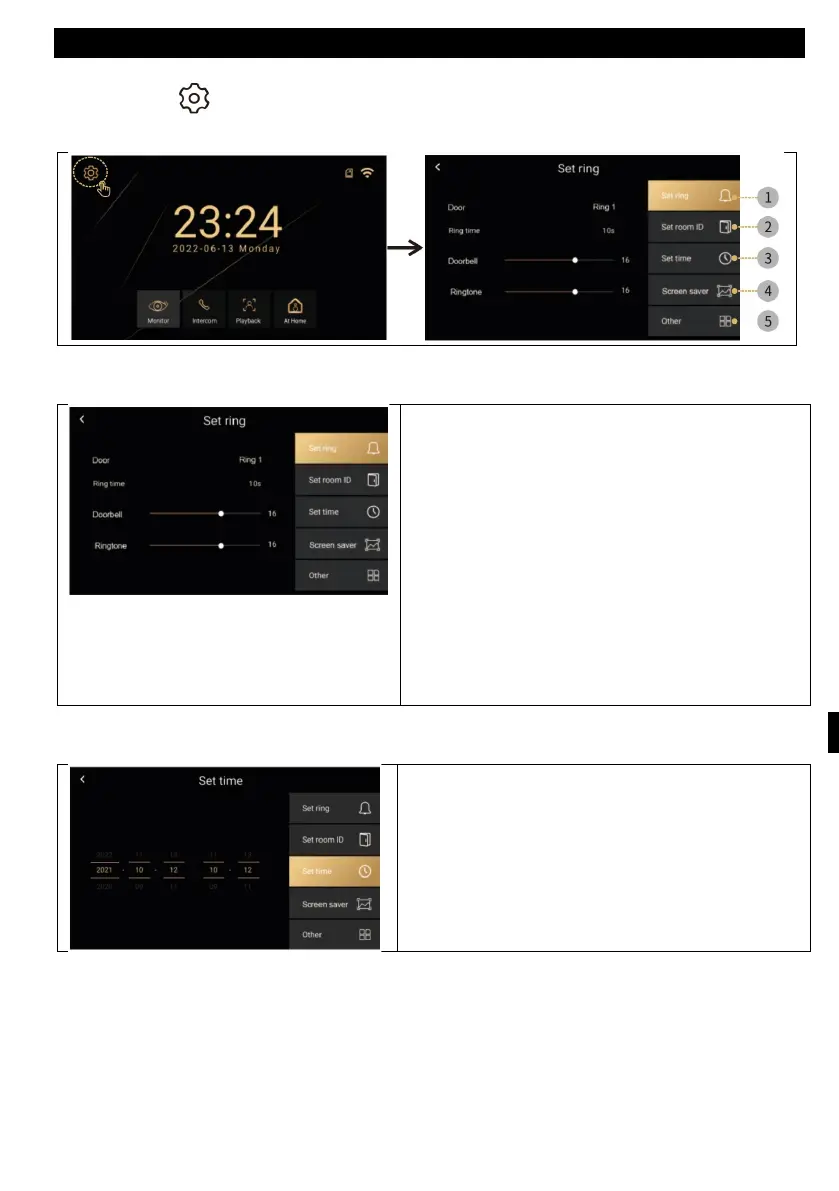
Selecting the icon will open a menu with the following items
Set Ringer, Set Room ID, Time Setting, Screen Saver, Other
Ringtone settings
• The door: There are six preset ringtones
or you can insert your own ringtones. On
the SD card create a folder "ring", Th
e
n
ames of the individual files must be
1,2,3.mp3. Files must be mp3 files.
Maximum size 1MB. Maximum 100
custom tones can be inserted
• Ringing time: 10,20,30,50,60 seconds.
• Doorbell: outdoor unit volume 0-100%.
• Prompt: for outdoor station sound
T
ime settings
• Time and date settings (when connected
to the internet, the system automatically
updates the local network time).



 To Next Page