66
MONITOR INTERFACE
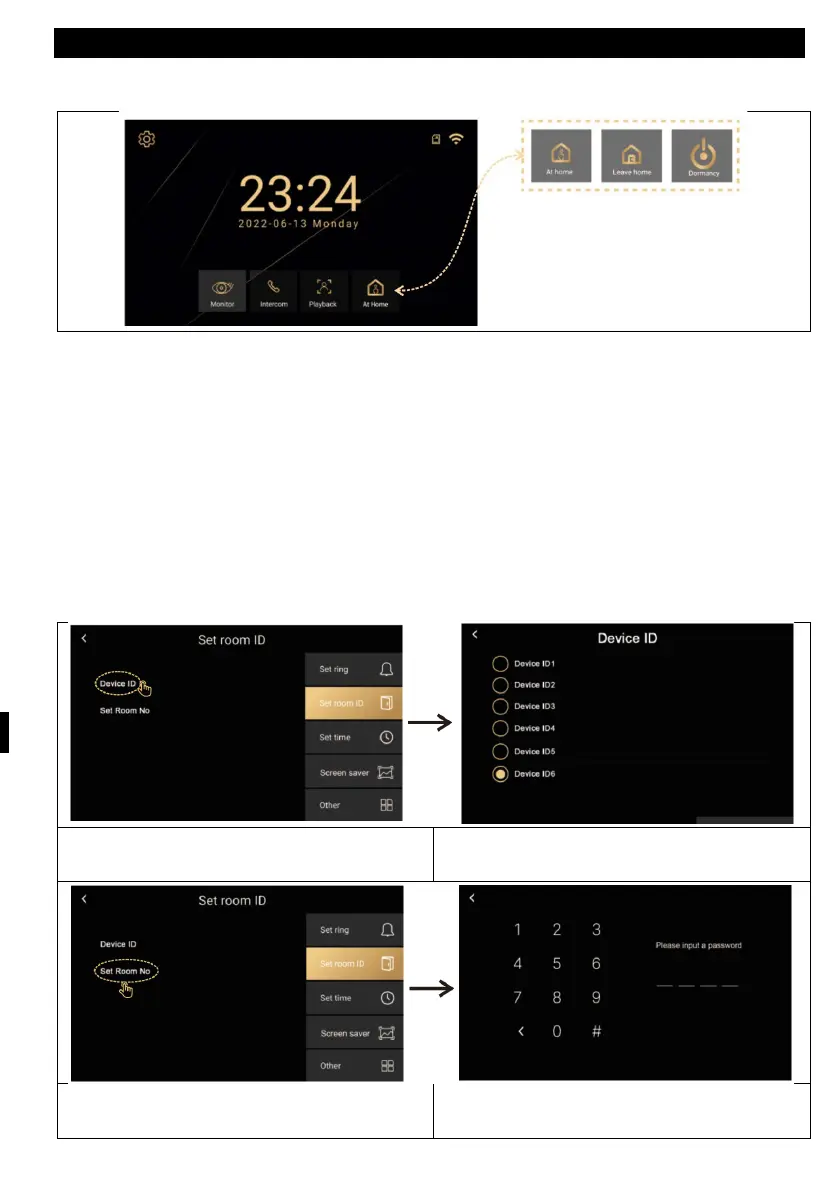
Modes (At home, Away from home, Do not disturb)
At home - When the outdoor button is pressed, the monitor rings for 30 seconds
and then sends an alert
Outside Home - when the outside button is pressed, a voice outside will say "Leave
message" leave a message
Do not disturb - for when you don't want to be disturbed. When the outside button
is pressed without a ringing tone. Only a visual alert for 30s on the display, then
sends an alert.
I
D settings
Set the device ID. There must be a
different ID for each monitor.
Device ID for rooms in the same house.
Enter the number of the new room
(0001-9999).
Enter the default password 1234 and
enter the system.



 To Next Page