75
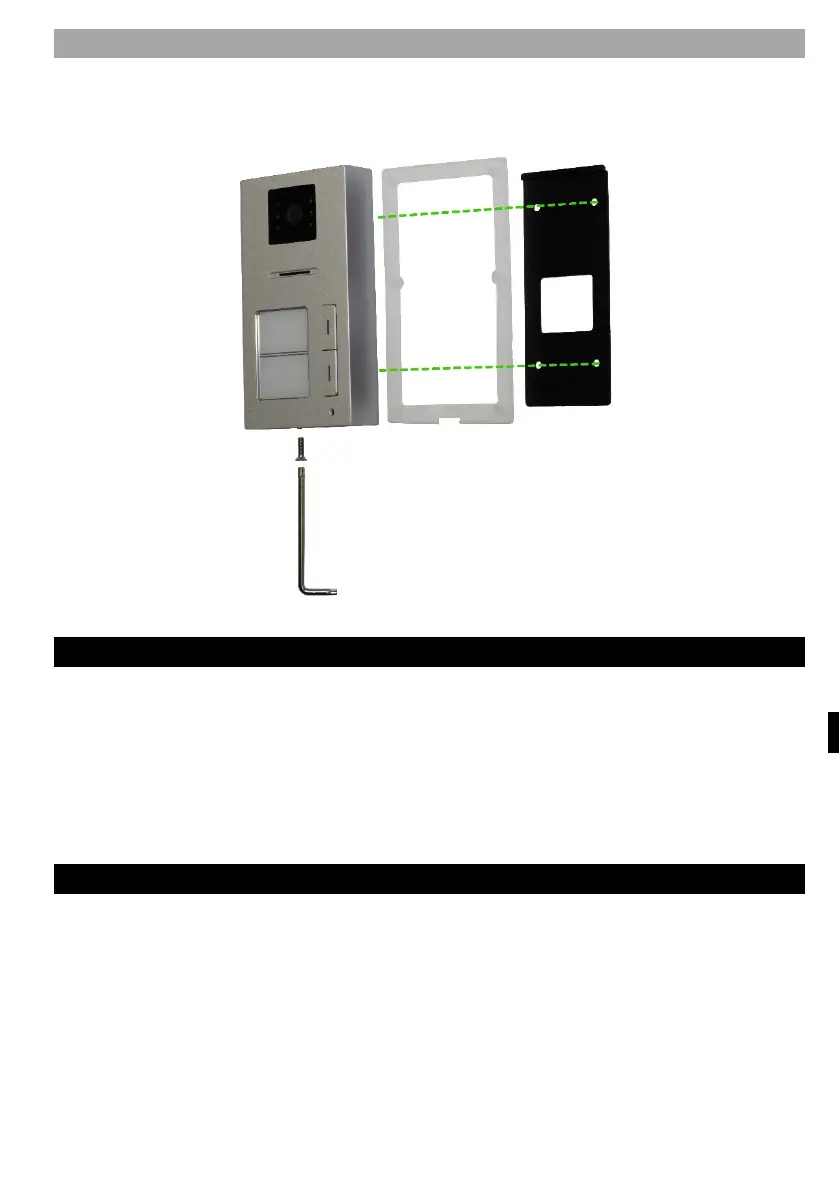
ATTACHING THE OUTDOOR UNIT AP2
Follow the picture below. After sliding the outdoor unit into the frame, secure from
the bottom with the screw provided. Always use the supplied gaskets for
installation.
EQUIPMENT MAINTENANCE
The monitor is low maintenance. It is recommended to wipe the device with a damp
cloth occasionally, depending on the degree of soiling.
A
ttention! - The device must be disconnected from the mains adapter before
cleaning.
SAFETY NOTICE
- Do not place the videophone near TV receivers or in an environment with high
temperature or humidity
- Do not disassemble the monitor or door station
- in direct sunlight into the lens of the door station
the image on the video monitor may become unreadable
- Do not expose the device to vibrations and drops



 To Next Page