63
i. Enter setup mode
ii.
P
ress K1 once and attach a new Zone 1 Administrator card.
iii.
P
ress K1 a second time and attach a new Zone 2 Administrator card.
iv.
P
ress K1 a third time and insert the administrator card to delete the cards
v.
P
ress switch K1 a fourth time to exit.
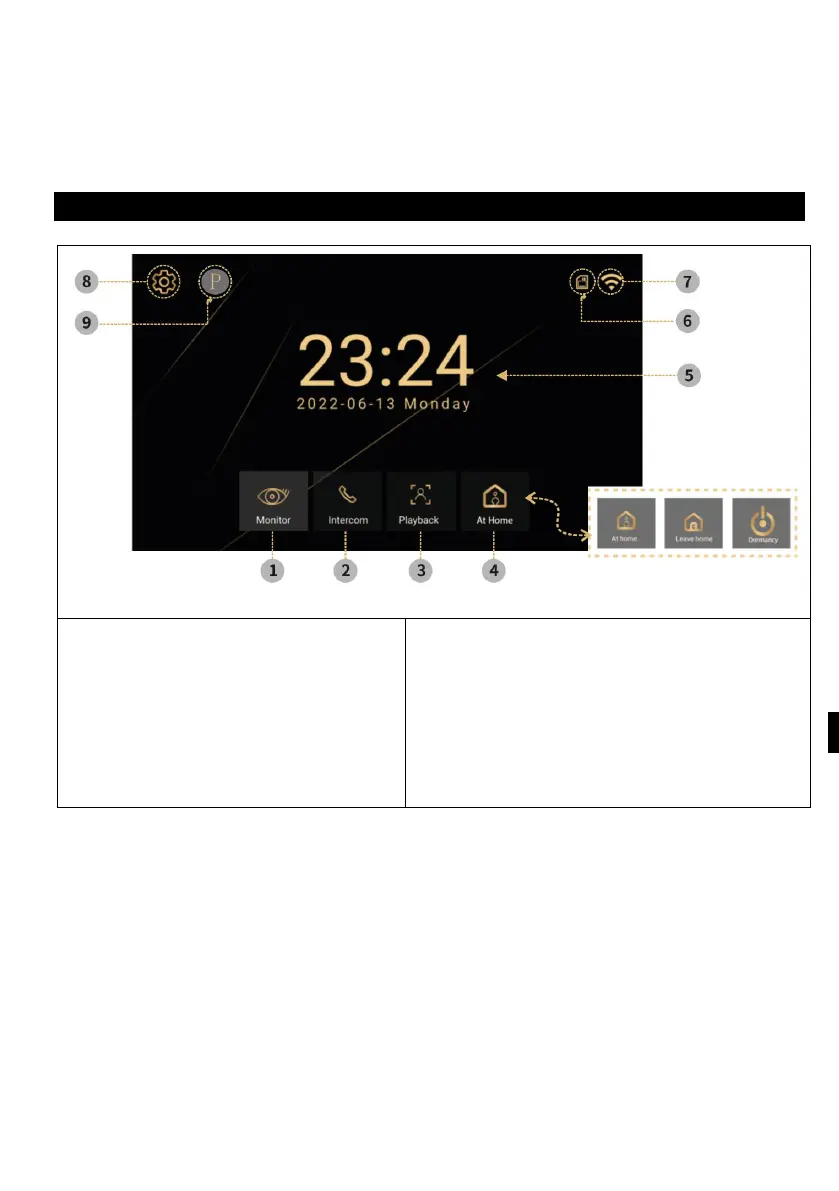
OPERATING INSTRUCTIONS
1) Monitor - take picture/video, call,
switch, monitor
2) Intercom - calling and intercom
with other monitors
3) Logs - Saved photos and videos
4) Mode - 3 modes, Home, Leave
6) SD memory card status
7) Stav W
ifi
8
)
S
ettings - Ringtone settings, Room ID
settings, Time settings, Screen saver,
Other



 To Next Page