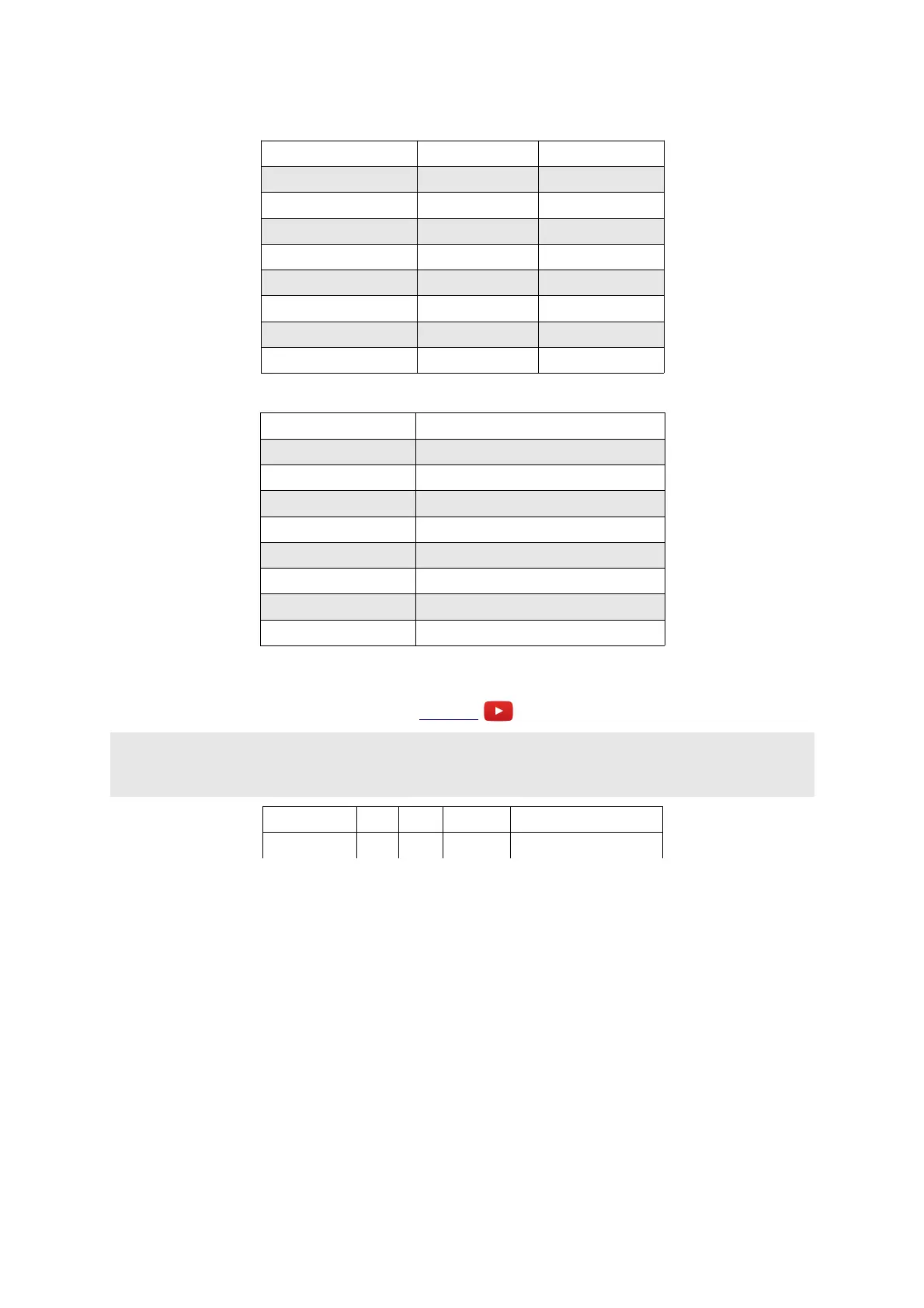
Parameter 1 selects the type of bit reduction. The positive and negative sections of the input signal
can have different types of reduction applied.
Parameter 1 value Positive signal Positive signal
0 Type I Type I
1 Type II Type II
2 Type I Type II
3 Type II Type I
4 Type I None
5 Type II None
6 None Type I
7 None Type II
Parameter 2 selects the bit mangling mode.
Parameter 2 value Bit mangling
0 None
1 Bit swap variant 1
2 Bit swap variant 2
3 Bit swap variant 3
4 Bit rotation
5 Previous sample XOR variant 1
6 Previous sample XOR variant 2
7 Previous sample XOR variant 3
D-1 DJ Filter
Video
X & Y are stereo audio input
A & B are stereo audio output
Z is filter sweep
Parameter Min Max Default Description
0 0 31 0 Filter resonance.
This is stereo filter which sweeps from lowpass to highpass on a single knob.
The Z knob/CV sets the filter cutoff. At the central, zero position no filter effect is applied. If the
knob is turned anticlockwise, a lowpass filter is applied, with a cutoff frequency that sweeps down
the more you turn. If the knob is turned clockwise from centre, a highpass filter is applied, with a
cutoff frequency that sweeps up the more you turn.
Page 39


 To Next Page