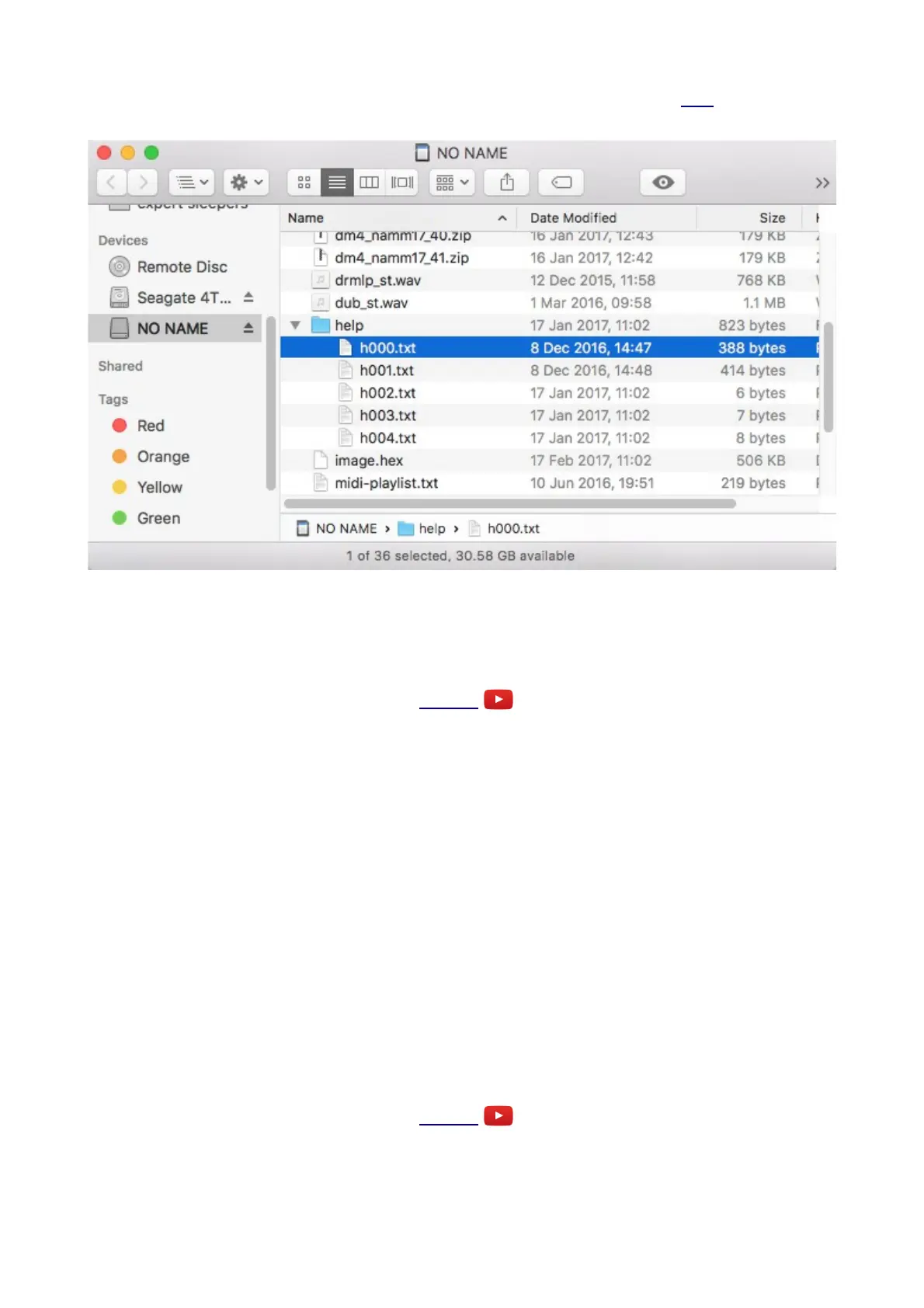
The default set of help files can be downloaded from the firmware update page here. Simply unzip
the file onto your MicroSD card. The file structure should look something like this:
i.e. the 'help' folder is at the root level of the card, and inside is a file per algorithm, named
'hXXX.txt', where XXX is the algorithm number, starting from zero for algorithm A1.
Parameters
Video
In addition to the control provided on the Z knob, each algorithm may have up to eight 'parameters',
offering further control over the algorithm's operation.
Unlike the Z control, which is sampled at the same high rate as the X & Y inputs, parameters should
be considered coarse, non-real-time adjustments to the algorithm. They may cause glitching in the
outputs when changed.
Parameters are adjusted via the S knob. When changed, the parameter value is displayed for a
couple of seconds.
If an algorithm has more than one parameter, pressing the Z knob cycles through them (unless the
algorithm uses Z for Tap Tempo or some other purpose). The current parameter number is
displayed briefly (prefixed with 'P') followed by its name.
The current parameter can also be selected by pushing in the S knob and turning it while holding it
in. The parameter number (prefixed with 'P') is shown when you turn the knob; if you pause briefly
without turning the knob, the parameter name is shown.
Knob Recorder
Video
In many algorithms which do not use a Z knob press for another purpose, pressing Z offers a 'knob
Page 8


 To Next Page