Startup
Video
When the module powers up it first runs through some patterns on its display. The sequence is as
follows:
• Each of the seven columns in turn, from left to right.
• Each of the five rows in turn, from bottom to top.
It then shows the bootloader version (e.g. "b1") and the current firmware version (e.g. "v4.0").
If after the above the disting shows the message "Uncalibrated", then the calibration data in flash is
missing or corrupt. A default calibration will be used, but for accurate results, please recalibrate the
module (see below).
The encoder & menu system
Video
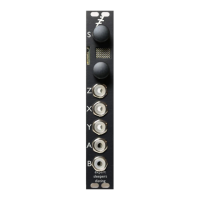
Pressing the encoder ('S') enters the disting's menu system, which is indicated by the display
blinking.
At this time the menus are particularly simple, there being only six menu items to choose from, only
one of which you will normally need. In general, the menu system works like this:
• Press the encoder to enter menu mode.
• Turn the encoder to select the menu item, and press to select.
• At this point the behaviour depends on the chosen menu item.
Pressing 'Z' at any time cancels and exits the menus.
The menu items are:
• Algorithm – select algorithm
• Save – save a preset
• Load – load a preset
• Help – access help
• Settings – change settings
• Calibrate – begin calibration
◦ If you accidentally enter this mode, press the Z knob to cancel
Selecting an algorithm
Video
There is a single list of algorithms, named A1 up to P8 (i.e. A1, A2, ... up to A8, then B1, B2 etc.).
See below for details.
The algorithm can be chosen via menu 1 "Algorithm". Press the encoder twice (to enter the menu,
and to select "Algorithm"). Then turn the encoder to select the algorithm. Finally, press the encoder
again to switch to the chosen algorithm.
Page 6


 To Next Page