DXP HD 4K PLUS Series • Installation 12
Connecting to the Remote RS-232 Port
The DXP HD 4K PLUS switchers have a rear panel Remote serial port through which they
can be configured via SIS commands (serial commands that control the switcher through
this connector).
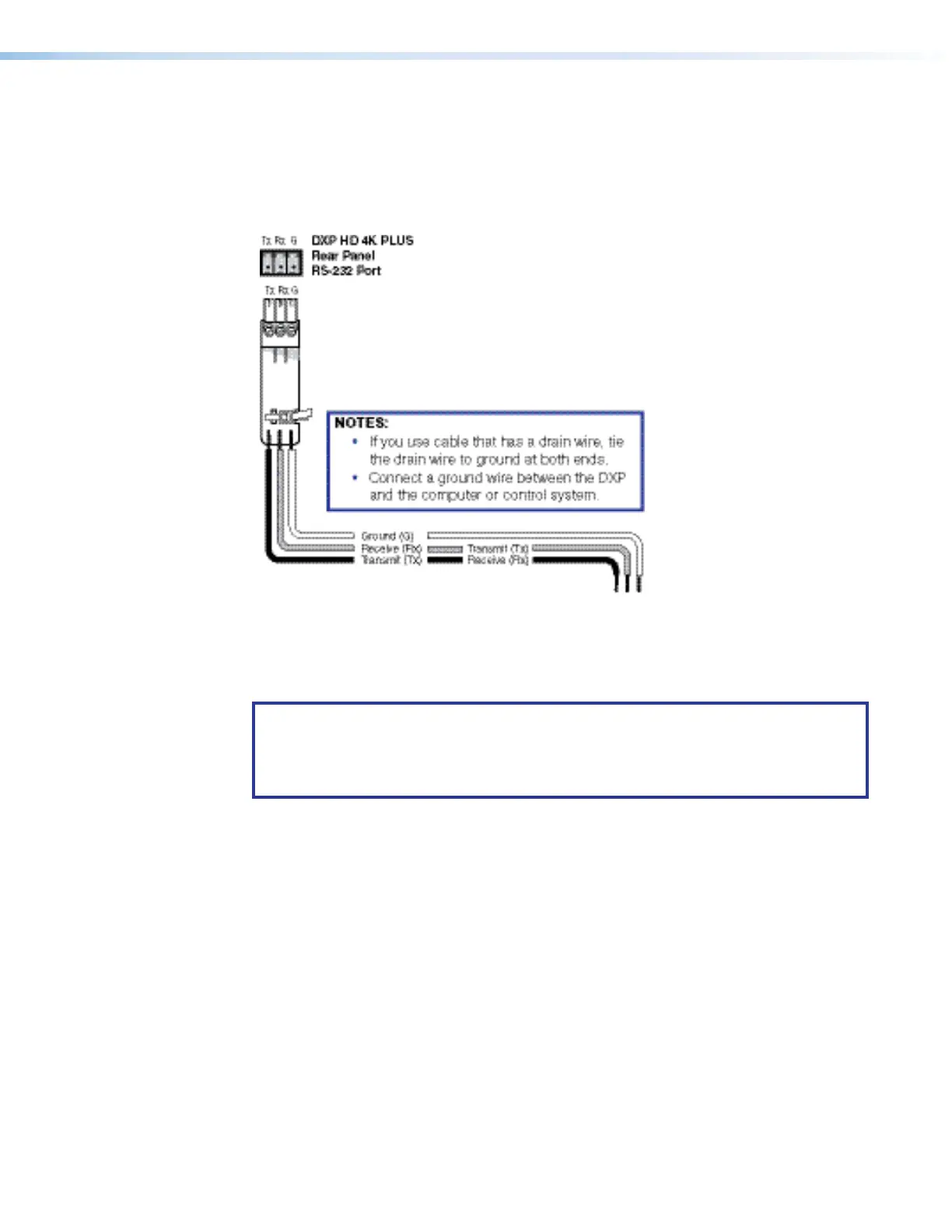
Wire the 3.5 mm captive screw Remote RS-232 connector as shown in figure 7.
Figure 7. Wiring the Remote RS-232 Connector
See SIS Configuration and Control starting on page39, for definitions of the SIS
commands, and Configuration Software starting on page79, for details on how to
install and use the control software.
NOTES:
• The switcher operates at 300 to 115200 baud. The default is 9600.
• See Selecting the Remote RS-232 Port Baud Rate on page30 to configure
this port using the front panel buttons.
7













 To Next Page