DXP HD 4K PLUS Series • Operation 15
Front Panel Controls and Indicators
All DXP HD 4K PLUS switchers have input and output buttons. At the right of each button
is an LED that lights to indicate the button status or current function. Depending on the
operation, the button LEDs blink or light steadily when pressed. The front panels also
contain HDCP and signal status LEDs, which indicate the encryption status and signal
presence for each input.
The front panel buttons may have multiple functions, which are classified as primary and
secondary.
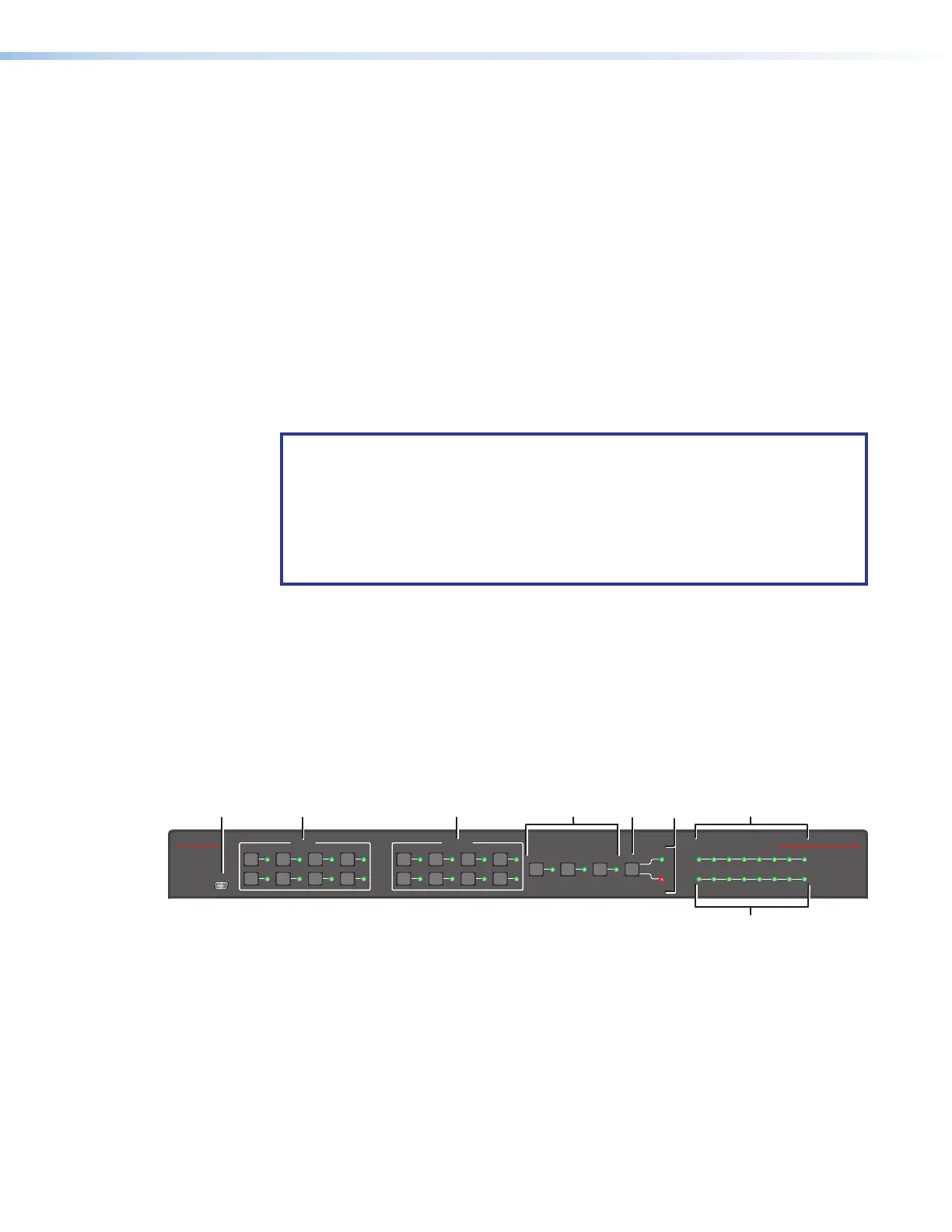
• DXP 44, 84, and 88 — The buttons on the DXP 44, 84, and 88 front panels are
grouped into two sets, with the input and output buttons located on the left side of the
control panel and the Control and I/O buttons on the right. The button LEDs are bicolor
and light green if video has been selected for the associated input or red if audio has
been selected.
Each of these models has eight input buttons and output buttons, regardless of how
many rear panel input and output connectors it actually has.
NOTE: Although the DXP 44 and 84 both have eight input and eight output
buttons, not all these buttons are functional for making ties:
• DXP HD 4K PLUS 44 — Only input and output buttons 1 through 4 are
functional, except for creating and recalling presets (see Saving and Recalling
Presets on page25).
• DXP HD 4K PLUS 84 — All input buttons are enabled, but only output
buttons 1 through 4 are functional, except for creating and recalling presets.
When the DXP 44, 84, or 88 switcher is in power-save mode 1 or 2 (see the Power
Save Mode on page57), all front-panel indicators are unlit with the exception of the
I/O Video LED, which blinks continuously.
• DXP 42 — The DXP 42 front panel has four input buttons and two output buttons. To
the right of each button is a green LED that lights when the button is pressed. After
approximately 5 seconds, the LED turns off. If a button is pressed for an input with ties
to another input, the buttons for all tied inputs light as well.
DXP 44, 84, and 88 Front Panel
E
CONFIG
INPUTS
1
5
2
6
3
7
4
8
OUTPUTS
1
5
2
6
3
7
4
8
ENTER PRESET ESC I/O
VIDEO
AUDIO
INPUTS
SIGNAL
HDCP
12345678
DIGITAL CROSSPOINT MATRIX SWITCHER
DXP HD 4K PLUS SERIES
E
E
A
A
B
B
D
D
C
C
G
G
F
F
A
Config port
E
I/O button
B
Input buttons
F
Audio and Video LEDs
C
Output buttons
G
Signal LEDs
D
Control buttons
H
HDCP LEDs
Figure 8. DXP HD 4K PLUS 88 Series Front Panel
Figure 8 shows a DXP 88 HD 4K front panel. The DXP 44 and 84 front panels are identical
to this one except for the product names.
8













 To Next Page