DXP HD 4K PLUS Series • Operation 31
Front Panel Functions — DXP 42
Creating Ties
Ties can be made using the front panel buttons, SIS commands, or PCS. You can tie an
input to one or more outputs.
NOTES:
• Audio ties can be made only with de-embedded audio.
• Audio ties cannot be made using the front panel buttons. However, they can be
created using PCS or SIS commands.
• Only one input can be tied to any output. If you tie an input to an output that is
already tied to another input, the older tie is broken in favor of the newer tie.
• If an input with no tie is selected, only the LED for the selected input lights (no
output LEDs light).
To make ties:
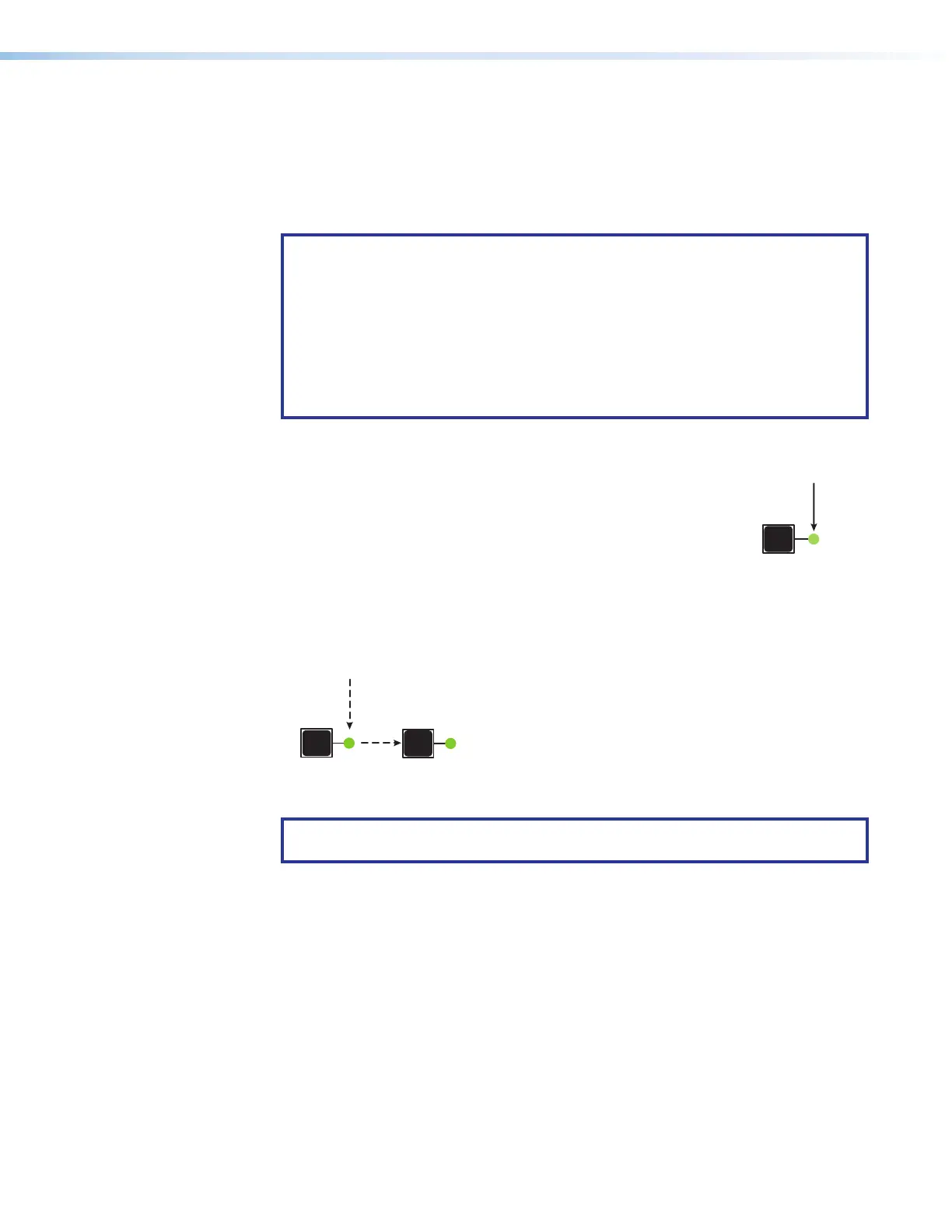
1. Press an input button on the front panel (see the illustration at right).
The LED next to it lights.
• If the selected input is already tied to one or more outputs, the
tied output LEDs light.
• If you press the tied output button, the output is disconnected
(untied) from the input.
2. Within 5 seconds, press the output button or buttons to which the input is to be tied. All
selected output LEDs light, then turn off after 5 seconds. Figure 30 shows a tie between
input 1 and output 1.
The input LED lights to
indicate the selected input.
The output LED lights to
indicate the output is tied to
the selected input.
1
1
After 5 seconds, all LEDs turn off.
Input
Output
Figure 30. Tying Input 1 to Output 1
NOTE: If no output is selected within 5 seconds, the input LED turns off and no tie
is made to the input.
To break existing ties:
1. Press the button for the input to be untied. The LEDs for the tied outputs light.
2. Press the output button to be untied. The output button LED turns off, indicating that
the tie is broken.
1
The LED lights to
indicate the selection.
30













 To Next Page