DXP HD 4K PLUS Series • Operation 25
• View ties by selecting an output — Press an output button. The LED for the
tied input and all of the output button LEDs light for outputs that are also tied to the
same input.
• View all ties in a configuration — Press and release each input and output
button, one at a time. The output LEDs light as follows:
• Green — Video-only ties
• Red — Audio-only ties (outputs 1 and 2 only)
Saving and Recalling Presets
A preset is a complete map of all input and output connections. The current configuration
(0) can be saved as a preset in any one of 16 preset memory slots. Preset locations
are assigned to the input buttons and (where necessary) output buttons, and each
switcher has as many presets available from the front panel as it has input and output
buttons. In addition, all presets can be saved and recalled from the PCS software and
by SIS commands. When a preset is retrieved from memory, it becomes the current
configuration.
NOTES:
• Presets cannot be viewed from the front panel unless recalled as the current
configuration. Presets can be viewed using the PCS configuration program (see
Configuration Software starting on page79, for more details).
• The current configuration and all presets are stored in non-volatile memory.
When power is removed and restored, the current configuration is still active and all
presets are retained.
• When a preset is recalled, it replaces the current configuration, which is lost
unless it is also stored as a preset. The recalled preset overwrites all of the current
configuration ties in favor of the preset ties.
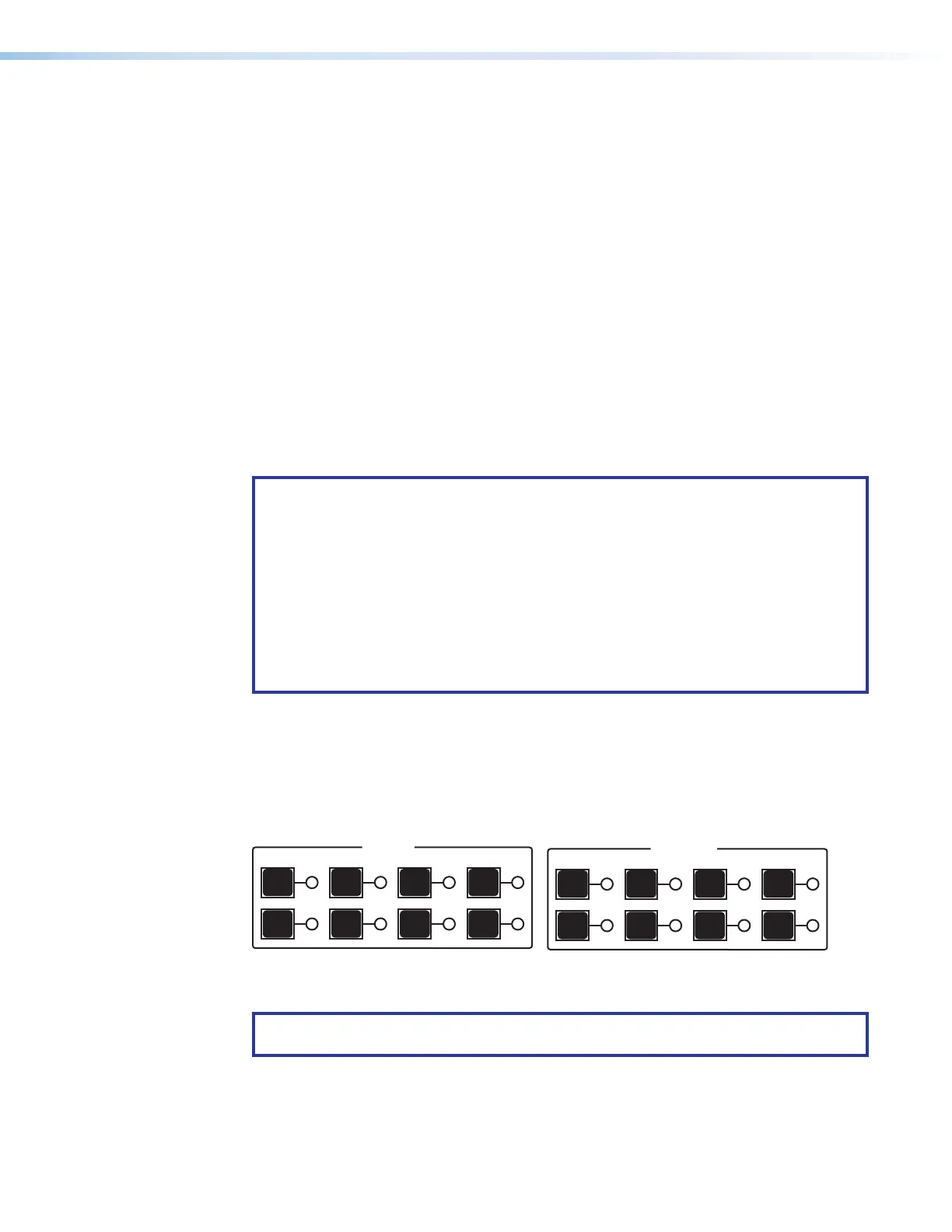
• Inputs 1 through 4 correspond to global presets 1 through 4.
• Outputs 1 through 4 correspond to presets 5 through 8.
• Inputs 5 through 8 correspond to presets 9 through 12.
• Outputs 5 through 8 correspond to presets 13 through 16.
INPUTS
1
5
2
6
3
7
4
8
OUTPUTS
1
5
2
6
3
7
4
8
Preset Preset Preset Preset Preset Preset Preset Preset
1 2 3 4 5 6 7 8
Preset Preset Preset Preset Preset Preset Preset Preset
9 10 11 12 13 14 15 16
Figure 22. Preset Locations
NOTE: Before attempting to save or recall a preset, ensure that the unit is not in Power
save mode 2 (see page 30).
22













 To Next Page