DXP HD 4K PLUS Series • Operation 27
To mute and unmute outputs:
1. Press Esc to clear any leftover button selections or incomplete ties.
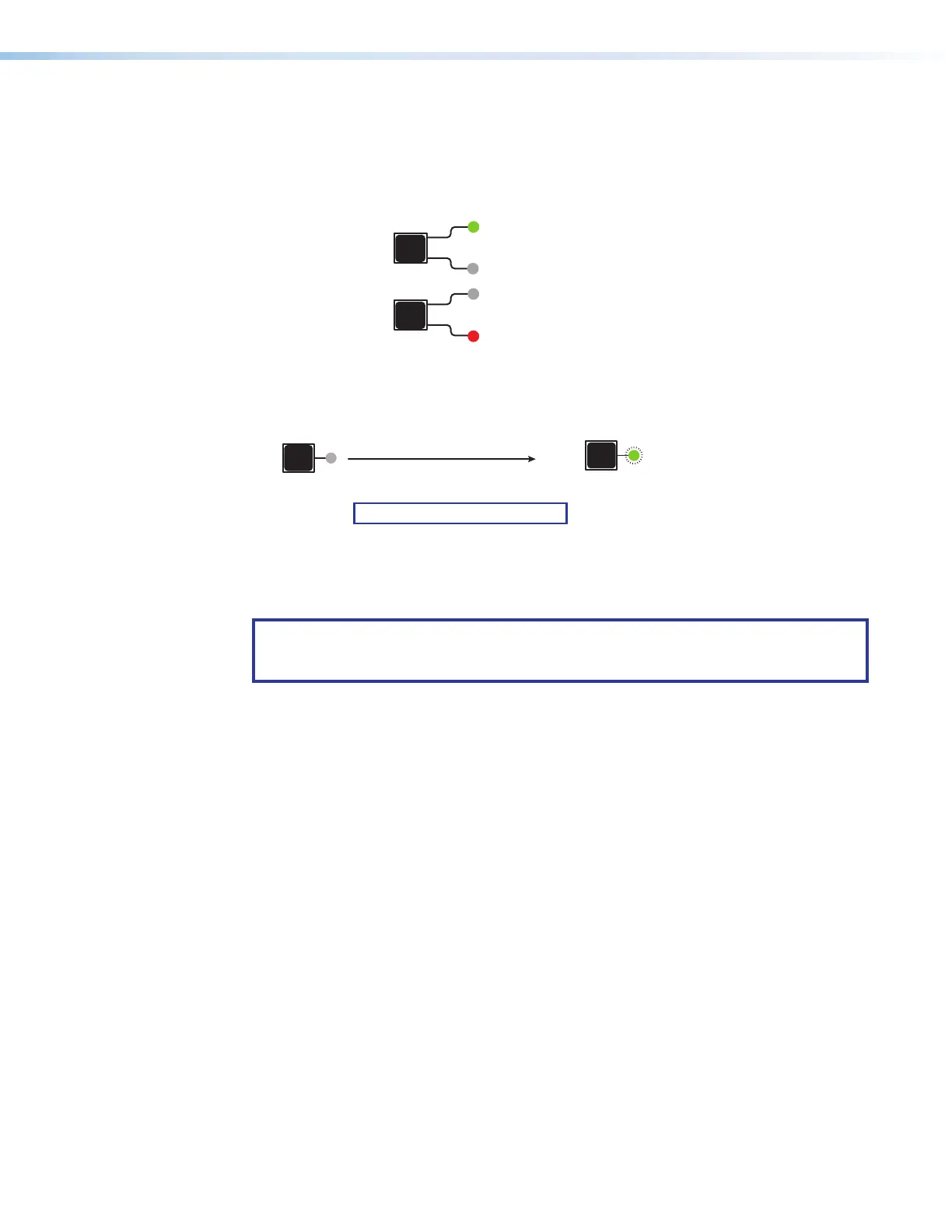
2. Select video or audio by pressing the I/O button until the desired LED lights (green for
video or red for audio).
I/O
VIDEO
ess I/O button to
Lights green
I/O
AUDIO
Lights red when audio is selected.
Figure 25. Selecting Audio or Video to Mute
3. Press the button for the output to be muted, and hold it until its LED begins to blink
(approximately 2 seconds). The LED continues to blink until the output is unmuted.
1
The button blinks to
2 seconds
Press and hold the desired
Output button.
Green = Video is muted.
Red = Audio is muted.
NOTE: Video is muted in this example.
1
Figure 26. Muting an Output
To unmute an output, press and hold the desired output button until its LED stops
blinking (approximately 2 seconds).
NOTE: If you want to mute an output, but accidentally press an input button prior to
pressing and holding the desired output, this voids the output muting process and
activates the tie process.
Viewing the Mute Status
To check the mute status of an output:
1. Press the Esc button to clear any previous selections.
2. Select video or audio by pressing the I/O button until the desired LED lights (green for
video or red for audio).
3. Press the button for the output to be viewed.
• If the selected output is muted, the button LED blinks red (audio) or green (video),
depending on your viewing selection in step 2.
• If the selected output is not muted, the LED for its button lights steadily.
4. If desired, press the I/O button again to view the mute status of the other signal type.
For example, after viewing the audio mute status of an output and before it times out,
press the I/O button again to view the video status of the same output.
5. To exit the view mode, press Esc
or wait for the indicators to time out.
25
26













 To Next Page