DXP HD 4K PLUS Series • Operation 29
Selecting front panel lock mode 2 or toggling between lock modes 2
and 1
NOTES:
• If the switcher is in lock mode 1, this procedure selects mode 2.
• If the switcher is in lock mode 2, this selects mode 1 (locks all switcher functions
except selecting mode 2).
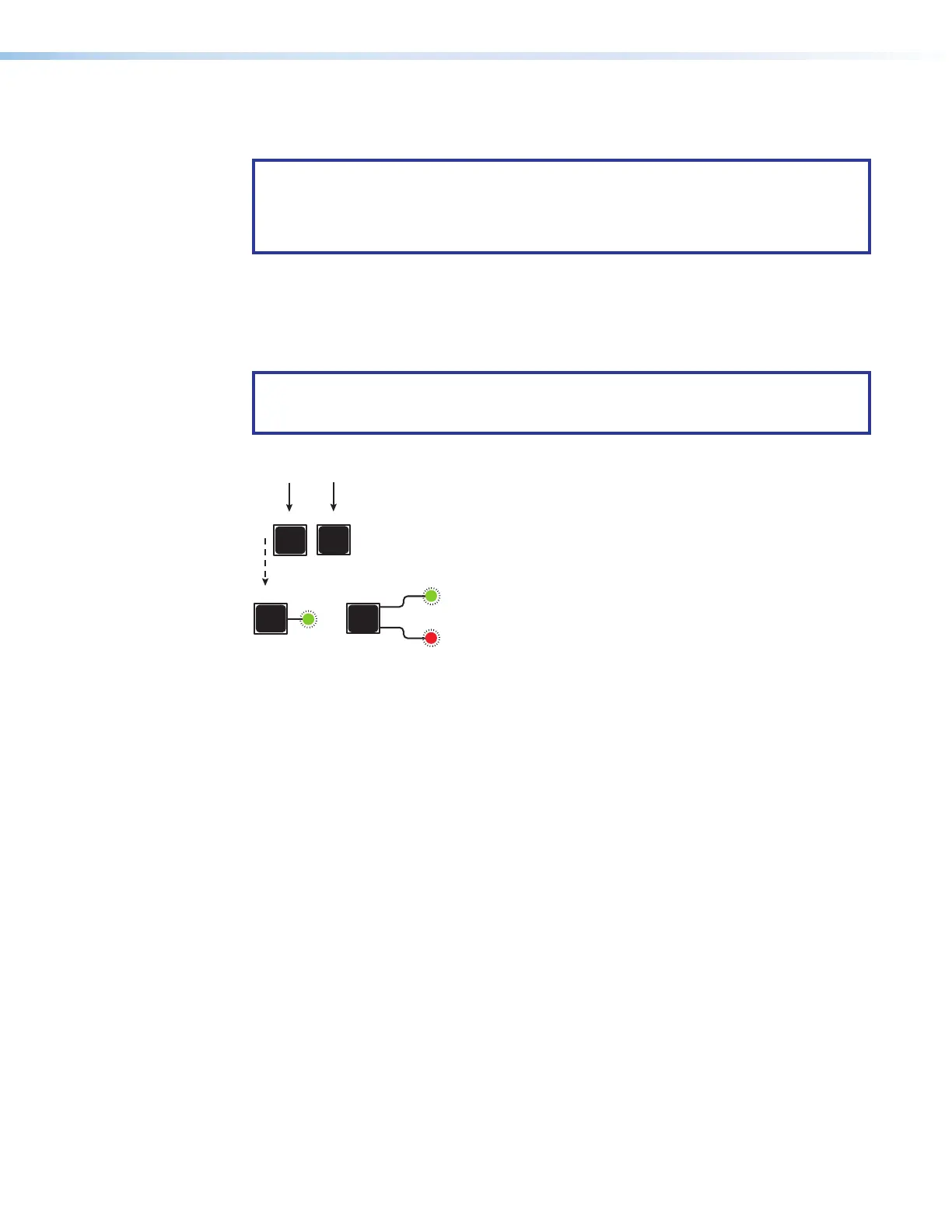
Toggle the lock on and off by pressing and holding the Esc and I/O buttons until the
following LEDs blink twice (approximately 3 seconds).
• The Esc, Video, and Audio LEDs blink twice if the DXP is now in lock mode 2.
• The Video and Audio LEDs blink twice if the DXP is now in lock mode 1.
NOTE: To switch from lock mode 1 (front panel is completely locked) to lock mode 0
(front panel is unlocked), you must first switch to mode 2, then from mode 2 to
mode 0 (see figure 28).
I/O
ESC
simultaneously.
3 seconds
I/O
VIDEO
AUDIO
Esc, Video, and Audio
LEDs
blink twice.
Release the buttons.
ESC
Figure 28. Toggling between Lock Modes 1 and 2
Switching from Lock Mode 1 to Lock Mode 0
If the switcher is in lock mode 1, you cannot change it directly to lock mode 0 (completely
unlocked). You must first place the switcher in lock mode 2, then toggle it to mode 0 (see
Selecting Front Panel Lock Mode 2 or Toggling between Lock Modes 2 and 0 on
page28).
28













 To Next Page