FOX3 T 201 Transmitter • Installation and Operation 9
I
SFP module and LEDs — (see figure2 on page5)
WARNING: The units output continuous invisible light (Class 1 rated), which
may be harmful to the eyes; use with caution. Plug the attached dust cap into the
optical transceiver when the fiber optic cable is unplugged.
AVERTISSEMENT : Le produit émet une lumière invisible en continu (conforme
à la classe1) qui peut être dangereux pour les yeux, à utiliser avec précaution
Branchez la protection contre la poussière dans l’ensemble émetteur/récepteur
lorsque le câble fibre optique est débranché.
NOTES:
• Ensure the proper fiber cables for the transmitter and receiver pair are used.
Typically, singlemode fiber has a yellow jacket and multimode cable has an
orange or aqua jacket.
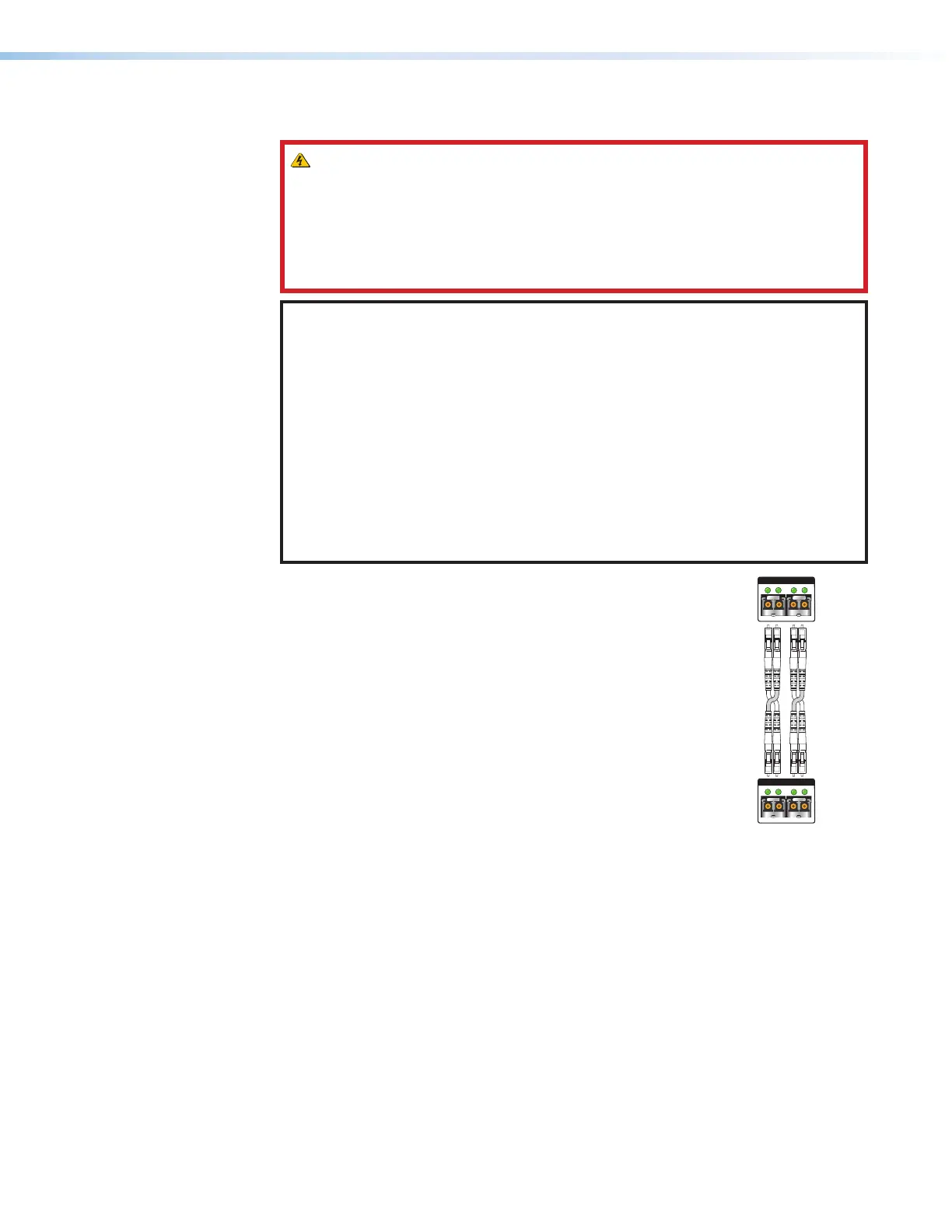
• See figure5 for fiber cable connections. Connect the transmitter to a receiver
in one of three ways:
• One way (transmitter to receiver) only, connect transmitter Outputs A (
1
) to
receiver Inputs A (
1
).
• Two way (transmitter to receiver and return), connect transmitter Outputs
A (
1
) to receiver Inputs A (
1
) and connect transmitter Outputs A (
2
) to
receiver Inputs A (
2
).
• Output B is available to transmit a 4K @ 60 Hz uncompressed signal when
the FOX3 4K @ 60 Hz Uncompressed Video LinkLicense is purchased.
1
Port A Out (required) — For all one-way video, audio,
and serial communications from the transmitter to the
receiver, connect a fiber optic cable to the Out LC port.
Connect the opposite end of this fiber optic cable to
the Port A In LC port on the receiver or to any other
compatible Extron FOX3 device.
2
Port A In (optional) — For one-way serial
communications from the receiver to the transmitter,
connect a fiber optic cable to the In LC port.
Connect the opposite end of this fiber optic cable to
the Port A Out LC port on a receiver or to any other
compatible Extron FOX3 device.
SFP Link LEDs —
Receiver
ransmitter
11
22
22
11
A
OUTIN
OUTPUTS
B
OUTIN
A
OUTIN
INPUTS
B
OUTIN
Figure 5. Connection
• Transmit Optical OUT LED lights solid green when powered and lights off when
there is no power on the endpoint.
• Receive Optical IN LED lights solid green when light is present and lights off
when there is no power or light present.
J
Reset button — Initiates three levels of resets (1, 4, and 5). Use a pointed stylus,
ballpoint pen, or small screwdriver to access the recessed button (see Reset on
page12 for detailed reset information).
5



 To Next Page