Quantum Series Videowall Processing Systems • QC 101 Controller 74
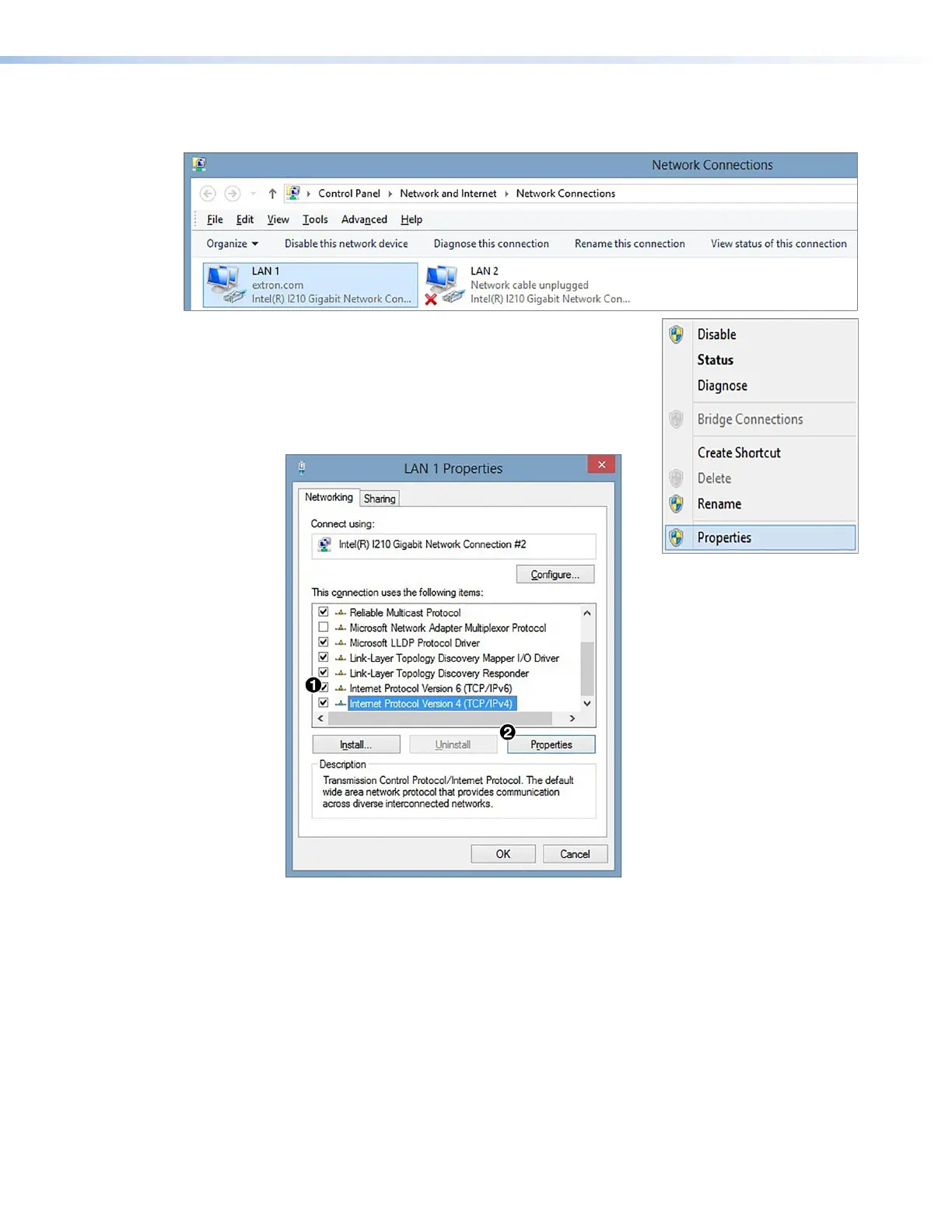
2. On the Network Connections window, right-click the name of the LAN port currently
in use.
Figure 63. Selecting a LAN Port
3. From the LAN pop-up menu, select Properties.
4. On the LAN properties dialog box, scroll to locate and
select the Internet Protocol Version 4 (TCP/IPv4)
checkbox (see figure 63,
1
, and click the Properties
button (
2
).
Figure 64. LAN Properties Dialog Box



 To Next Page