Quantum Series Videowall Processing Systems • QC 101 Controller 75
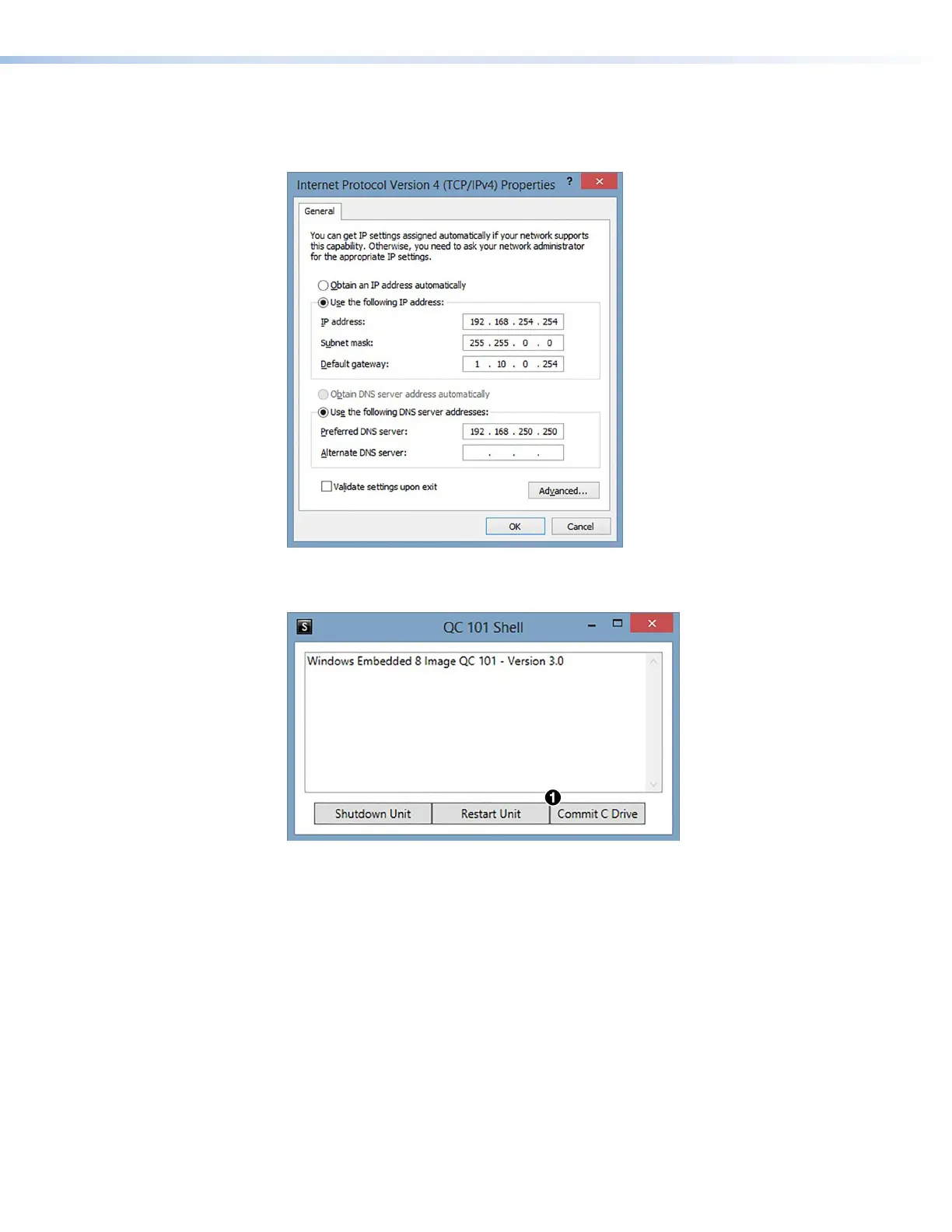
5. In the Internet Protocol Version 4 (TCP/IPv4) Properties dialog box, enter the
desired IP address parameters and click OK. The IP address must be on the same
subnet as those of the Quantum processors.
Figure 65. Internet Protocol Version 4 (TCP/IPv4) Properties Dialog Box
6. In the QC 101 Shell window, click the Commit C Drive button (see figure 65,
1
).
Figure 66. Commit C Drive Button on the QC 101 Shell Window
7. On the confirmation prompt that opens, click OK to save the address changes to the
hard drive and reboot the controller.



 To Next Page