MPC-6000 / MPC-7000 / RND-2 INSTALLATION, OPERATION AND MAINTENANCE MANUAL
76
The sounder operates as follows:
SOUNDER Normally OFF – indicates that the system is in supervisory mode or all events in the system
have been acknowledged.
ON (steady) – indicates that at least ONE unacknowledged alarm is present in the system.
ON (pulsing) – indicates that at least ONE unacknowledged non-alarm (trouble, supervisory
or pre-alarm) event is present in the system.
Dedicated Push Buttons:
ALARM SILENCED When pressed when ALARM SILENCED LED is OFF, silences all the activated
silenceable NACs.
When pressed when the ALARM SILENCED LED is ON, reactivates all previously
silenced NACs.
ACKNOWLEDGE When pressed, acknowledges all events that are unacknowledged.
RESET When pressed, initiates a system reset.
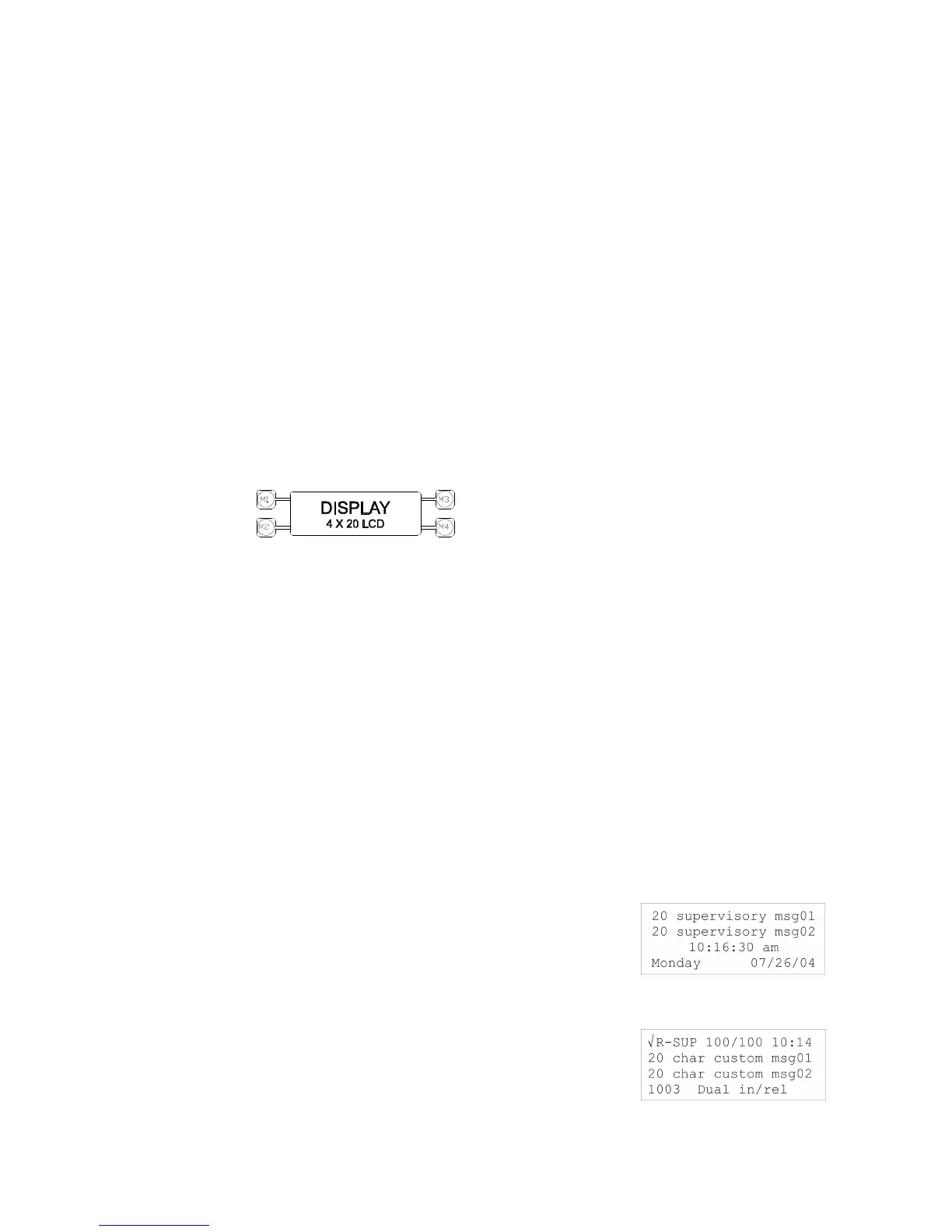
M1 – M4
These push buttons are used for navigation while in the USER screen.
If events are present in the system, M3 (UP button) is used to scroll up to the next
event and M4 (DOWN button) is used to scroll to the previous event, M1 (TOP
button) is used to place the list at the top of the queue and M2 (NEXT QUE) is used
to go to the next queue (if present) of lower priority.
Alphanumeric Keypad:
The alphanumeric keypads are used to enter the password to access the maintenance and
technician modes of the panel. It allows the user to program the panel using these keypads
with using the CIS-4 programming tool.
Refer to the MPC-6000/MPC-7000/RND-2 Programming Manual (P/N 315-049403FA).
LCD Display:
The LCD operates as follows:
Supervisory Mode:
Line 1 – First Custom Message and System ID
Line 2 – Second Custom Message and System ID
Line 3 – Current Time
Line 4 – Day and Date
Active Event Mode:
Line 1 – Acknowledged or unacknowledged event, Event type,
Event location in the list and time the event occurred.
Line 2 – First 20 character custom message.
Line 3 – Second 20 character custom message.
Line 4 – Address of the device where the event occurred and a
generic description of the device or trouble type.



 To Next Page