AM-JACKAL-35 / JULY 2020
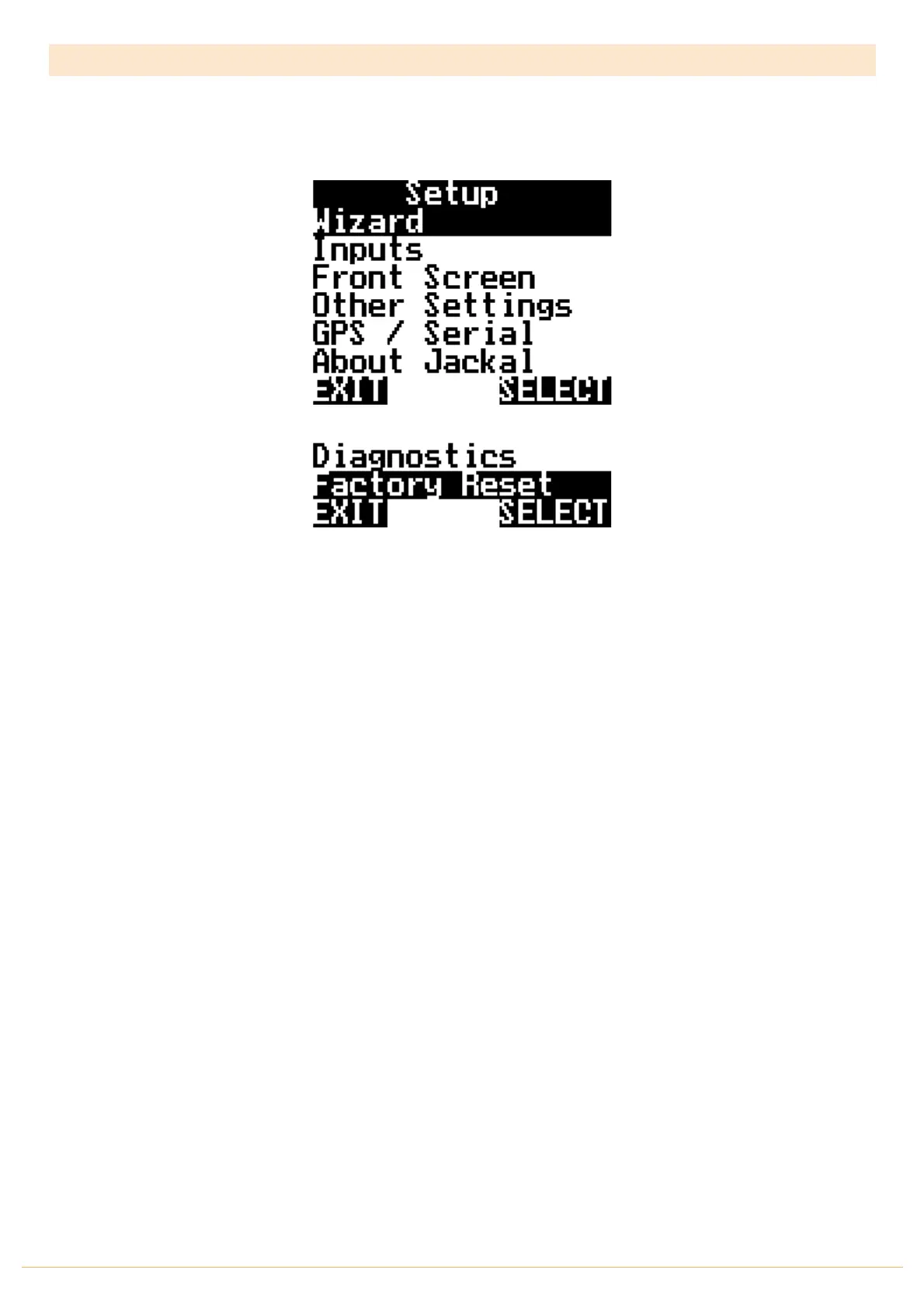
MAIN MENU
The level of Jackal unlock will determine what options are viewable and available to be edited.
Use the NAV button down to reveal further menu information
Wizard Run a predefined wizard for setting up the Jackal Monitor as:
• Sprayer (Automatic Mode) – Control Version
• Area/Speed Wheel
• Area/Speed GPS
• Tachometer (Fast & Slow option available)
• Flow Meter
• Slippage Meter
• Generic Wizard
Inputs Manually enable or edit ports in which sensors are connected to.
Front Screen Enable/define/order/edit/name the lines on the front screen.
Select the number of decimal places displayed and edit the alarms.
Other Change speed input, implement & section widths, external run/hold
Settings alarm notification settings (beep & on hold), language options, speed simulation for
diagnostics.
Outputs This menu is used to control the Jackal outputs. Refer to this manual and edit the outputs
described ONLY to prevent damage to external sensors connected to the Jackal.
GPS/Serial When an external GPS is connected view and ensure the GPS is setup correctly.
Setup baud rate and confirm GPS messages (NMEA messages RMC or GGA+VTG are
required) Latitude, Longitude, heading, speed, date & time.
About Jackal Shows current version of Jackal software and unlock codes installed on the unit.
Diagnostics Shows current input voltage and input diagnostics on enabled ports.
Factory Reset Returns the Jackal to factory default.



 To Next Page