AM-JACKAL-35 / JULY 2020
OVERVIEW
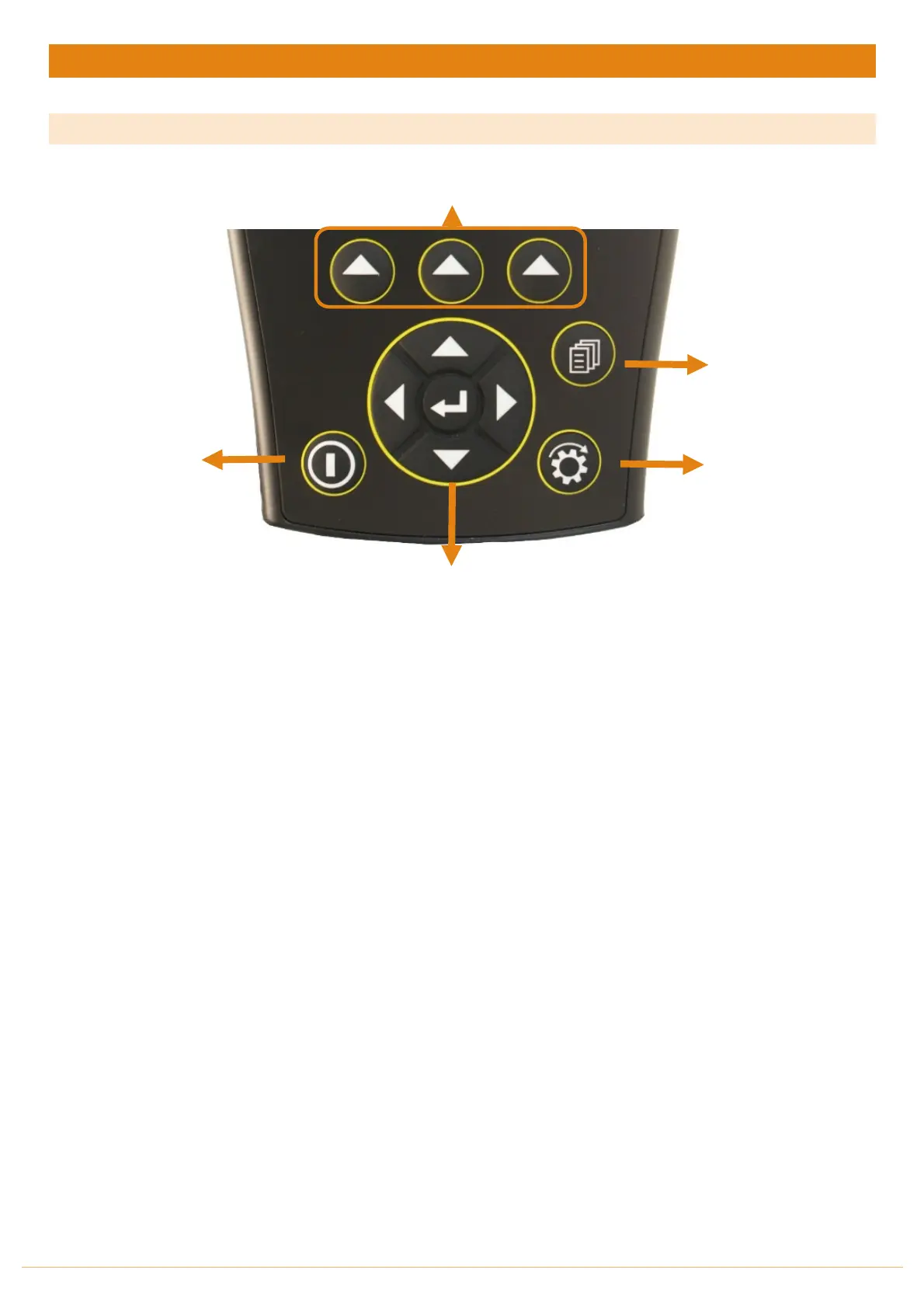
BUTTON FUNCTIONS
1. Power On/Off button
a. Power is
turned
on by pressing the ON/OFF button for 1 second.
b. Power is
turned
off by
holding the
ON/OFF
button for 2 seconds.
2. Run/Hold button
a. The RUN/HOLD button has a dual function.
a. Press RUN/HOLD once to place the ‘MONITOR ON HOLD’.
b. Press RUN/HOLD again to resume operation.
b. The RUN/HOLD state is indicated in the top left-hand corner of the screen. When the monitor is in
RUN mode, the unit displays RUN to signify that the monitor is active.
c. When the monitor is in HOLD mode the unit displays the word “HOLD” & “BEEPS” every 2 seconds
3. Page button
a. The PAGE button is used to scroll through BATCH mode screens or Spray Control functions.
4. Select button (3 of)
a. The Jackal has 3 buttons placed directly under the LCD. These buttons will change function in different
menus.
b. The function of the button is indicated at the bottom of the screen directly above the button.
5. Navigation button (Up, Down, Left, Right, Enter)
a. The Round navigation (NAV) buttons are used to navigate UP/DOWN/LEFT/RIGHT in calibration screens
as well as scrolling through the display lines on the main screen.
b. ENTER is used to select the option highlighted onscreen.



 To Next Page