AM-JACKAL-35 / JULY 2020
ALARMS
Alarms are set on a per-front-screen-display-line basis. High/Low Alarm points
can be set for any input including: speed, hectares, RPM, Pressure, Bin/Tank
Levels.
Alarms will be displayed visually (on screen flash) and made audible.
• To EDIT your alarms re-run the wizard by pressing SETUP from the front
screen.
• OR – RUN SCREEN > SETUP > FRONT SCREEN
Your existing settings will not be lost during the wizard re-run.
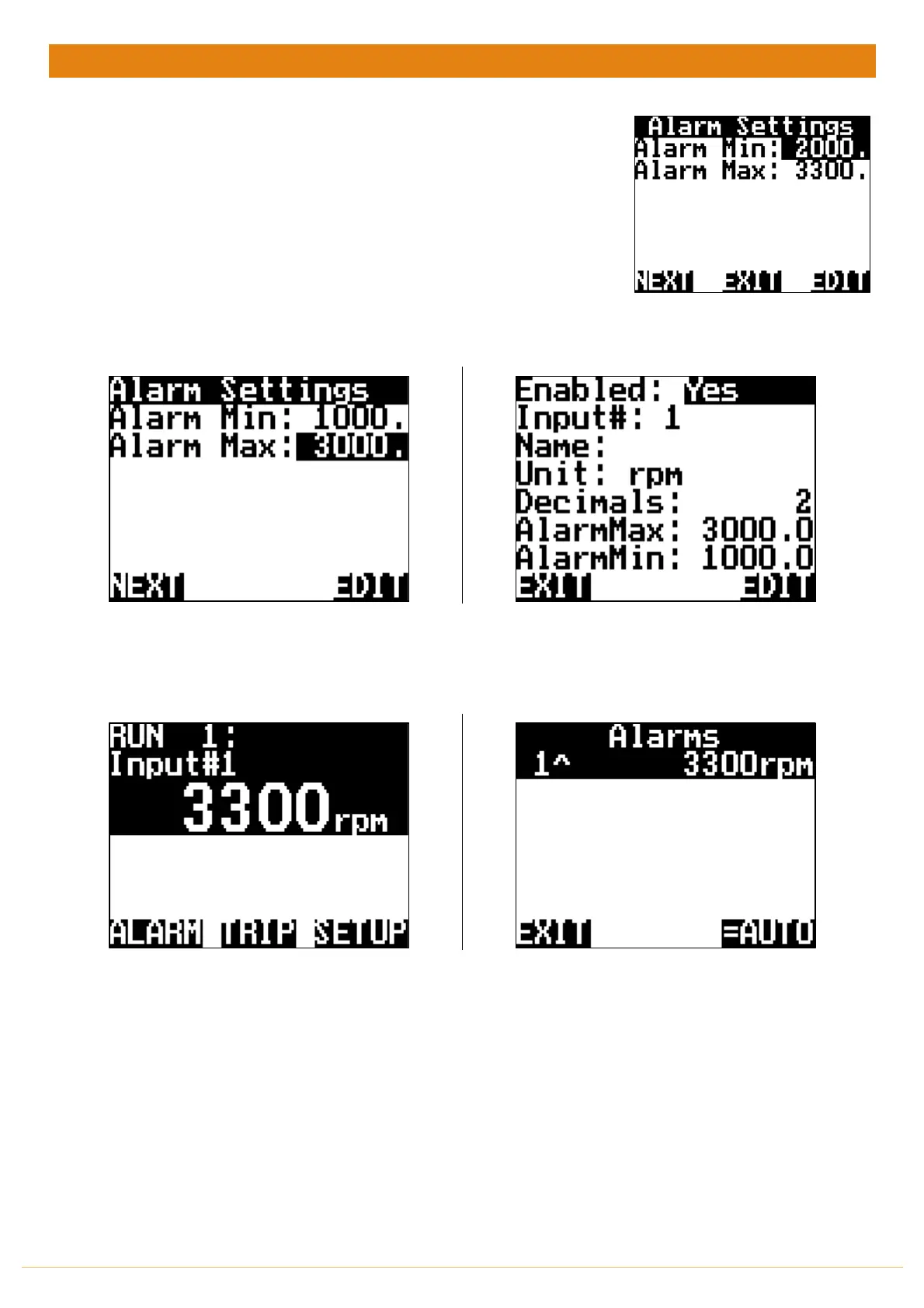
Wizard (Above) or Manual (Right) alarm points.
Example of a Shaft Alarm set at
Min of 1000rpm & Max of 3000rpm.
Press EDIT to adjust these values
Manual/User setup Alarm points via the
MENU > FRONT SCREEN >EDIT Input #
When the alarm point is reached e.g.: over 3000rpm the
line will FLASH notifying you of the alarm point.
Press ALARM to enter the page showing all Alarms (active
and inactive) to reset the alarm.
REFER TO OUTPUTS ON PAGE 44
IF YOU WANT TO CONNECT AN
EXTERNAL ALARM
In the example above Line 1 is ^ over the alarm set point.
If it was below it would show 1v.
You have 3 options:
=AUTO: As soon as the value moves back within the Min
& Max range the monitor will automatically reset the
alarm.
=ON: When the alarm is activated it will remain ON until
you enter the ALARM menu and manually reset
=OFF: You can disable the alarm altogether



 To Next Page