AM-JACKAL-35/ JULY 2020
RATE MONITOR – SOLID
The Jackal can be setup to display an application rate when using both
a speed & pulse input from a shaft or other pickup.
Rates can be displayed in common formats such as kg/Ha
Sensors Required
• Shaft sensor kit (2076) - 2 wire or
• Proximity sensor kit (2010P) (3 wire)
Available Connections: Refer to Installing Sensors from PAGES 9-11
SETUP
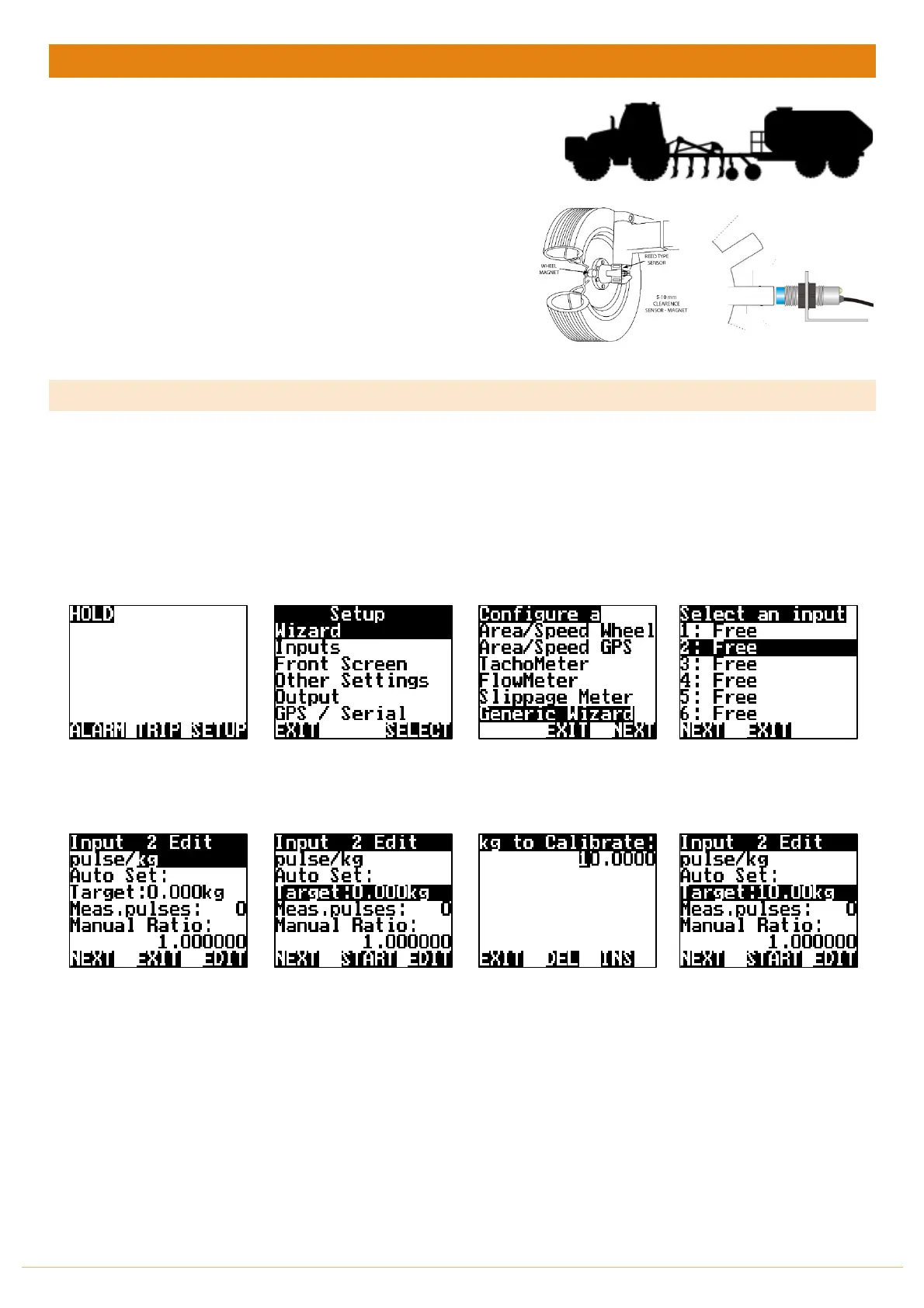
1. Follow the steps below to setup the Jackal to display a pulse/kg (accumulation)
Note:
a) Ensure there is product in the bin/tank to calibrate
b) Have a bucket ready to catch the product
c) Have a set of scales (e.g. Farmscan Part # 2199) ready to weigh the product
From the front screen press
SETUP
Highlight WIZARD & press
SELECT
Highlight GENERIC WIZARD
& press NEXT
Highlight the INPUT number
where the sensor wire is
connected into on the rear
of the Jackal & press NEXT
Choose your unit of pulse by
pressing the EDIT
E.g. pulse/kg
Highlight
TARGET
& press
EDIT
Using the
NAV
buttons enter
the target amount (kg) to be
measured. i.e. 10.0000
Press
EXIT
when done.
Prime the Bin/Tank until
product flows & then stop
it.
Press
START
on the Jackal,
Run Bin & let product flow.
This will allow pulses from
the sensor to register and
the number of pulses will be
displayed next to
Meas.pulses:



 To Next Page